5. Commissioning
MiR Fleet PC Getting Started (en) 01/2021 - v.1.5 ©Copyright 2019-2021: Mobile Industrial Robots A/S. 31
5.6 Setting up mission schedules
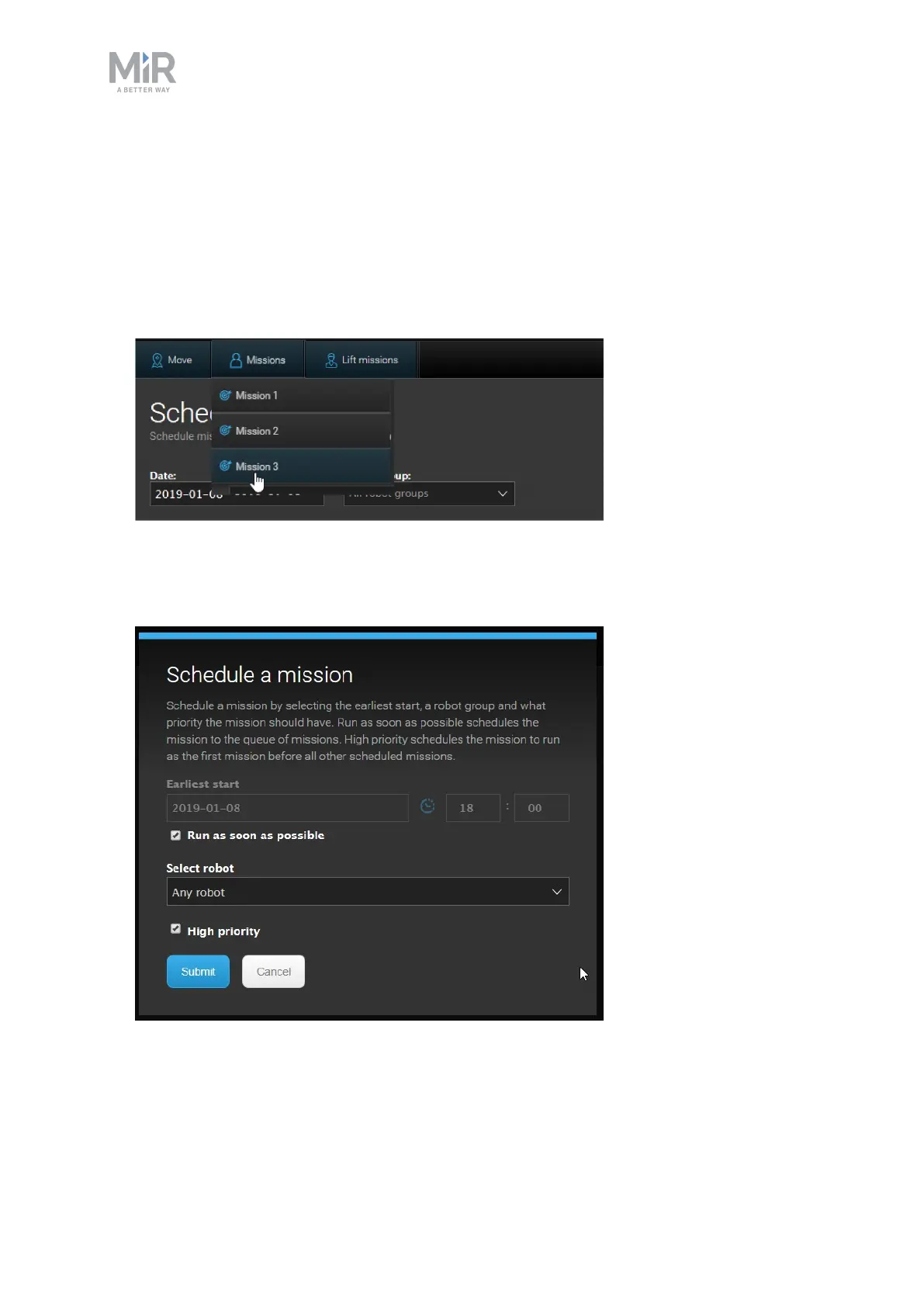
Missions are set up and monitored from the Scheduler menu. To schedule a mission, follow
these steps:
1. Go to Setup > Fleet > Scheduler. Available missions are shown in the top bar. Select one
of the robot groups and select a mission from the list.
2. Set the mission parameters to specify which robot group should run the mission and at
what time the mission should be initiated. High priority puts the mission to the front of
the queue.



 To Next Page