5. Commissioning
MiR Fleet PC Getting Started (en) 01/2021 - v.1.5 ©Copyright 2019-2021: Mobile Industrial Robots A/S. 36
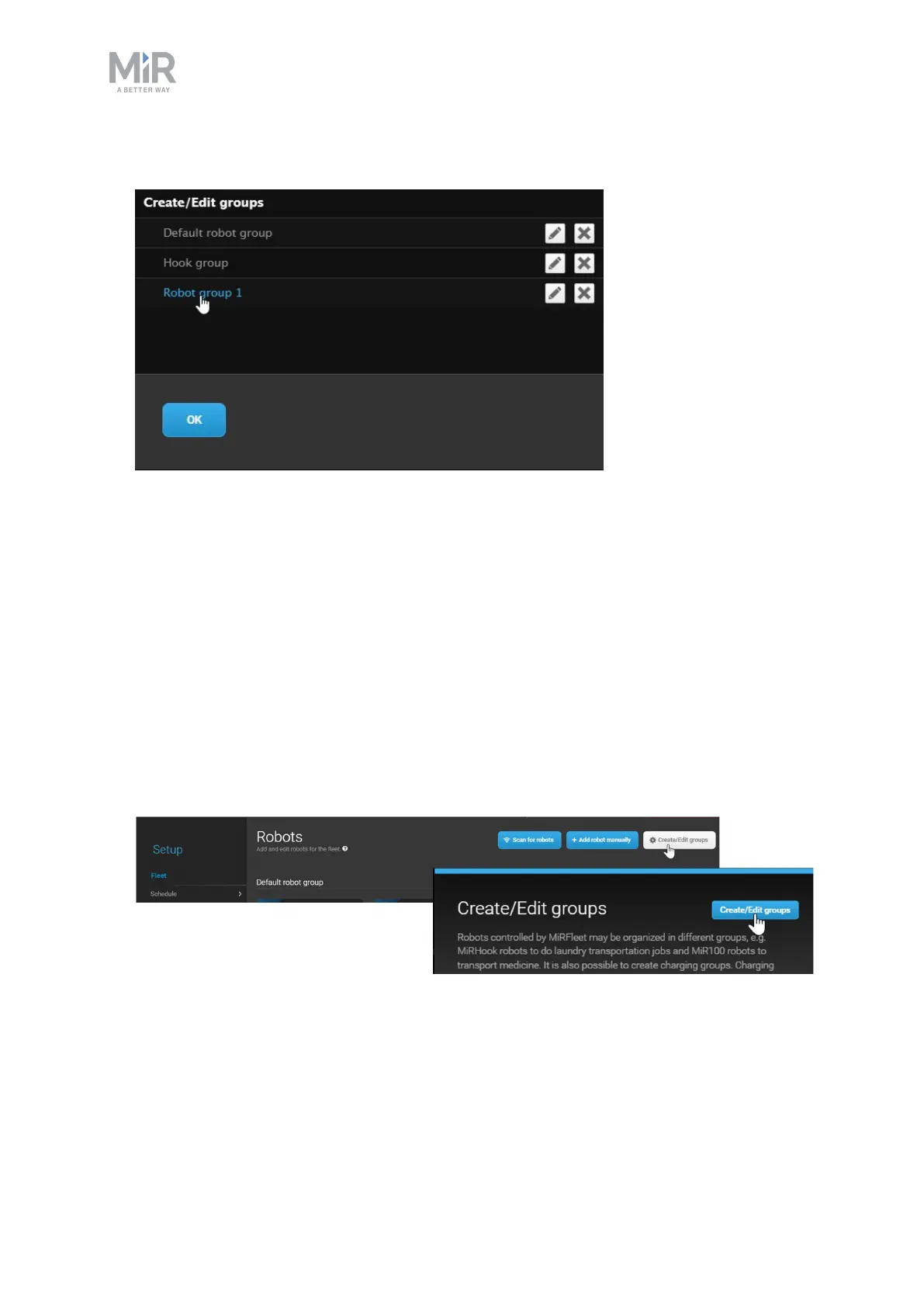
6. Select the Robot group you want to assign the robot to by selecting its name.
7. The robot is now assigned to the group.
Charging groups
In MiRFleet, Charging groups are used to assign a certain set of charging stations to any
number of robots. This is useful if you have enabled Auto charging—see Enabling automatic
charging and staging on page 45— and you have a set of chargers and robots in two isolated
areas. Using Charging groups ensures that robots from one area do not try to dock to
charging stations in another area.
To create a Charging group, follow these steps:
1. Go to Setup > Robots and select Create/Edit groups. Select Create/Edit groups in the
next window.



 To Next Page