OPERATION
Mirage 2000/4000/6000 User’s Manual
3-63
Note also that enabling Use Primary Color Adjustment also sets Gamma to its
default—no other setting of Gamma is possible with adjusted primary colors.
If at any time you decide not to use or apply the Adjust Primary Colors (CSC)
feature, delete its checkmark—this disables Red Primary, Green Primary and
Blue Primary controls. In addition, full normal adjustment of Gamma is
regained.
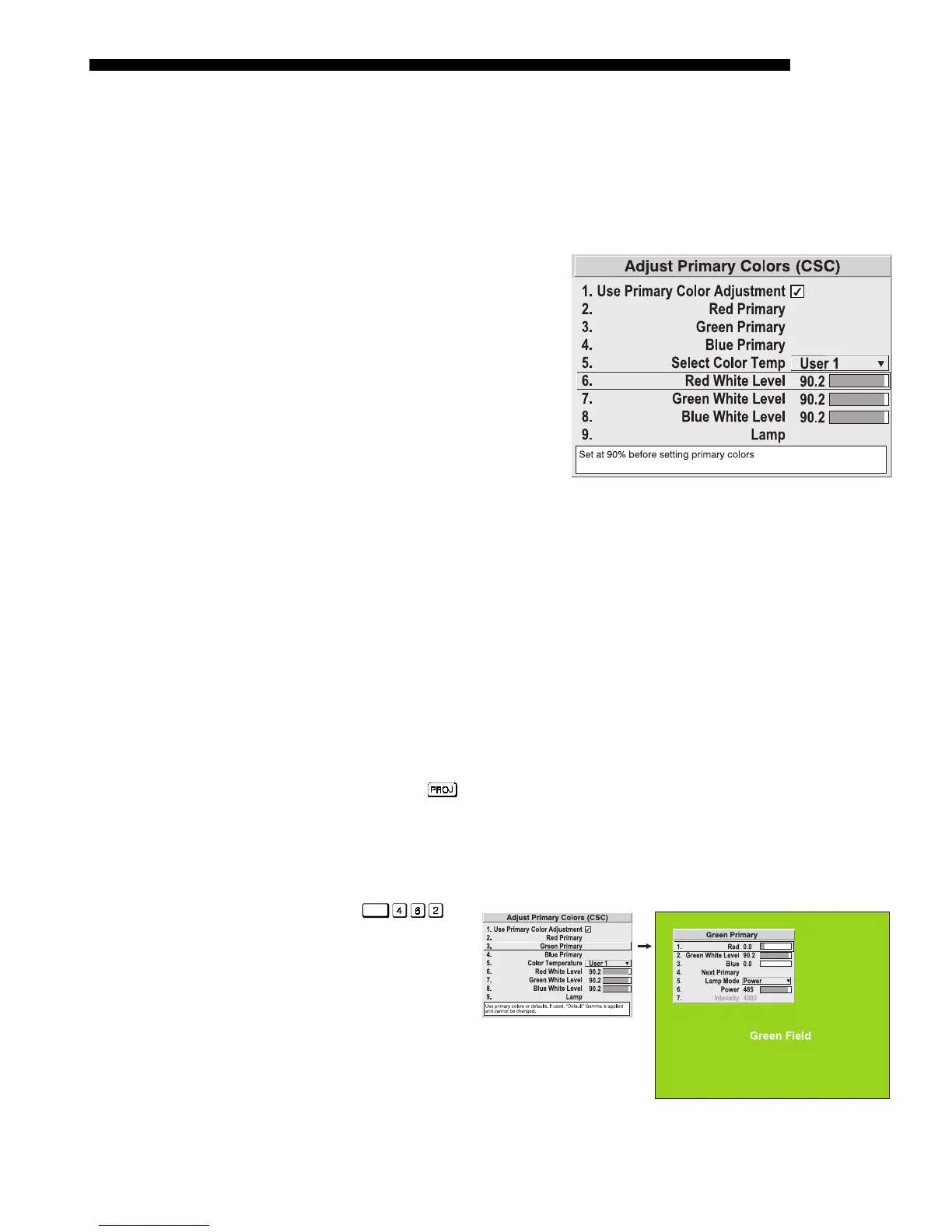
2b) SELECT A “USER” COLOR
TEMPERATURE (“User 1”
RECOMMENDED):
In the
Adjust Primary Color (CSC)
menu, select a “User” color
temperature that you will be
defining through your
adjustment of primary colors
on each projector. Choose
any of the four User choices,
but note that User 1 is the
default color temperature
applied if you add a new
source in the future while
Primary Color Adjustment is
activated (instead of the usual default of 6500K applied when Primary Color
Adjustment is not enabled). As in any color temperature menu, white levels
for preset color temperatures cannot be changed. See Figure 3.39.
2c) SET 90% WHITE LEVELS STARTING POINTS: In the Adjust Primary Color
(CSC) menu, set all White Levels to 90% (note: appears as 90.2 in the menu).
See Figure 3.39.
NOTE: No starting point should be 100% because this color could not then be
added to the mix for either of the two remaining primary colors, and would
therefore limit your success in matching all colors.
2d) MATCH ALL LIGHT OUTPUT: Compare all white fields and choose the dimmest.
Using the
### function to talk to the other projectors individually, reduce
Lamp Power settings as necessary until each projector has approximately the
same light output as the dimmest.
Step 3: PRIMARY COLOR ADJUSTMENT
3a) SELECT GREEN PRIMARY SUBMENU: In the Adjust Primary Color (CSC) menu
(
Menu
),
select the Green
Primary option.
The Green
Primary menu
will appear and
your screens
will turn to a
full green field.
See Figure
3.40.
Figure 3.39. Start With a “User”
Temperature and 90% White Levels
In Individual Projectors:
In All Projectors:
Figure 3.40. Go to the Green Primary Menu
with Green Field



 To Next Page