OPERATION
Mirage 2000/4000/6000 User’s Manual
3-15
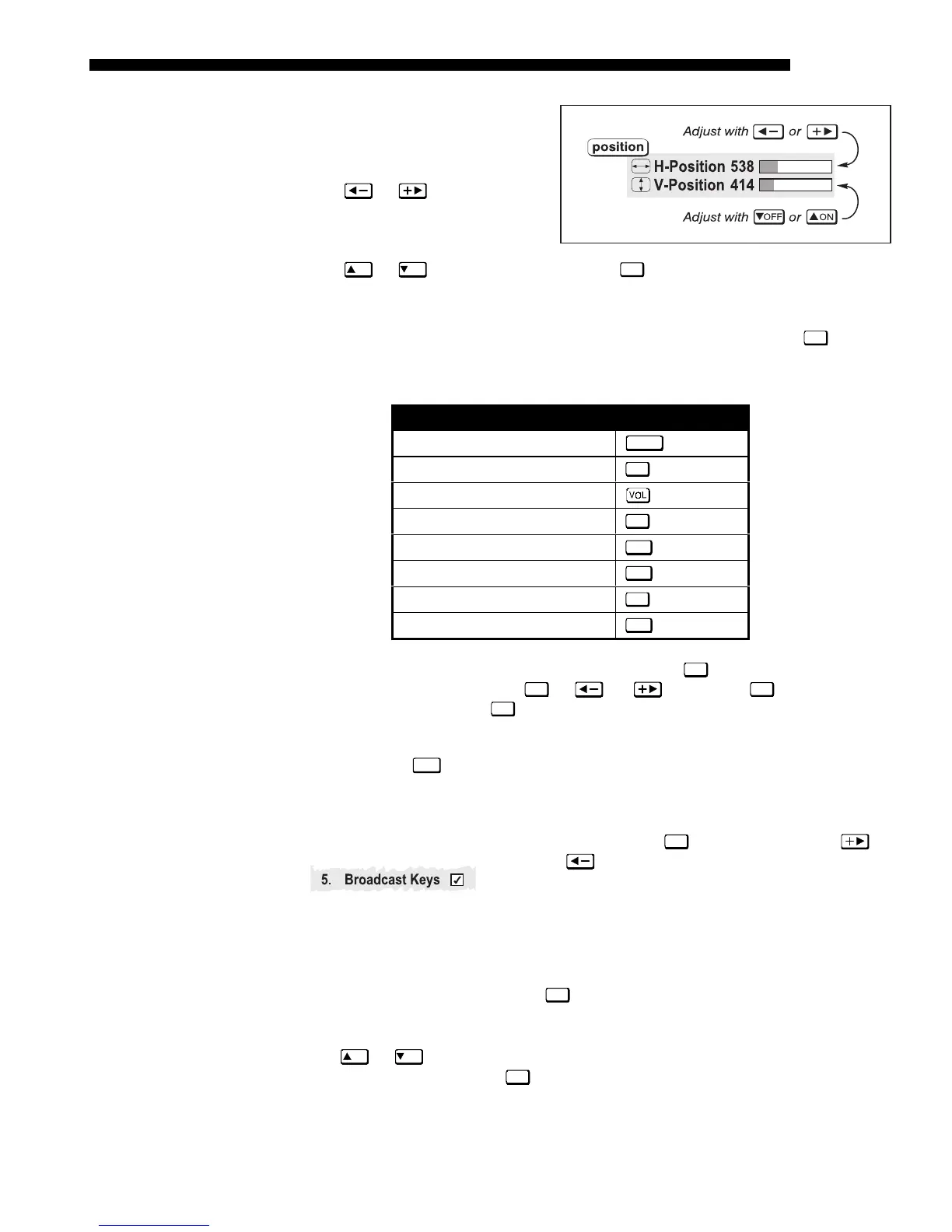
Double slidebars -
In double
slidebars, such as the pixel
tracking/pixel phase double
slidebar, adjust the top slidebar
with
or as desired.
When you have finished with the
top slidebar (whether changed or
not), adjust the bottom slidebar
with
ON
or
OFF
. When you are done, press
Exit
to return to your presentation. For
fast continuous adjustments, hold down the desired arrow key.
“Direct” slidebars -
For quick access, you can often use a slidebar (or double
slidebar) without traveling the menu system. For example, simply press
Cont
to
immediately display the same contrast slidebar accessed with the
Contrast
option in
the Image Settings menu. Direct slidebars are listed below.
LIST OF DIRECT SLIDEBARS
H-Position or V-Position
Position
Pixel Tracking or Phase
Pixel
Volume
Contrast
Cont
Brightness
Bright
Color
Color
Tint
Tint
Detail
Detail
Use the arrow keys to adjust a direct slidebar, or press
Enter
and enter a specific
number from the keypad , then
Enter
or or to save ( or
Exit
to cancel).
When you are done, press
Exit
to save and return to your presentation.
NOTES: 1) You can still adjust a direct slidebar as usual if the menu display is
turned off (see
OSD*
or Menu Preferences menu) — the slidebar just won’t be visible.
2) A direct slidebar disappears if it is not used within 5 seconds.
Checkboxes -
Conditions are present if its adjacent checkbox contains a checkmark.
To toggle the checkbox, simply highlight and press
Enter
, or highlight and use to
check and
to uncheck. For a checkbox that is
numbered, simply enter the number of the option to toggle
the checkbox.
Pull-down lists –
To see a pull-down list of options available for a given parameter
labeled with a
▼
, you can:
• Highlight it and press
Enter
• Or enter the menu option number.
Use
ON
or
OFF
keys to navigate up and down within the list (the current choice is
noted with a small
'
). Press
Enter
to choose an option from the list, if desired.



 To Next Page