Mitel
®
5360 IP Phone User Guide – , April 2013 Page 89
Cordless Devices
Using the Mitel DECT Cordless Headset
The cordless headset offers the same capability as the cordless handset to make and answer
phone calls away from your desk, while adding the convenience of hands-free operation.
When not in use, the cordless headset sits in the headset charging cradle. For more information
on alerting tones and LEDs, see “Alerting Tones and LEDs” on page 84.
To use the cordless headset, you must pair the headset with the IP phone. For more
information, see “Pairing the Cordless Module and Devices” on page 82.
Cordless Headset Features
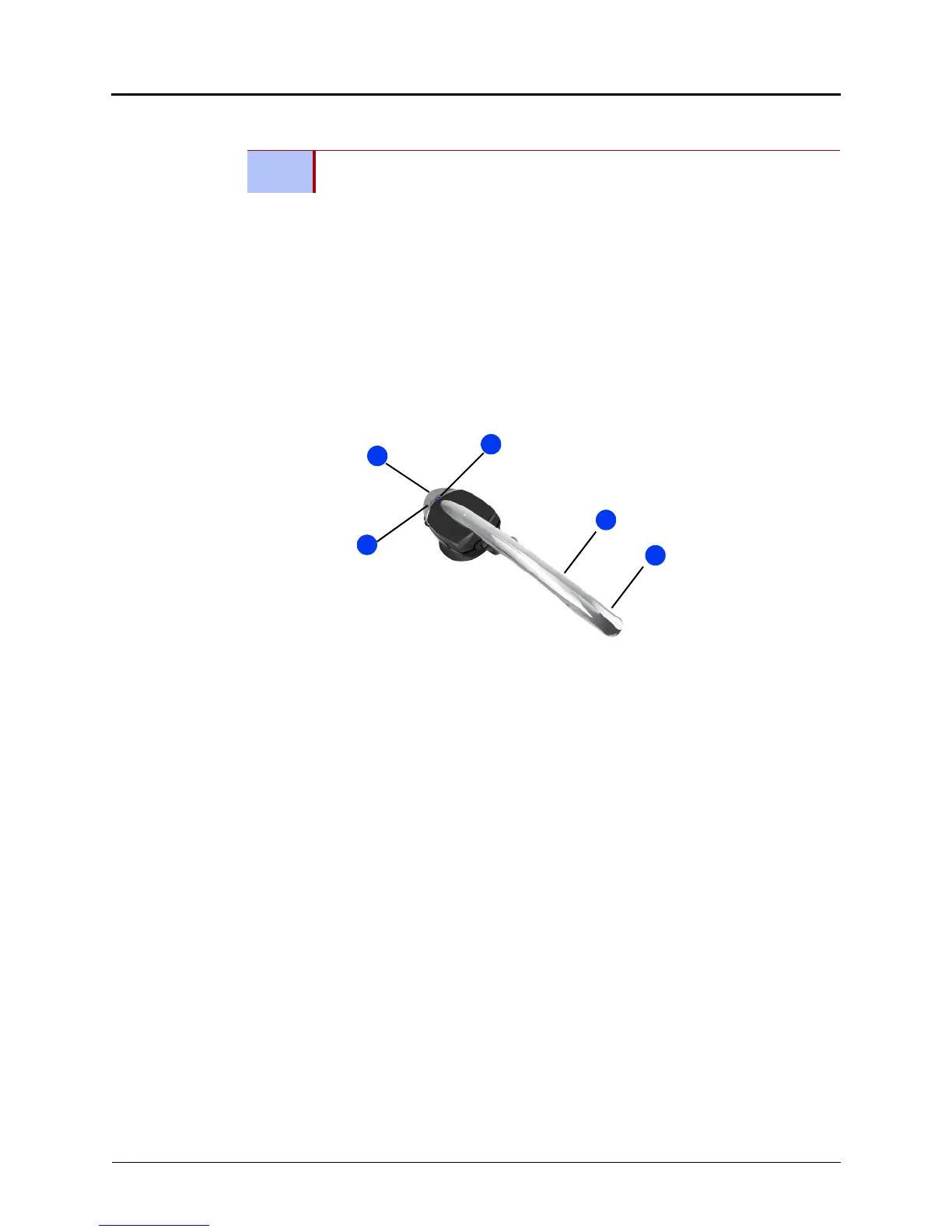
The cordless headset is shown here.
Answering Calls
The following instructions describe how to answer a call.
To answer a call:
Do one of the following:
• Lift the cordless headset from the cradle.
• If the headset is already out of the cradle, press the hookswitch button on the headset.
Hanging Up
If you are out of range for more than 10 seconds, any call that is in progress is dropped and not
recovered.
To hang up:
Do one of the following:
• Replace the cordless headset in the cradle.
• If the headset is already out of the cradle, press the hookswitch button on the headset.
NOTE
This section applies only to the Mitel DECT Cordless Headset. It does not apply to
third-party Bluetooth headsets.
1 – Microphone 4 – Volume control
2 – Boom arm 5 – Hookswitch and pairing button
3 – Linked Indicator (LED)



 To Next Page