Mitel
®
5360 IP Phone User Guide – , April 2013 Page 79
Cordless Devices
Cordless Devices
You can use the cordless handset and cordless headset to move around within your office or
adjacent offices. The cordless headset and handset are optional accessories, ordered
separately. For more information, contact your system administrator or local Mitel provider. Both
cordless devices connect to your IP phone through the cordless module, which attaches to the
back of the IP phone. The following two Cordless Module types are available:
• Digital Enhanced Cordless Telecommunications (DECT)
• Bluetooth®.
The DECT Cordless Module works with the Mitel DECT Cordless Handset and Mitel DECT
Cordless Headset. The Bluetooth Module works with the Mitel Bluetooth Handset and most
third-party Bluetooth headsets.
The Mitel Cordless Handsets (both DECT and Bluetooth) recharge in the handset cradle. The
Mitel Cordless Headset (DECT only) rests and recharges in a headset cradle that attaches to
the side of the phone.
The Cordless Devices Application provides access to the configuration settings and information
screens that apply to the cordless module and accessories. For more information, see “Pairing
the Cordless Module and Devices” on page 82.
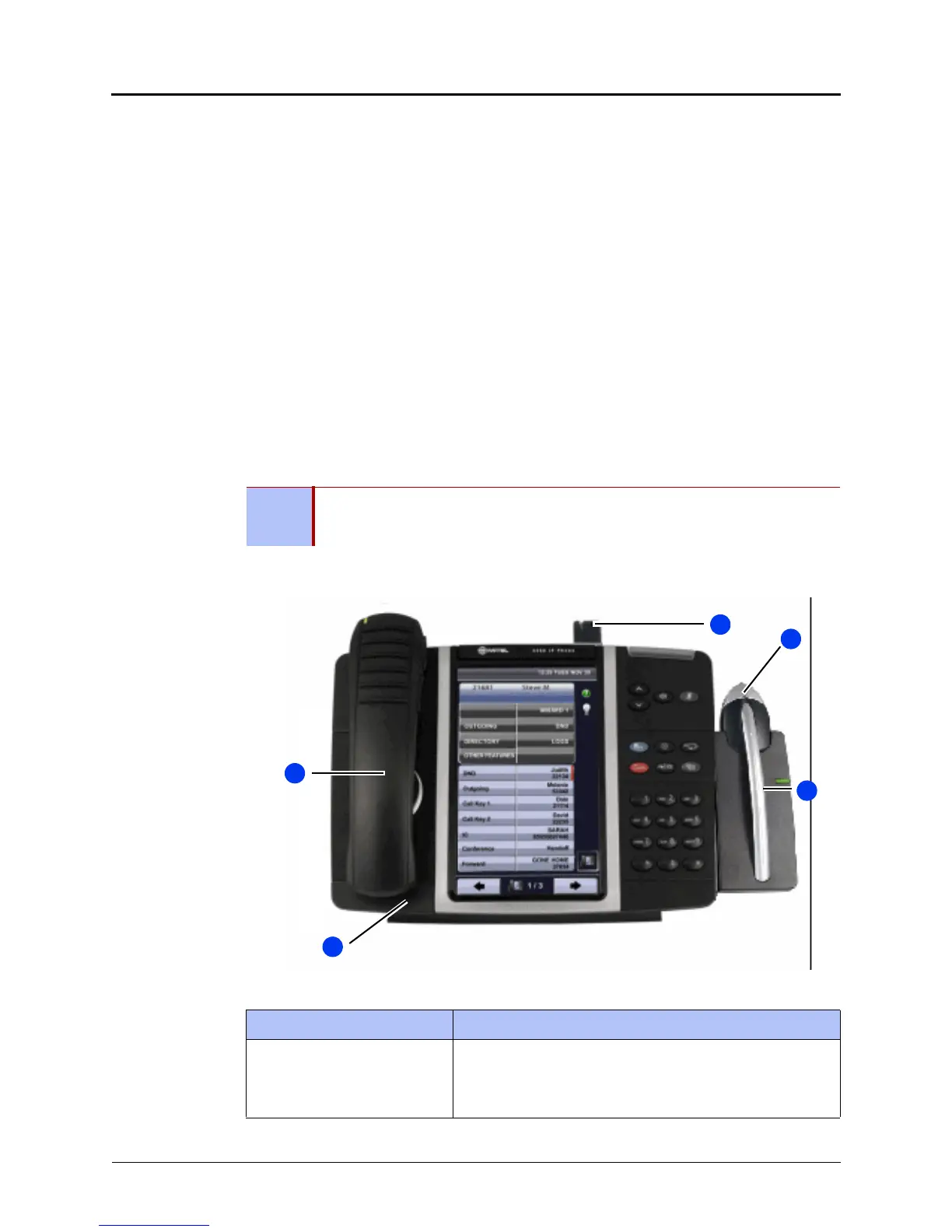
The cordless module is shown here. The IP phone features are explained below.
NOTE
Since only one module type can be attached to the phone at any given time, you
cannot, for example, use a 5310 Conference Module when a Cordless Module is
attached.
Feature Function
1 – Cordless Module Attached to the back of the IP phone, the module contains a
light-emitting diode (LED) indicating that a cordless device is
in use; also indicates the pairing of module and a cordless
device.



 To Next Page