INSTALLING CHASSIS IN A CABINET
23 20/1531-ASP11301 Uen B5 2017-03-23
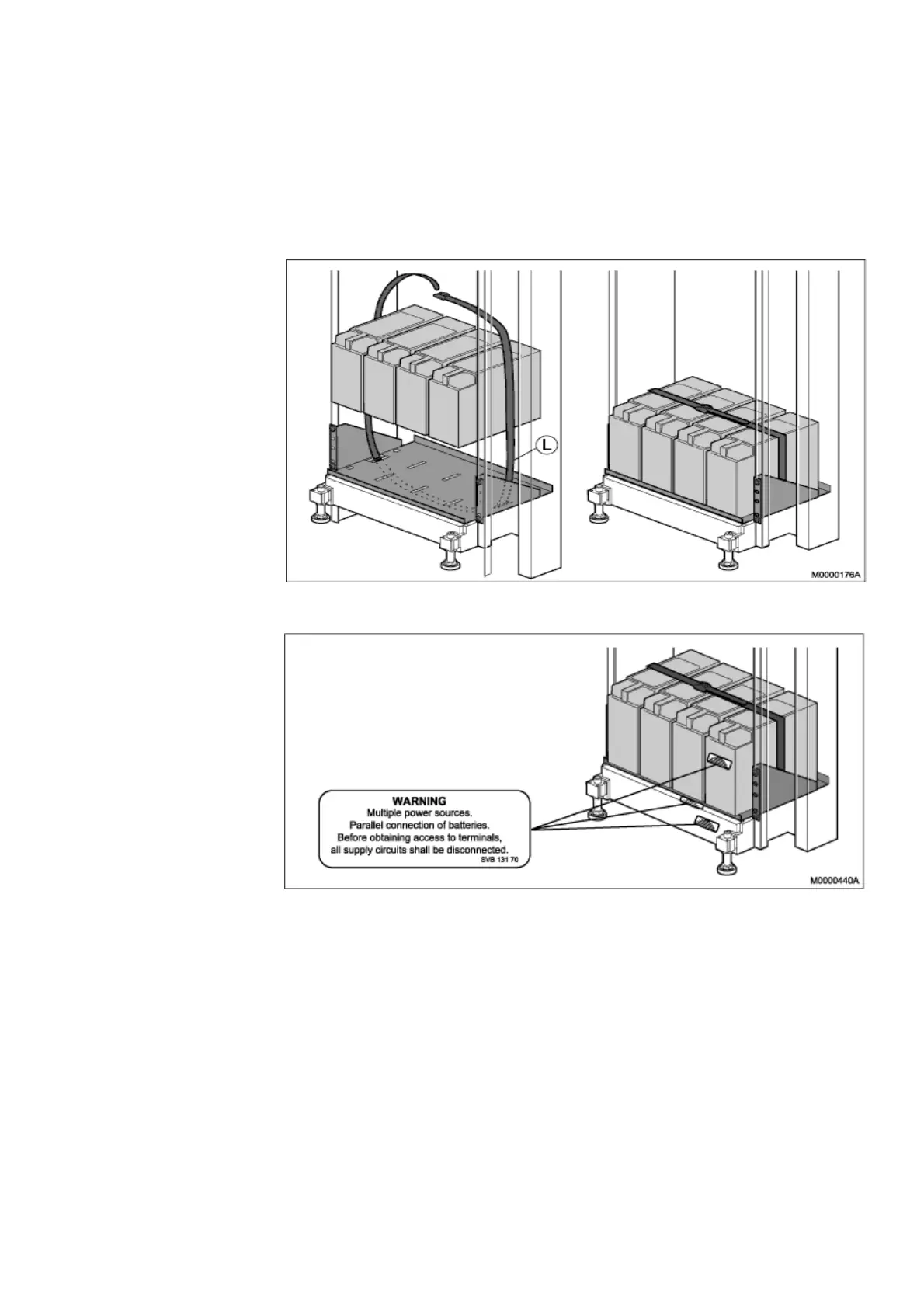
11. Place the strapping belt (L) around the batteries and tighten the strap, see Figure
16:Battery String Safety Strap on page 23.
12. Fasten three warning labels, parallel connection of batteries (SVB 131 70), one
on the right-hand side battery, and two at the bottom of the cabinet, see Figure
17:Parallel Connection of Batteries Warning Label on page 23 and see Figure
35:Warning Label SVB 131 70 on page 41.
Figure 16: Battery String Safety Strap
Figure 17: Parallel Connection of Batteries Warning Label
2.5 INSTALLING AC/DC UNIT
This section describes the installation of the AC/DC power unit in the cabinet.
Before working on any equipment, be aware of the hazards involved with the electrical
circuits and be familiar with the standard practices for preventing accidents.
The Power inlets to the AC/DC is on the rear side. Check that the power connection
are accessible after mounting, else connect the Power cables before mounting. Also
secure the Power cables with a cable tie, to avoid disconnection. see Figure 30:Secure
Main cables on page 37



 To Next Page