133/164
Virtual PTZ And Full Image Recording
© MOBOTIX AG • Security-Vision-Systems • Made in Germany
www.mobotix.com • sales@mobotix.com
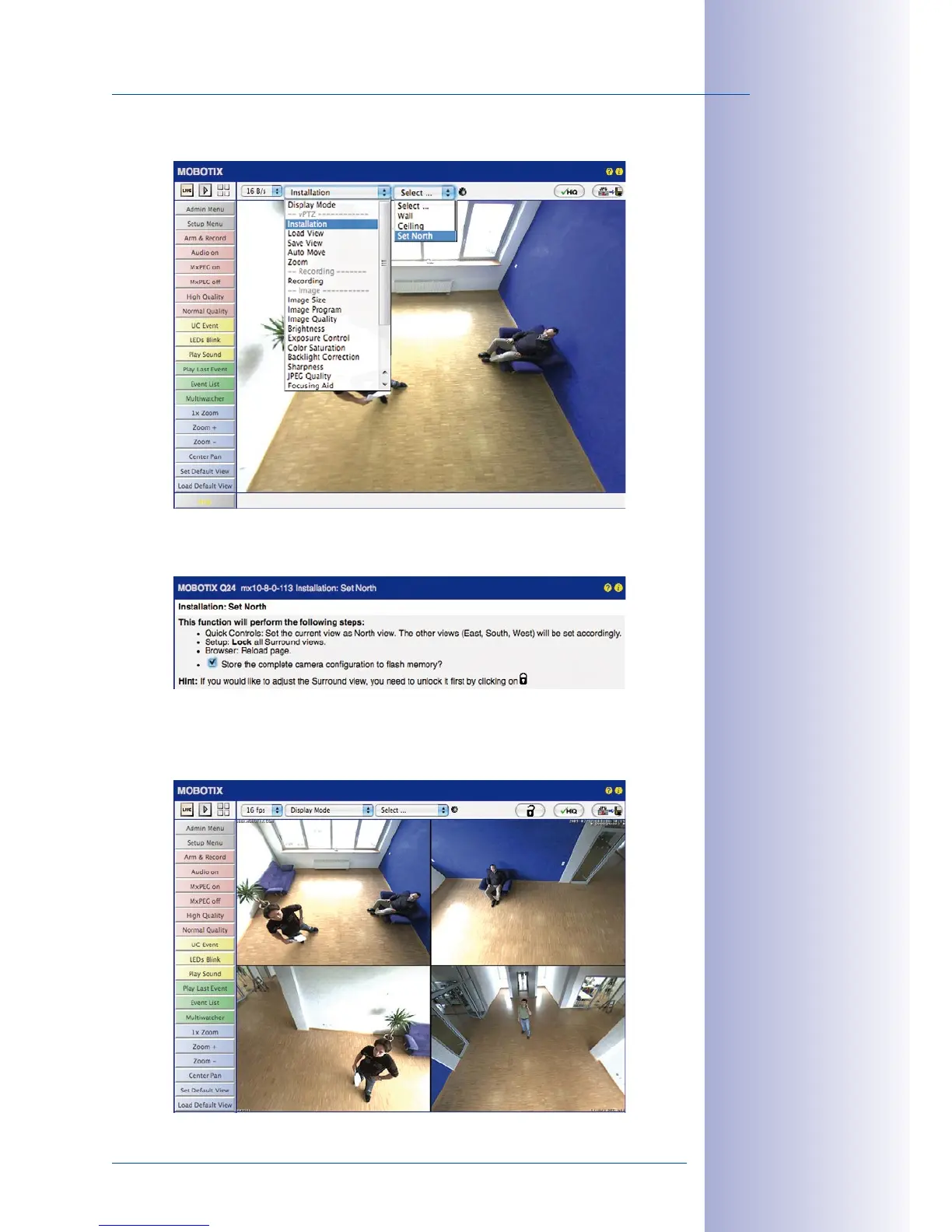
3. In the Installation Quick Control, select the Set North option.
4.
Store the desired North direction permanently by first activating the checkbox and
then clicking on Yes.
5. You have now set the North direction for the Surround and Double Panorama
display modes. In the next step, you can set these views as the standard view for
the camera live image.
Caution: No OnScreen
Control is available in
”Double Panorama” mode
East
South
North
West



 To Next Page