9
3
Operation
Revision 3
© Moffat Ltd, September 2009
E32SUBC OVEN and PROOFER
3.3.1 Proofer
The following Proofer settings are adjustable by the operator:-
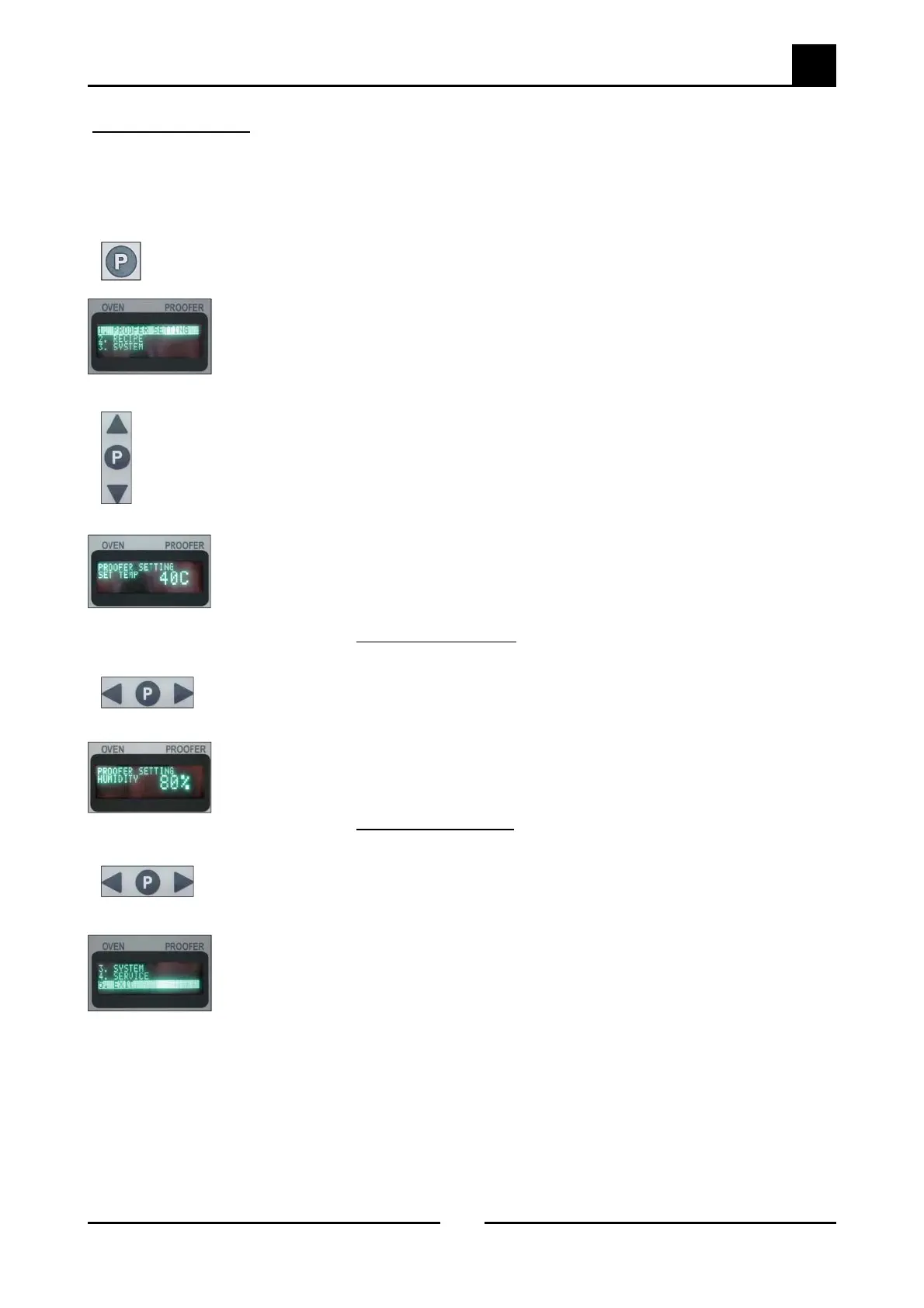
Press the Programming Key ‘P’ for 3 seconds to access the Service Menu.
The programming light ‘Prog’ will illuminate.
The display screen will show the following service menu settings:-
1. Proofer Settings.
2. Recipe.
3. System.
4. Service.
5. Exit.
Use the ‘Up’ / ‘Down’ scroll keys to scroll through the service menu settings.
Select No.1. ‘Proofer Settings’ and press the Programming Key ‘P’, the Proofer
Temperature Setting screen will display.
Temperature Settings.
Range - 38˚C to 42˚C.
Factory Default = 40˚C
.
Press either ‘Left’ or ‘Right’ keys to scroll through the temperature adjustment settings
to the temperature required and press the Programming Key ‘P’ to save the change.
The Proofer Humidity Setting screen will display.
Humidity Settings.
Range - 80% to 90% in increments of 5%.
Factory Default = 80%
.
Press either ‘Left’ or ‘Right’ keys to scroll through the humidity adjustment settings to
the required setting and press the Programming Key ‘P’ to save the change and return
to the Service Menu.
Scroll down to the ‘Exit’ menu and press the Programming Key ‘P’ to exit the Service
Menu. The programming light ‘Prog’ will go out.


 To Next Page