17
3
Operation
Revision 3
© Moffat Ltd, September 2009
E32SUBC OVEN and PROOFER
3.3.7 Service Counters
The following Service Settings are adjustable by the Authorised Service Agents:-
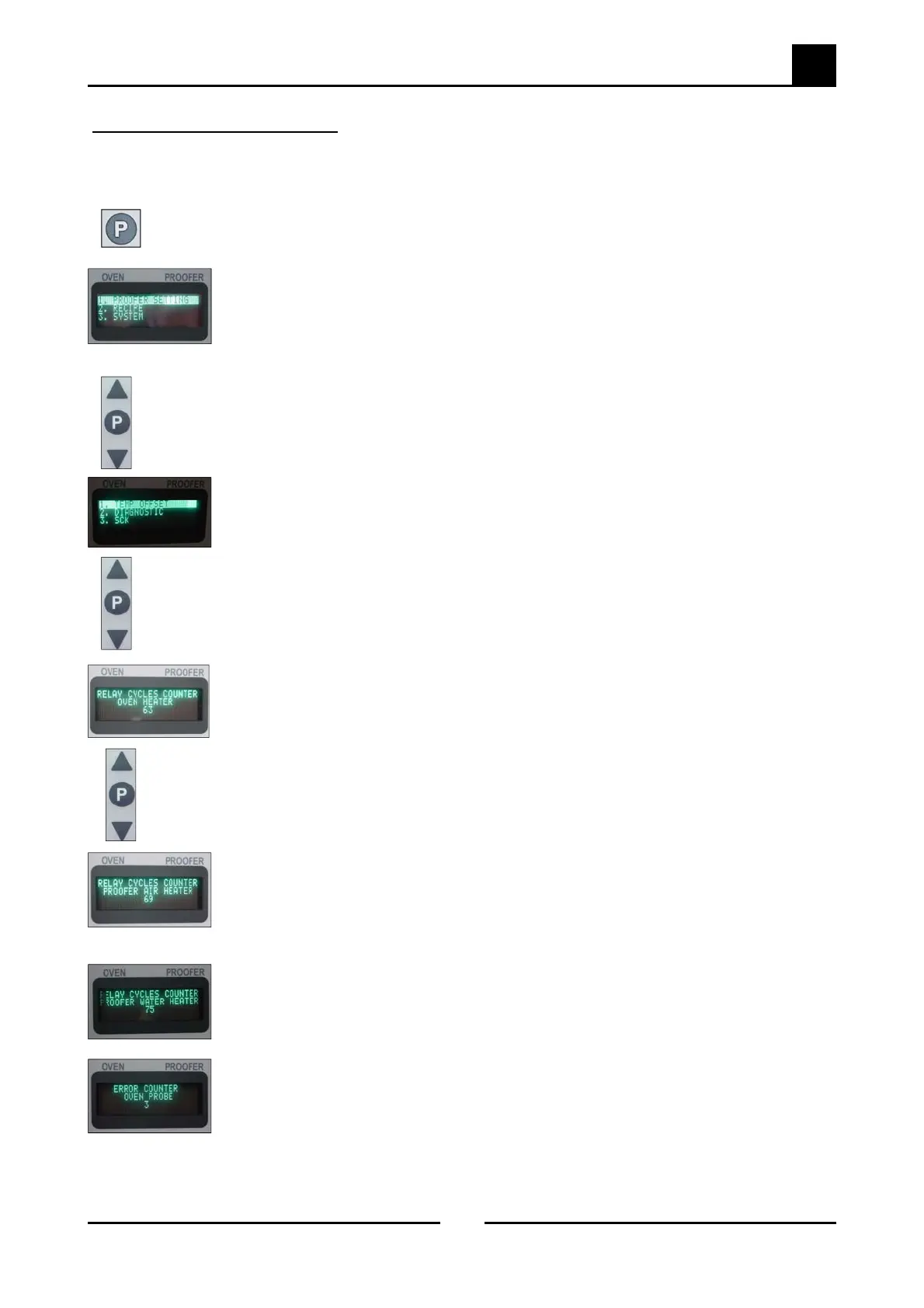
Press the Programming Key ‘P’ for 3 seconds to access the Service Menu.
The programming light ‘Prog’ will illuminate.
The display screen will show the following service menu settings:-
1. Proofer Settings.
2. Recipe.
3. System.
4. Service.
5. Exit.
Use the ‘Up’ / ‘Down’ scroll keys to scroll through the service menu settings.
Select No.4. ‘Service Settings’ and press the Programming Key ‘P’,
Press the Proofer # 2, Oven # 3, Proofer # 2, Proofer # 3 keys, then press Program-
ming Key ‘P’ Service Setting screen will display.
Use the ‘Up’ / ‘Down’ scroll keys to scroll through the service menu settings. Press the
Programming Key ‘P’ to select ‘Counters’.
The Count for the number of times the Oven Element relay has operated screen will
display
Use the ‘Up’ / ‘Down’ scroll keys to scroll through the Counters menu.
The Count for the number of times the Proofer Air Heating Element has operated
screen will display
The Count for the number of times the Proofer Water Heater Element has operated
screen will display.
The Count for the number of times the Oven Temperature Probe has failed (open/
closed circuit or out of range) screen will display.


 To Next Page