-33-
Revision 7/F3512
© Moffat Ltd, January 2005
E35 Turbofan Ovens
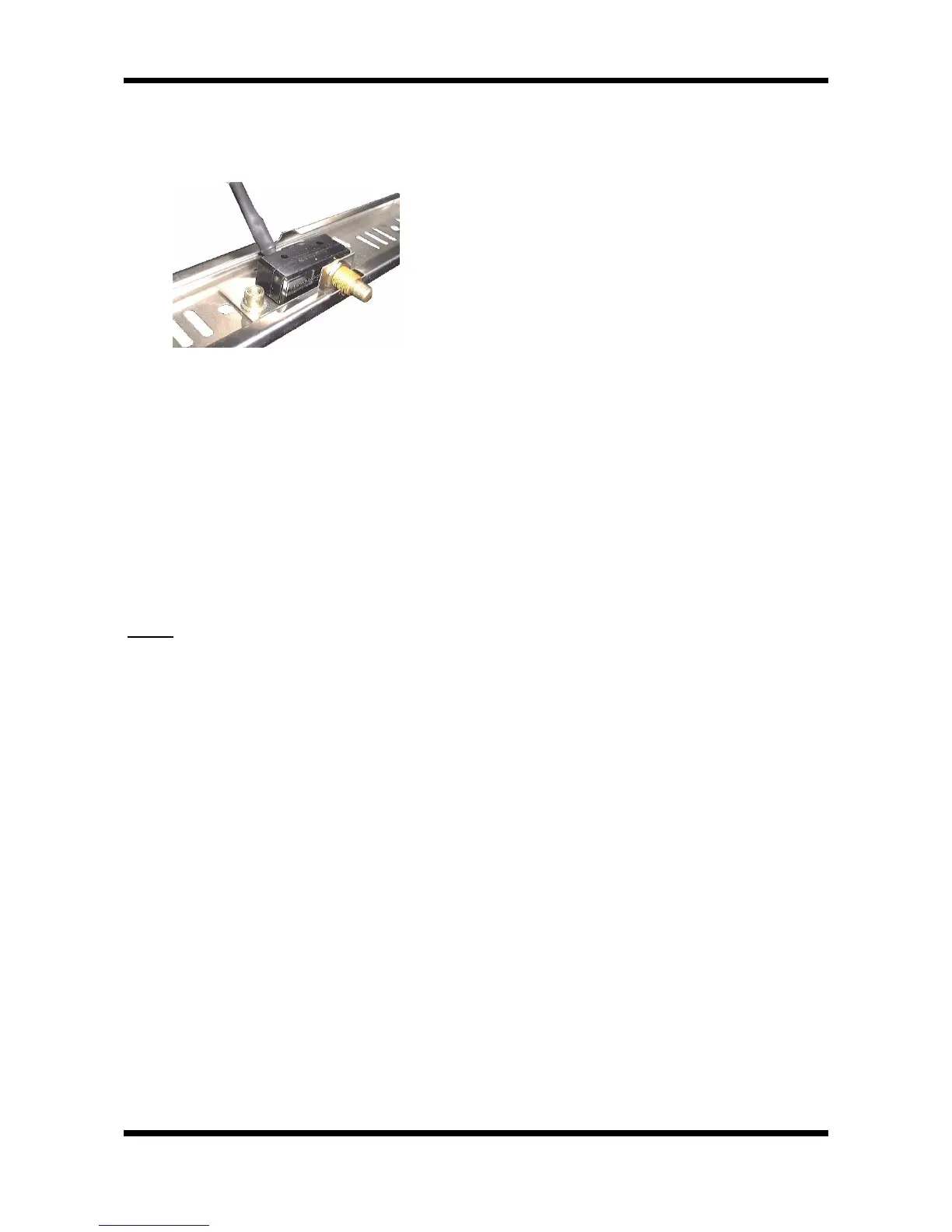
6) Undo the screws securing the microswitch
mounting bracket to the cover panel, turn the
bracket around, and re-secure the switch
(facing the other way).
Figure 6.4.9
7) Refit the cover panel to the bottom of the
oven with the microswitch at the left hand side
of the oven.
8) Fit the top and bottom hinge plates (removed
in step 2) to the right hand side of the oven
door opening. (The plates should be turned
upside-down from their position on the left
hand side of the oven).
9) Turn the door over and refit the pivot pins to
the hinge plates to secure the door to the right
hand side of the door opening.
10) Check the operation of the door microswitch
and adjust as necessary.
NOTE:
The door handle mechanism will now
operate in the ‘up’ direction rather than down.


 To Next Page