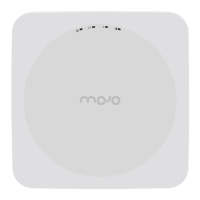
C-75 Installation Guide
12
Installing the C-75
When the C-75 functions as a WIPS sensor, it monitors your network and communicates with the server to
guard your corporate network against over-the-air attacks.
Clients can connect to your corporate network in wireless mode through the C-75 AP(s).
The C-75 must be plugged into your corporate network to perform the above-mentioned operation.
From release 7.1 Update 4, the C-75 can also detect cellular activity. You must plug in the cellular activity
detection device into the USB port of the C-75 to detect cellular activity.
Note: In case the C-75 device is already deployed and functional, you need to reboot the device after plugging
in the cellular activity detection device.
As a WIPS sensor, C-75 can be configured in one of the following two modes:
Sensor Mode: This is the default mode. In this mode, the device can be connected to a trunk port
(802.1Q capable) on a switch. The device then monitors the VLANs that are configured on that trunk
port and are chosen by the user. In this mode, an C-75 can monitor up to 16 VLANs. The wireless
interface of the sensor is enabled for WIPS operations.
Network Detector (ND) Mode: This mode needs to be explicitly configured. In this mode, the
device can be connected to a trunk port (802.1Q capable) on a switch. The device then monitors the
VLANS that are configured on that trunk port and are chosen by the user. In this mode, an C-75 can
monitor up to 100 VLANs. The wireless interface of the ND is disabled.
Important
:
To prevent disconnection or tampering by unauthorized personnel, it is extremely important to
install the device such that it is difficult to unplug the device from the network or from the power outlet.
Zero-Configuration of C-75 as Access Point
Zero-configuration is supported under the following conditions:
The device is in AP mode with background scanning on with no SSID configured.
A DNS entry wifi-security-server is set up on all the DNS servers. This entry should point to the IP
address of the server. By default, the device looks for the DNS entry wifi-security-server.
The device is placed on a subnet that is DHCP enabled.
Important
:
If the device is placed on a network segment that is separated from the server by a firewall, you
must first open port 3851 for User Datagram Protocol (UDP) and Transport Control Protocol (TCP) bidirectional
traffic on that firewall. This port number is assigned to Mojo Networks. If multiple devices are set up to connect
to multiple servers, zero-configuration is not possible. In this case, you must manually configure the sensors.
Refer to
Manually Configuring C-75
for further details.
The steps to install the device with no configuration (zero-configuration) are as follows.
1. Mount the device
2. Power on the device.
3. Connect the device to the network.


 To Next Page