C-75 Installation Guide
21
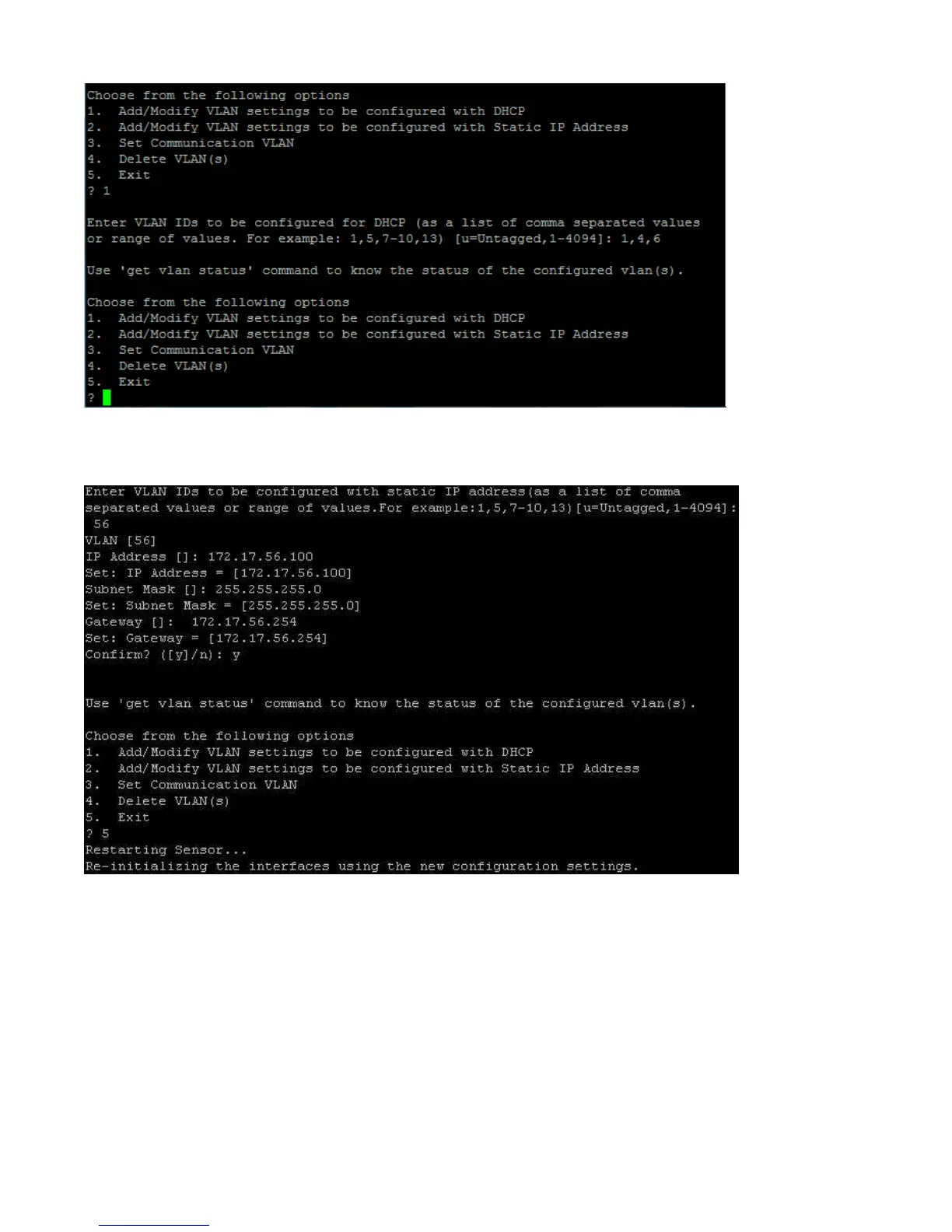
To configure VLANs with static IP address, you must provide the IP address, the subnet mask and the gateway.
See the figure below for configuring VLAN with a static IP address.
To configure/ change the Communication VLAN, do the following
1. Type the set vlan config command.
2. Choose option 3 from the menu that appears.
Configure a static IP address in absence of a DHCP server
1. Connect a crossover cable from the computer to the Ethernet port of C-75.
2. Configure the LAN IP address on the computer in the subnet 192.168.1.0/24.
3. SSH to IP address: 192.168.1.245 (factory default)
4. Log in to the CLI of the device using default credentials.


 To Next Page