C-75 Installation Guide
20
Configure Network Settings
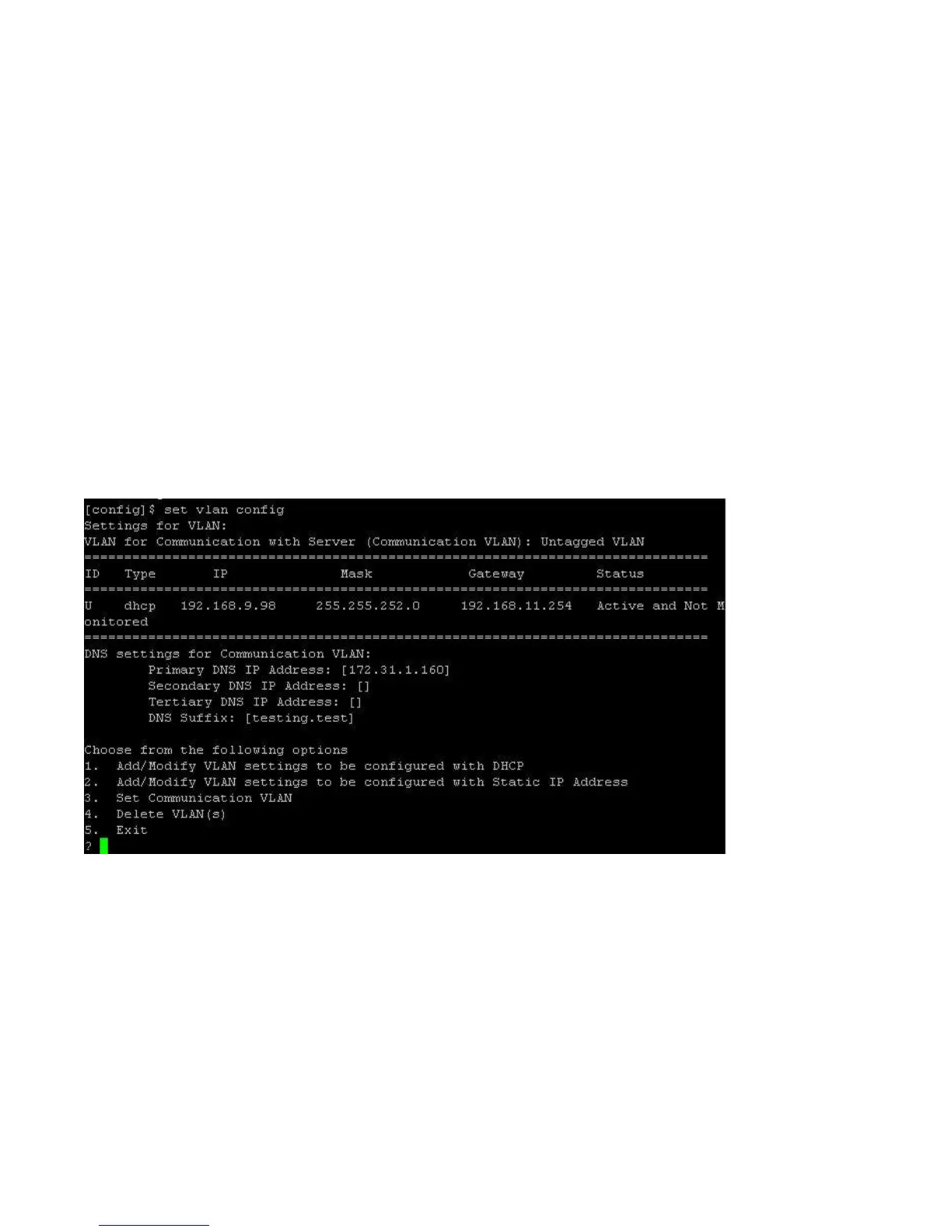
After the mode is set, you have to configure the network settings. For the Network Detector/Sensor mode, use
the set vlan config command to configure the IP addresses on the ND.
With the set vlan config command, you can do the following.
Add /modify VLAN settings to be configured with DHCP.
Add/modify VLAN settings to be configured with a static IP address.
Set communication VLAN.
To configure VLANs, do the following.
1. Type the set vlan config command to configure all the VLANs.
2. Choose option 1 to configure VLANs for DHCP and option 2 to configure VLANs with static IP
address.
The device will restart / reboot after the VLAN configuration.
To configure VLANs with DHCP, you must provide comma-separated VLAN IDs.
See the figure below for configuring VLAN with DHCP.


 To Next Page