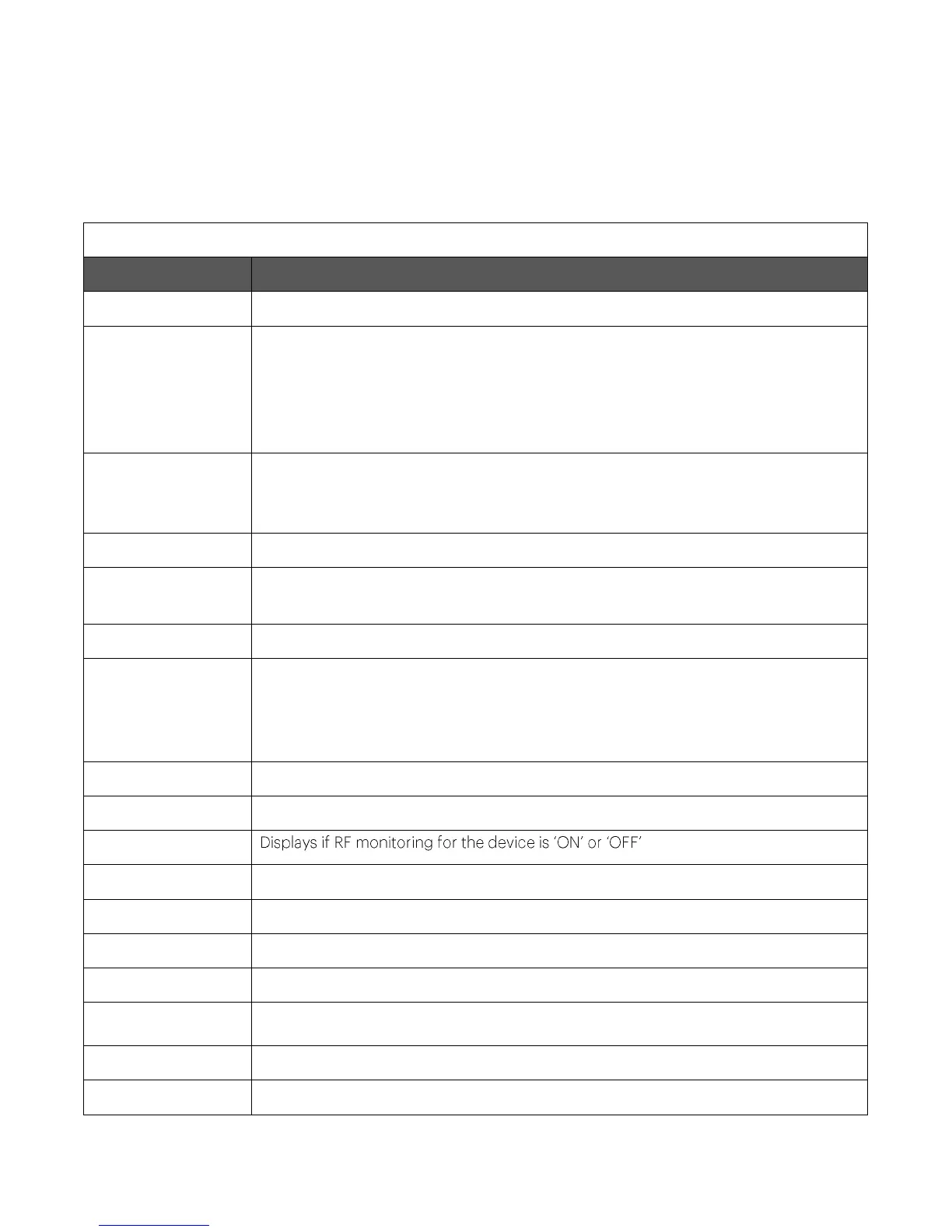
C-75 Installation Guide
23
C-75 Config Shell Commands
The following tables detail the C-75 config shell commands.
Table 0-1 get Commands
Displays all the currently visible APs
Displays the current channel utilization in %, non-Wi-Fi interference in %, and noise
floor values in dBm when device is in AP mode. The radio must have at least one
active virtual AP to get the channel utilization statistics. You can choose to fetch the
current utilization or to auto-read the channel utilization statistics every 5 seconds.
Press Ctrl+C to stop auto-read.
Creates a tar bundle containing the current device configuration, which the user can
download. The tar bundle can be stored for future reference. You can download
individual configuration files instead of the entire tar bundle.
Displays network interface speed and mode
get ip config
(deprecated)
Displays the IP information
Displays the log information as it is created
Displays the hyperlink to the tar file (.tar.gz) containing all logs for the device. Copy
paste this hyperlink in a web browser to download the tar file. This command can
also be used to retrieve kernel panic logs. The kernel panic logs are created when the
AP crashes and they can be found in the panic_logs directory of the tar file.
Displays the configuration of the logger
Displays the mode in which the device is currently configured
Displays the board number
Displays the server discovery/setting information
Displays the current running status of all the components
Displays the version and build information of all the components
Displays VLAN configuration. Both static and dynamic information is displayed.
Displays listing of all VLANs that can be detected by ND.
Displays status of VLANs that are configured for monitoring by ND.


 To Next Page