C-75 Installation Guide
16
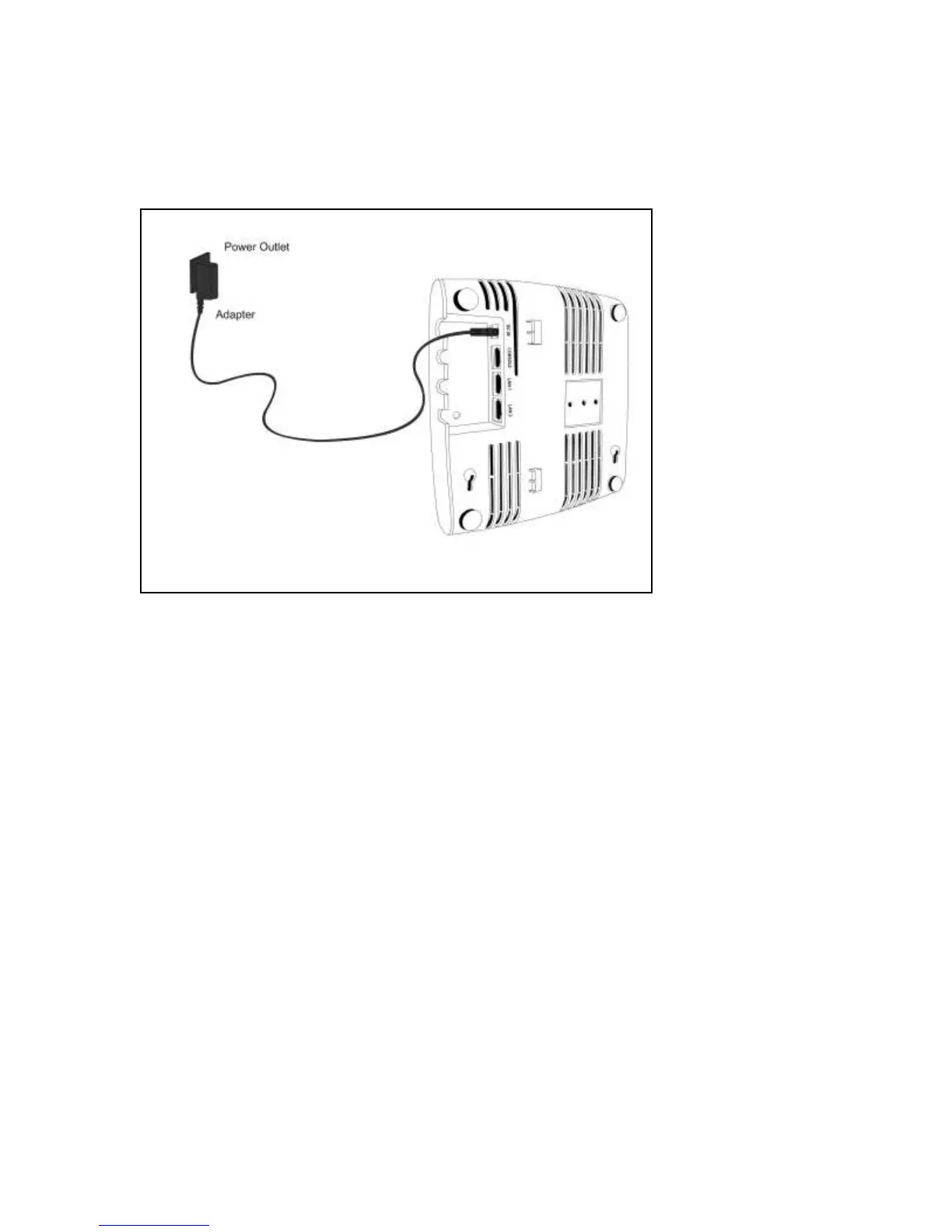
2. Plug the other end of the power cable into an 110V~240V 50/60 Hz AC power source.
Wait until the device is ready. Refer to the respective LED details table based on the configured device
mode.
Figure 0-4. Power Up C-75
To connect C-75 to the network, perform the following steps:
1. Ensure that a DHCP server is available on the network to provide network configuration to the C-75.
2. Connect one end of the network interface cable to the Ethernet port at the rear of the C-75.
3. Connect the other end of the network interface cable to an Ethernet jack on the desired subnet.
Wait until the device is ready (approx. 10 mins).


 To Next Page