37
11. Error elimination
Error description Measures
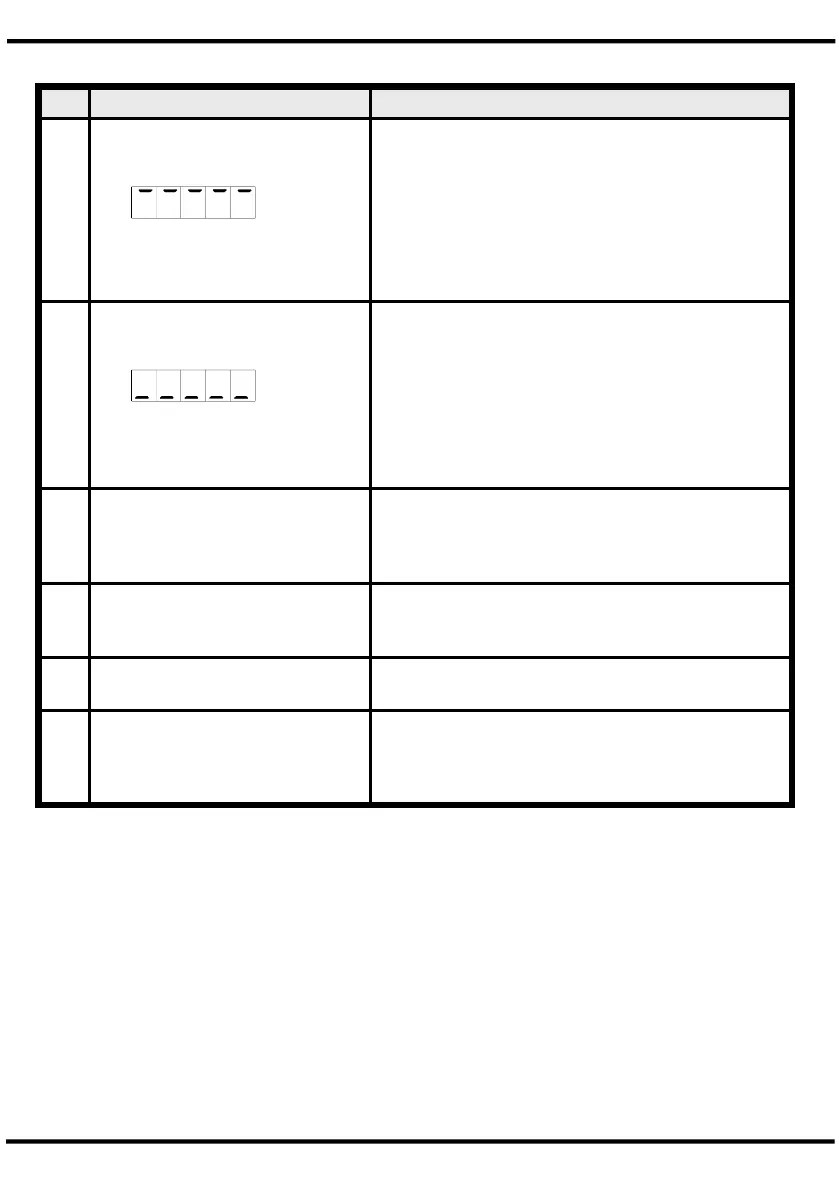
1. The unit permanently indicates
overflow.
• The input has a very high measurement, check
the measuring circuit.
• With a selected input with a low voltage signal, it
is only connected on one side or the input is
open.
• Not all of the activated supporting points are
parameterised. Check if the relevant parameters
are adjusted correctly.
2. The unit permanently shows
underflow.
• The input has a very low measurement, check
the measuring circuit .
• With a selected input with a low voltage signal, it
is only connected on one side or the input is
open.
• Not all of the activated supporting points are
parameterised. Check if the relevant parameters
are adjusted correctly.
3. The word HELP lights up in the
7-segment display.
• The unit has found an error in the configuration
memory. Perform a reset on the default values
and reconfigure the unit according to your
application.
4. Program numbers for
parameterising of the input are
not accessible.
• Programming lock is activated
• Enter correct code
5. Err1 lights up in the 7-segment
display
• Please contact the manufacturer if errors of this
kind occur.
6. The device does not react as
expected.
• If you are not sure that the device has been
parameterised before, then follow the steps as
written in chapter 6 and set it back to its delivery
status.
11. Error elimination
M2_11GB.pdf update: 28.05.2020


 To Previous Page