EasyManua.ls Logo

Mostek z80 - Installation Procedure

Default Icon
116 pages
Print Icon
To Next Page IconTo Next Page
To Previous Page IconTo Previous Page
Loading...
2-7
2.7
INSTALLATION
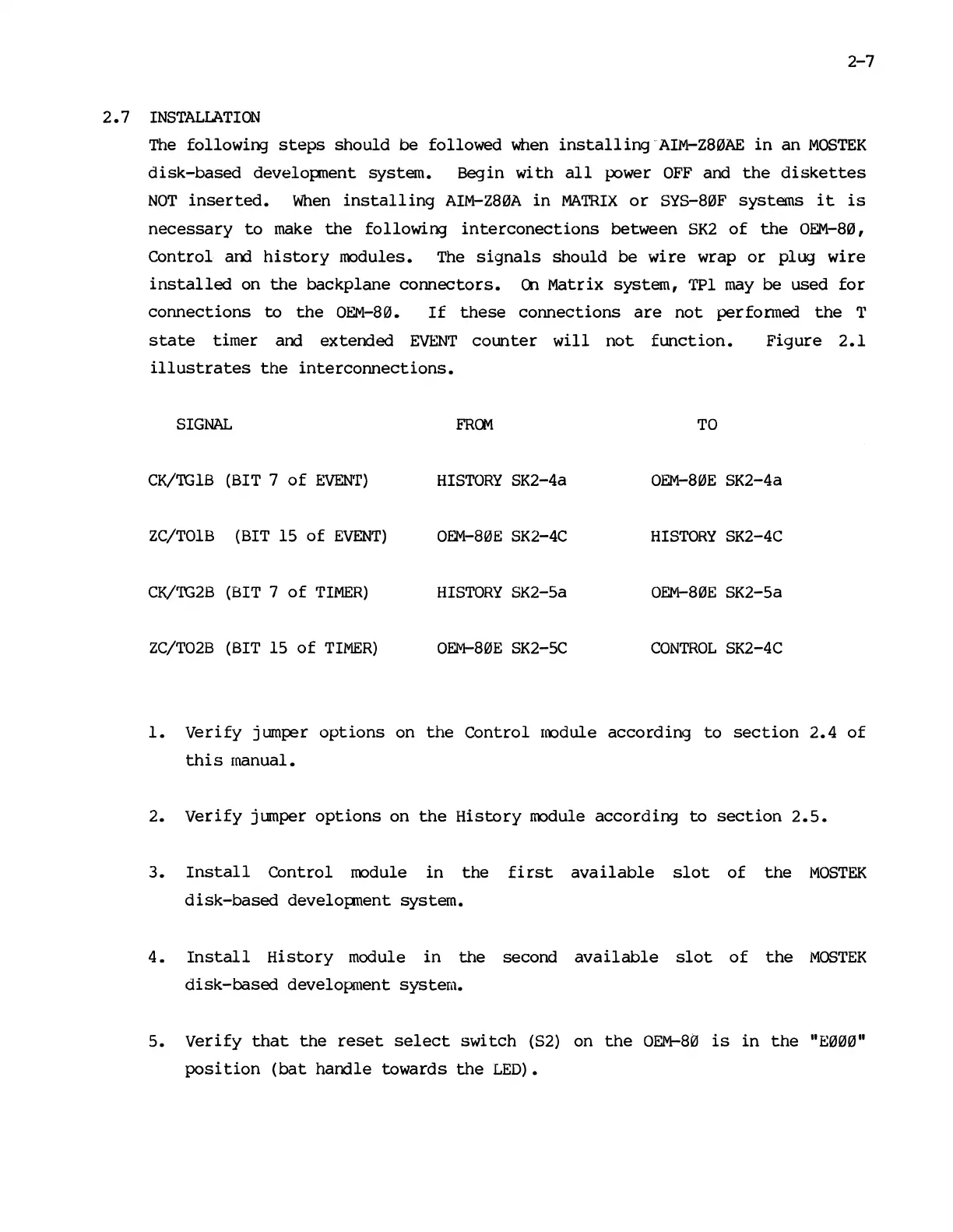
The
following
steps
should
be
followed
when
installing
-AIM-Z8~AE
in
an
MOSTEK
disk-based
developnent
system.
Begin
with
all
power
OFF
and
the
diskettes
NOT
inserted.
When
installing
AIM-Z8~A
in
MATRIX
or
SYS-8~F
systems
it
is
necessary
to
make
the
following
interconections
between
SK2
of
the
OEM-8~,
Control
am
history
IOOdules. The
signals
should
be
wire
wrap
or
plug
wire
installed
on
the
backplane
connectors.
en
Matrix
system,
TPI
may
be
used
for
connections
to
the
OEM-8~.
If
these
connections
are
not
perfonned
the
T
state
timer
and
extemed
EVENT
counter
will
not
function.
Figure
2.1
illustrates
the
interconnections.
SIGNAL
FRG1
TO
CK/TGIB
(BIT 7
of
EVEN'r)
HISTORY
SK2-4a
OEM-80E
SK2-4a
ZC/TOIB
(BIT 15
of
EVENT)
OEM-8~E
SK2-4C
HISTORY
SK2-4C
CK/TG2B
(BIT 7
of
TIMER)
HISTORY
SK2-5a
OEM-8~E
SK2-Sa
ZC/T02B
(BIT 15
of
TIMER)
OEM-8~m
SK2-SC
CONTROL
SK2-4C
1.
Verify
jumper
options
on
the
Control
loodule
according
to
section
2.4
of
this
manual.
2.
Verify
jumper
options
on
the
History
IOOdule
according
to
section
2.5.
3.
Install
Control
IOOdule
in
the
first
available
slot
of
the
MOSTEK
disk-based
development
system.
4.
Install
History
module
in
the
second
available
slot
of
the
MOSTEK
disk-based
development
system.
5.
Verify
that
the
reset
select
switch
(S2)
on
the
OEM-8~
is
in
the
"E~~~"
posi
tion
(bat
handle
towards
the
LED).

Other manuals for Mostek z80