EasyManua.ls Logo

Mostek z80 - T-Trace History Command; Description of T Command

Default Icon
116 pages
Print Icon
To Next Page IconTo Next Page
To Previous Page IconTo Previous Page
Loading...
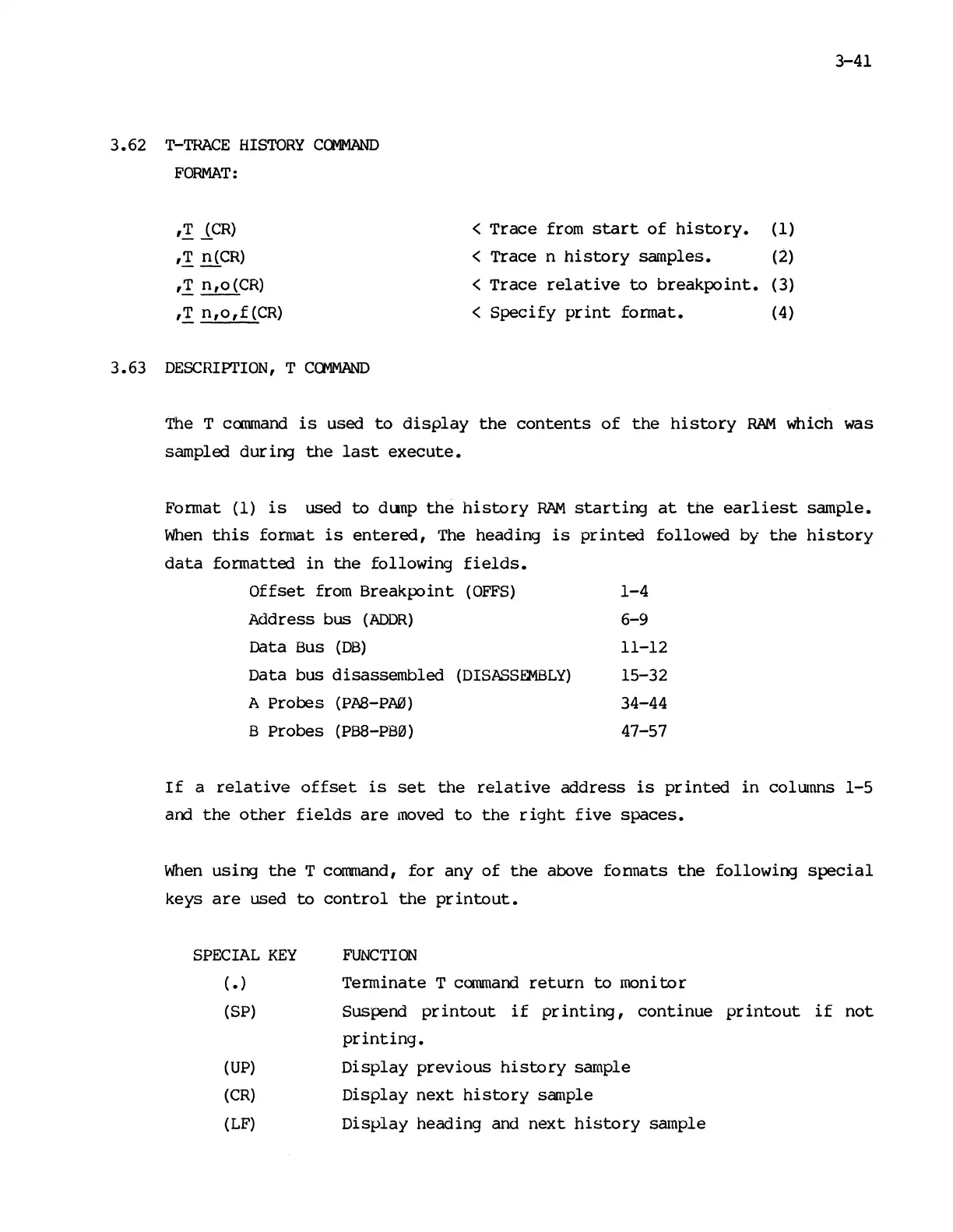
3.62
T-TRACE
HISTORY
COMMAND
FORMAT:
,.!
lCR)
,.!
n(CR)
,.!
n,o
(CR)
,.!
n,
0 , f (CR)
3.63
DESCRIPl'ION,
T
COMMAND
<
Trace
from
start
of
history.
(1)
< Trace n
history
samples. (2)
<
Trace
relative
to
breakpoint.
(3)
<
Specify
print
format. (4)
3-41
The
T
command
is
used
to
display
the
contents
of
the
history
RAM
which was
sampled dur ing
the
last
execute.
Format (1)
is
used
to
dunp
the
history
RAM
starting
at
the
earliest
sample.
When
this
format
is
entered,
The
heading
is
printed
followed by
the
history
data
formatted
in
the
following
fields.
Offset
from
Breakpoint
(OFFS)
1-4
Address bus
(ADDR)
6-9
Data
Bus
(DB)
11-12
Data bus disassembled
(DISASSEMBLY)
15-32
A Probes
(PAS-PM)
34-44
B Probes
(PB8-P80)
47-57
If
a
relative
offset
is
set
the
relative
address
is
printed
in
colunns
1-5
and
the
other
fields
are
moved
to
the
right
five
spaces.
When
using
the
T
command,
for
any
of
the
above formats
the
following
special
keys
are
used
to
control
the
printout.
SPECIAL
KEY
(.)
(SP)
(UP)
(CR)
(LF)
FUNCTION
Terminate T
command
return
to
monitor
Suspend
printout
if
printing,
continue
printout
if
not
printing.
Display
previous
history
sample
Display
next
history
sample
Display
heading and
next
history
sample

Other manuals for Mostek z80