EasyManua.ls Logo

Mostek z80 - B-Breakpoint Command; Description of B Command

Default Icon
116 pages
Print Icon
To Next Page IconTo Next Page
To Previous Page IconTo Previous Page
Loading...
3.14
B-BREAKPOINT
CCMo1AND
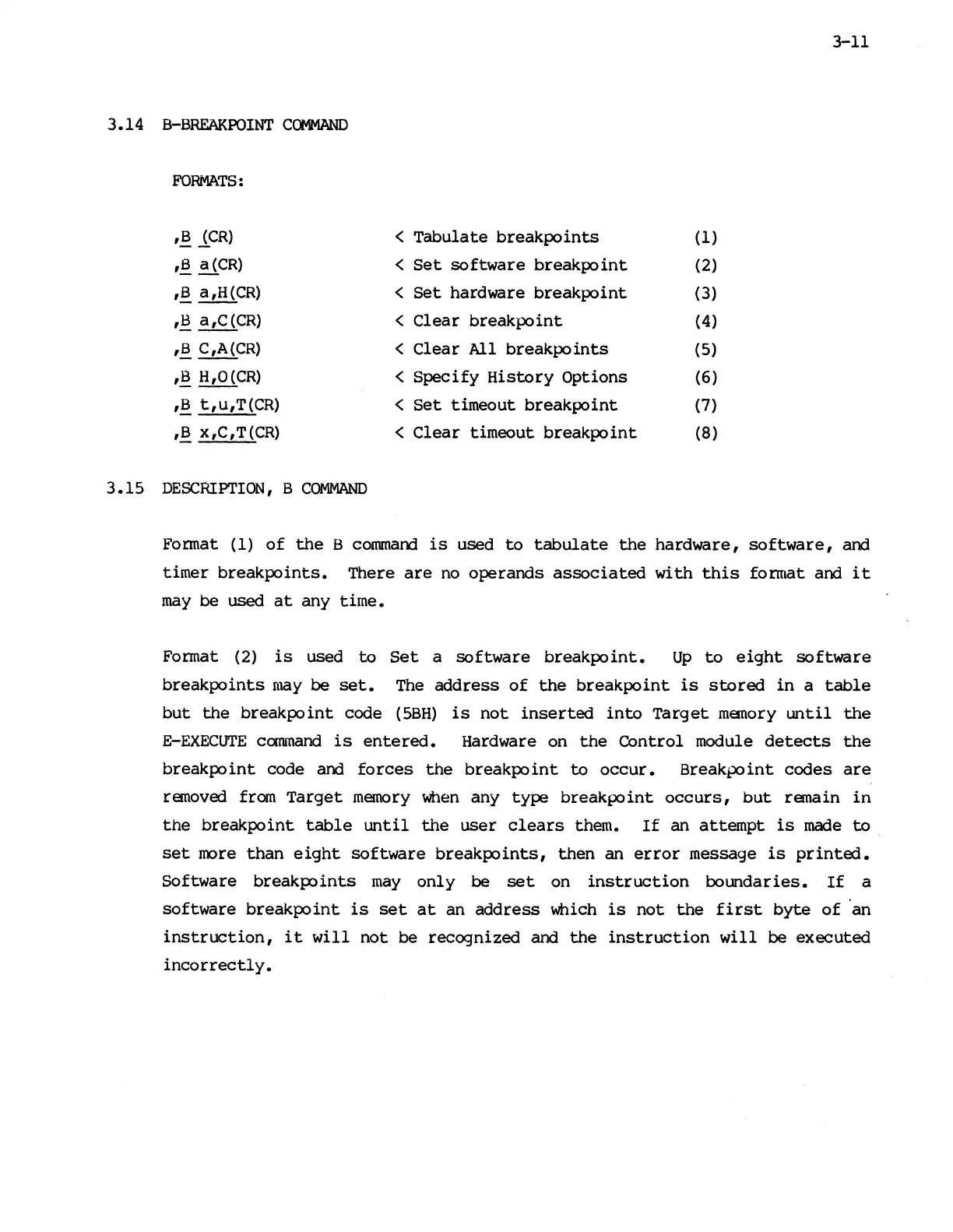
FORMATS:
,B
lCR)
,~
~CR)
,B
a,H{CR)
,8
a,C{CR)
,S
C,A{CR)
,B
H,O{CR)
,8
t,u,T{CR)
,!!
x,C,T{CR)
3.15
DESCRIPTION,
B
COMMAND
<
Tabulate
breakpoints
<
Set
software
breakpoint
<
Set
hardware
breakpoint
<
Clear
breakpoint
<
Clear
All
breakpoints
<
Specify
History
Options
<
Set
timeout
breakpoint
<
Clear
timeout
breakpoint
(l)
(2)
(3)
(4)
(5)
(6)
(7)
(8)
3-11
Format
(I)
of
the
8
commacrl
is
used
to
tabulate
the
hardware,
software,
and
timer
breakpoints.
There
are
no
operands
associated
with
this
fonnat
acrl
it
may
be
used
at
any
time.
Format (2)
is
used
to
Set
a
software
breakpoint.
Up
to
eight
software
breakpoints
may
be
set.
The
address
of
the
breakpoint
is
stored
in
a
table
but
the
breakpoint
code
(5BH)
is
not
inserted
into
Target
manory
until
the
E-EXECUTE
camnand
is
entered.
Hardware on
the
Control
module
detects
the
breakpoint
code acrl
forces
the
breakpoint
to
occur.
Breakpoint
codes
are
ranoved from
Target
memory
when
any
type
breakpoint
occurs,
but
ranain
in
the
breakpoint
table
until
the
user
clears
them.
If
an
attempt
is
made
to
.
set
more
than
eight
software
breakpoints,
then
an
error
message
is
printed.
Software
breakpoints
may
only
be
set
on
instruction
boundaries.
If
a
software
breakpoint
is
set
at
an
address
which
is
not
the
first
byte
of
'an
instruction,
it
will
not
be
recognized
and
the
instruction
will
be
executed
incorrectly.

Other manuals for Mostek z80