EasyManua.ls Logo

Mostek z80 - O-Set Offset Command; Description of O Command

Default Icon
116 pages
Print Icon
To Next Page IconTo Next Page
To Previous Page IconTo Previous Page
Loading...
3-34
3.47
o-SET
OFFSET
CC»1AND
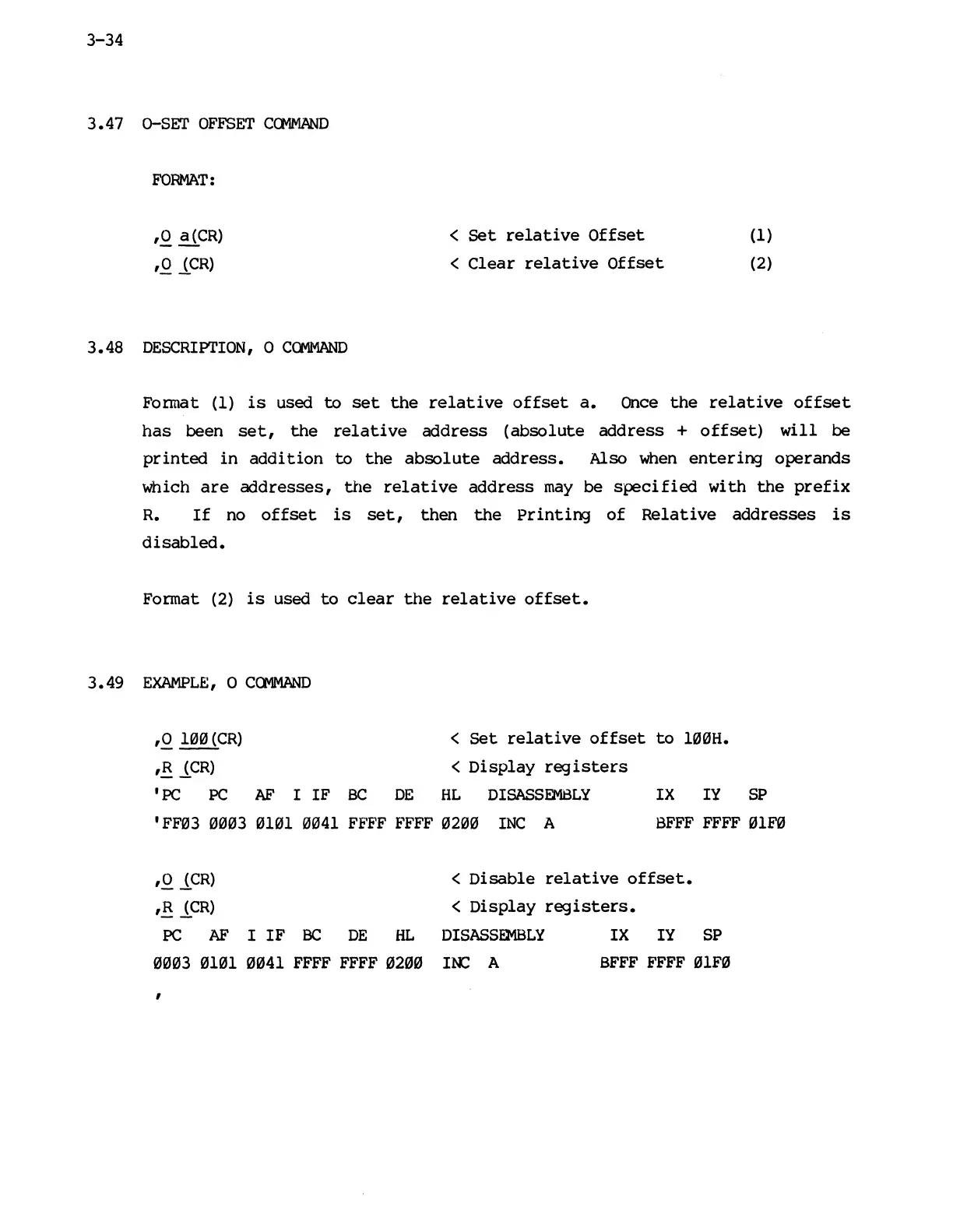
FORMAT:
,0
a(CR)
,0
J..CR)
3.48
DESCRIPTION,
0
Ca-1MAND
<
Set
relative
Offset
<
Clear
relative
Offset
(1)
(2)
Fonnat
(1)
is
used
to
set
the
relative
offset
a.
Once
the
relative
offset
has
been
set,
the
relative
address
(absolute
address
+
offset)
will
be
printed
in
addition
to
the
absolute
address.
Also
when
entering
operands
which
are
addresses,
the
relative
address
may
be
specified
with
the
prefix
R.
If
no
offset
is
set,
then
the
printing
of
Relative
addresses
is
disabled.
Format
(2)
is
used
to
clear
the
relative
offset.
3.49
EXAMPLE,
0
COMMAND
,0
100
(CR)
<
Set
relative
offset
to
100H.
,R
J..CR)
<
Display
registers
,
PC PC
AF
I
IF
BC
DE
HL
DISASSEMBLY
IX
IY
SP
'FF03
0003 0101 0041 FFFF FFFF 0200
INC
A
BFFF
FFFF 01F0
,0
J..CR)
<
Disable
relative
offset.
,R
J..CR)
<
Display
registers.
PC
AF
I
IF
BC
DE
HL
DISASSEMBLY
IX
IY
SP
0003 0101 0041
FFFF FFFF 0200
INC
A
BFFF
FFFF 91F0
,

Other manuals for Mostek z80