26 January 31, 2006 6809497A15-A
Disassembly V3x
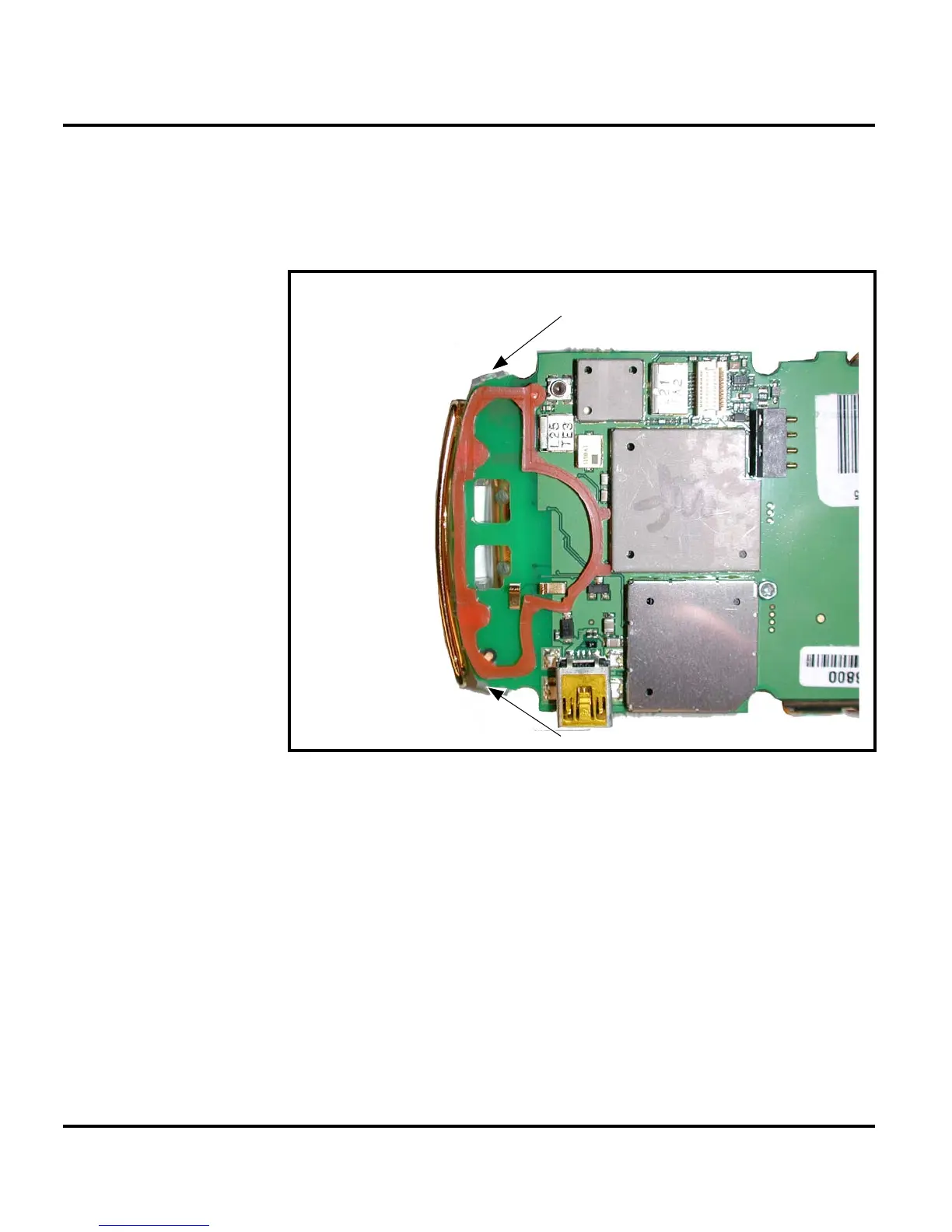
Removing and Replacing the Antenna
1. Remove the battery cover and battery, SIM, rear housing, and transceiver
board assembly as described in the procedures.
2. Unlatch the latches that secure the acoustic assembly to the transceiver PC
board.
3. Lift the acoustic chamber assembly away from the transceiver PC board.
051693o
Figure 10. Removing the Antenna Assembly
Acoustic chamber latch
Acoustic chamber latch



 To Next Page
 Loading...