NPort IA5150A/IA5250A Series Configuring NPort Administrator
Modify Ports in a COM Group
In the following subsections we examine three ways in which the serial ports in a COM Group can be modified:
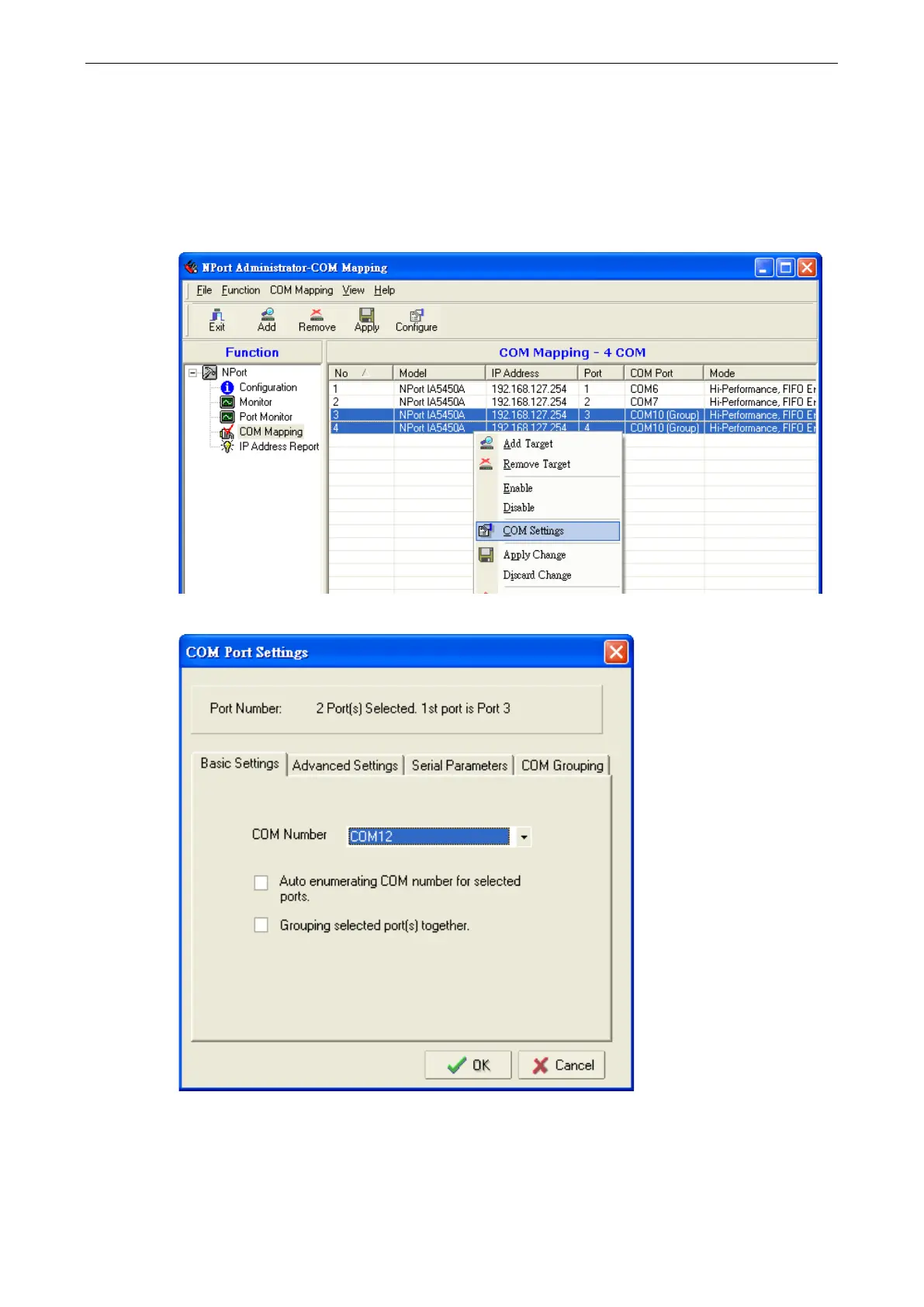
Changing the COM Number of a COM Group
1. Select all serial ports in the Group and right-click to select COM Settings.
2. Select a COM number that is not in use or assigned to a Group.


 To Next Page
 Loading...







