NPort IA5150A/IA5250A Series Configuring NPort Administrator
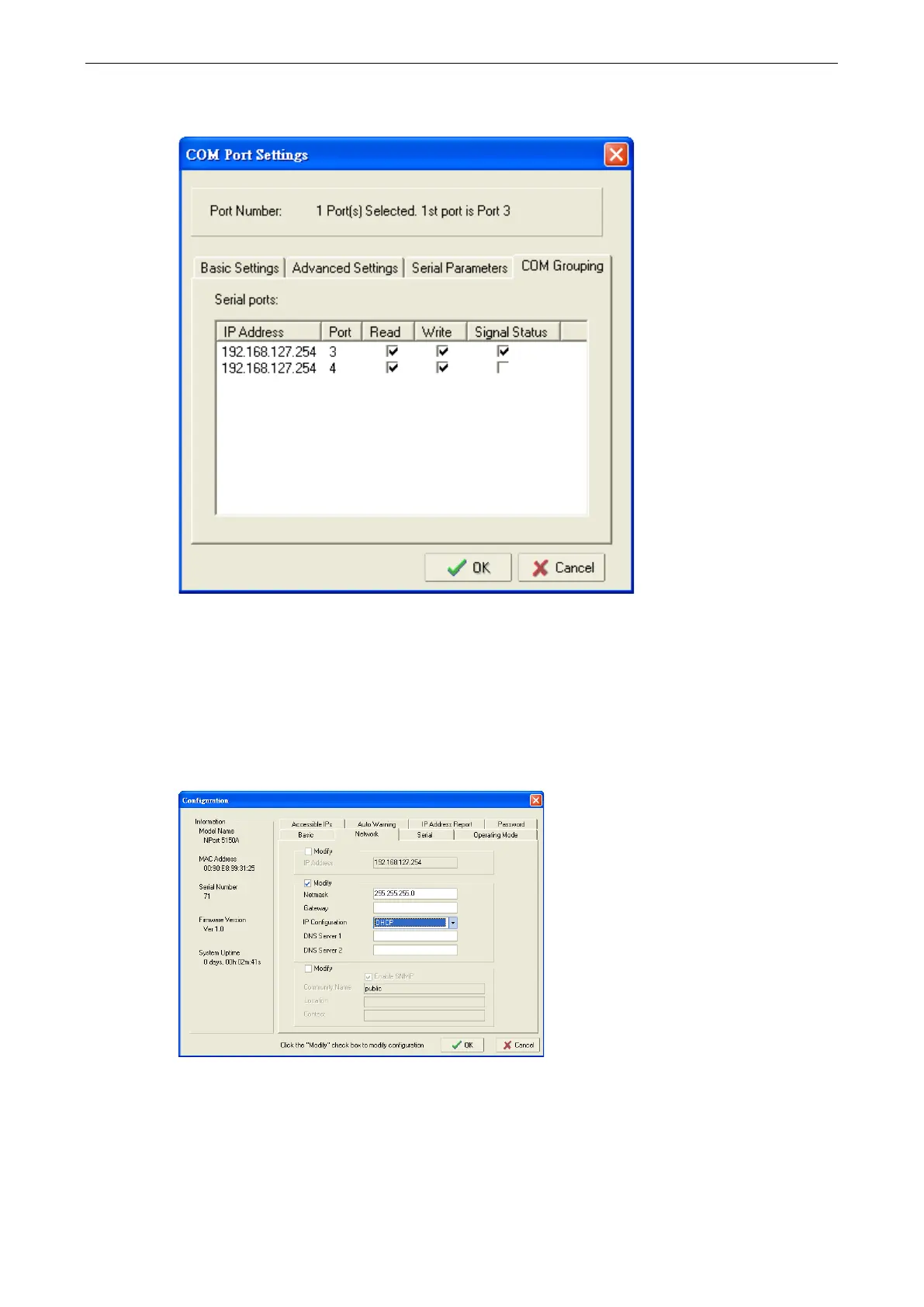
3. On COM Grouping page, you can specify one serial port whose signals will be taken into account by the
COM Group and change the Read/Write status for each serial port.
IP Address Report
When NPort IA5150A/IA5250A is used in a dynamic IP environment, users must spend more time with IP
management tasks. NPort IA5150A/IA5250A Series products help out by periodically reporting their IP address
to the IP location server, in case the dynamic IP has changed.
1. Configure the NPort IA5150A/IA5250A with Dynamic IP settings (DHCP, BOOTP, or DHCP/BOOTP). Assign
the remote Auto IP report server’s IP address and UDP port.



 To Next Page
 Loading...







