Main Switch Off
Turn off the Topcase control module with the lever switch
on the back. The touchscreen turns off.
ESC 1 2 3 4 5 6 7 8 9 0 DELESC 1 2 3 4 5 6 7 8 9 0 DEL
SPA Q W E R T Y U I O P CLR
CAP A S D F G H J K L
Enter
Z X C V B N M
X
Congurations Menu
Thecongurationmenuconsistsof4mainareas:gen-
eral,uidbox/cleaning,standardprograms,andMode/
Date-Time settings.
By pressing this button you get into the
congurationmenu.
The password is MS100.
With the arrow buttons you can switch between pages.
Area 1: General
In this area the general settings of the powder applicator
can be set.
Standby Mode
The powder applicator turns off with the OFF button. When
the OFF button lights up red, work pieces cannot be coated.
CAUTION
!
If the powder is provided from an external
source, do not turn the power switch off and turn off
input air during cleaning or powder may enter into
the valve manifold and damage the valves.
Measurement Units
Bar Lt/min Nm
3
/h
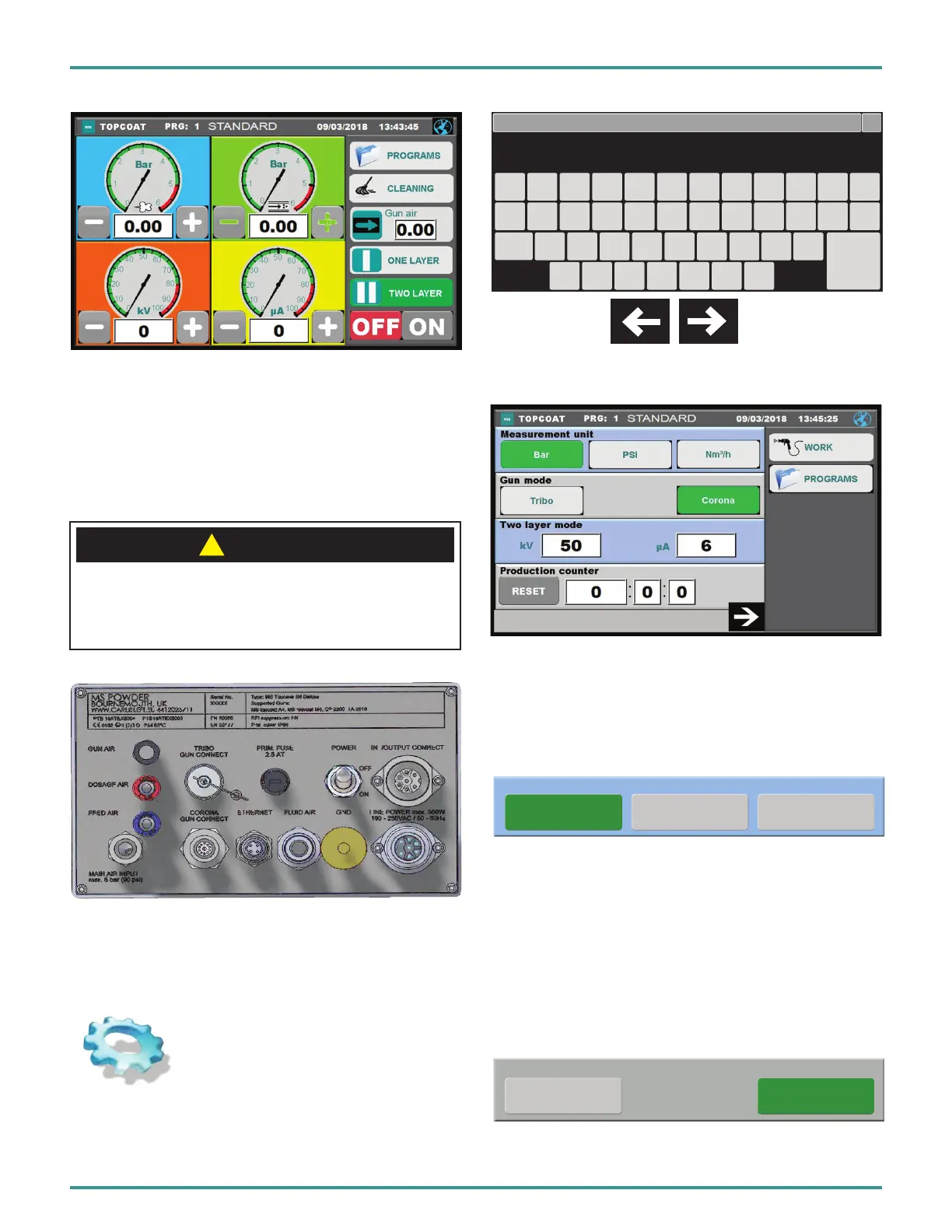
Measurement unit
Tribo Corona
Gun mode
In the upper line the measurement mode of the powder
gun can be selected. The default setting is Bar.
If the setting is changed to Nm3/h, the working view controls
will be changed accordingly.
Gun Mode (Deluxe Unit)
Display which mode is in operation. When switching on
the respective gun, the unit automatically switches to Tribo
or Corona.
PA-18-02-R0 (08/2018) 37 / 52 www.carlisleft.com
EN
INSTALLATION


 To Next Page