30
5.3 Fault Codes
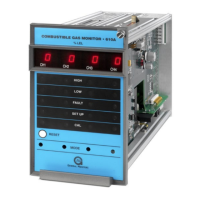
In addition to the Fault LED on the front panel, the Model 610A provides a fault code on
the digital display whenever a f ault condition occurs. The Fault Codes that can appear on
the digital display are:
DESCRIPTION SOLUTION
Open Analog Output Signal
Check connections on rear terminal pins 5 & 6
and the analog output circuitry. If the problem
is f ixed, but “AO” is still displayed, restart the
Make sure the supply voltage level is within
specification limits.
Make sure the supply voltage level is within
specification limits.
Sensor connections are open or short
circuited or there is excessive zero drift.
Make sure the sensor wires are connected
properly (in the field and at the rear of the
unit) and recalibrate if necessary. If this fault
continues to occur, replace the sensor.
Calibration
If this f ault occurs, remove the gas and
expose the sensor to clean air f or at least five
minutes. Then attempt another calibration. If
the second attempt fails, replace the sensor. If
this f ault continues to occur after the sensor
has been replaced, consult the factory or your
This f ault occurs during initial power-up of the
unit. If this fault occurs, remove and reapply
power to the unit. If the fault continues to
occur, consult the factory or your GMI
If the f ault occurs, consult the factory or your
GMI Representative.
Mode Select Button
Malf unction
If the f ault occurs, consult the factory or your
GMI Representative.
EEPROM Verification Error
f or Calibration Storage
If the f ault occurs, consult the factory or your
GMI Representative.
EEPROM Verification Error
f or Setup Storage
If the f ault occurs, consult the factory or your
GMI Representative.
Exceeded
If the calibration-check gas is left on the
sensor for more than 6 minutes, this fault
occurs. Remove the gas and expose the
Table 9: Troubleshooting Table


 To Next Page