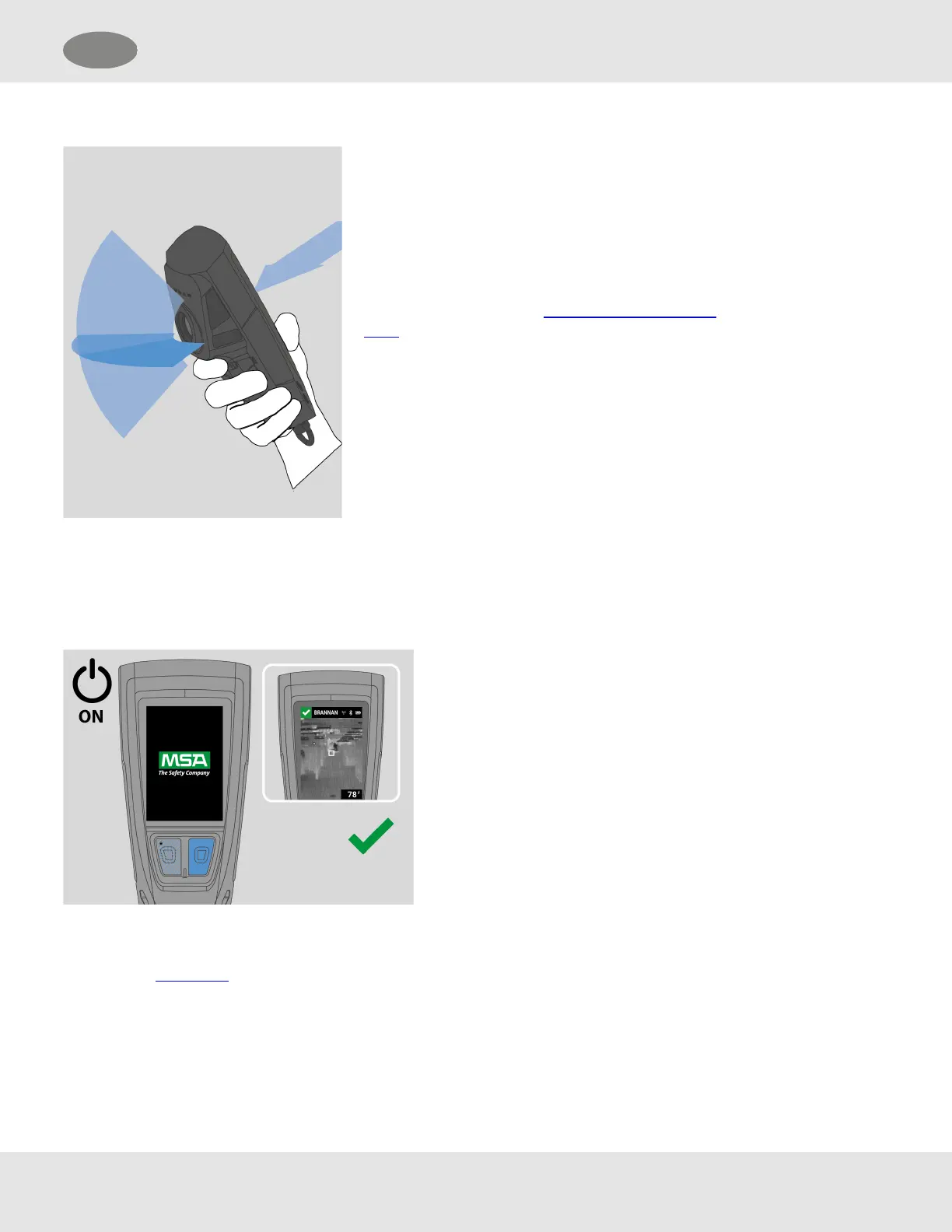
Orienting LUNAR
The LUNAR device directional search antenna is
aligned with the axis of the Thermal Imaging Camera
(TIC).
The directional search signal you receive is the signal
from the area shown in the thermal image.
4.2 Powering On and Off
4.2.1 Powering On
Long press the Down or Enter button.
NOTES:
Installing a charged battery also powers on the device. See
"Installing and Removing the Battery".
Attempting to power on a LUNAR device with a low battery level
results in a flashing Low Battery icon, and LUNAR shuts down. See
"Charging the Battery".
4.2.2 Powering Off
(1) Open the main menu.
(2) Select SHUTDOWN.
(3) Select YES to confirm shutdown.
MSA LUNAR 17
US 4 Basic Operation



 To Next Page