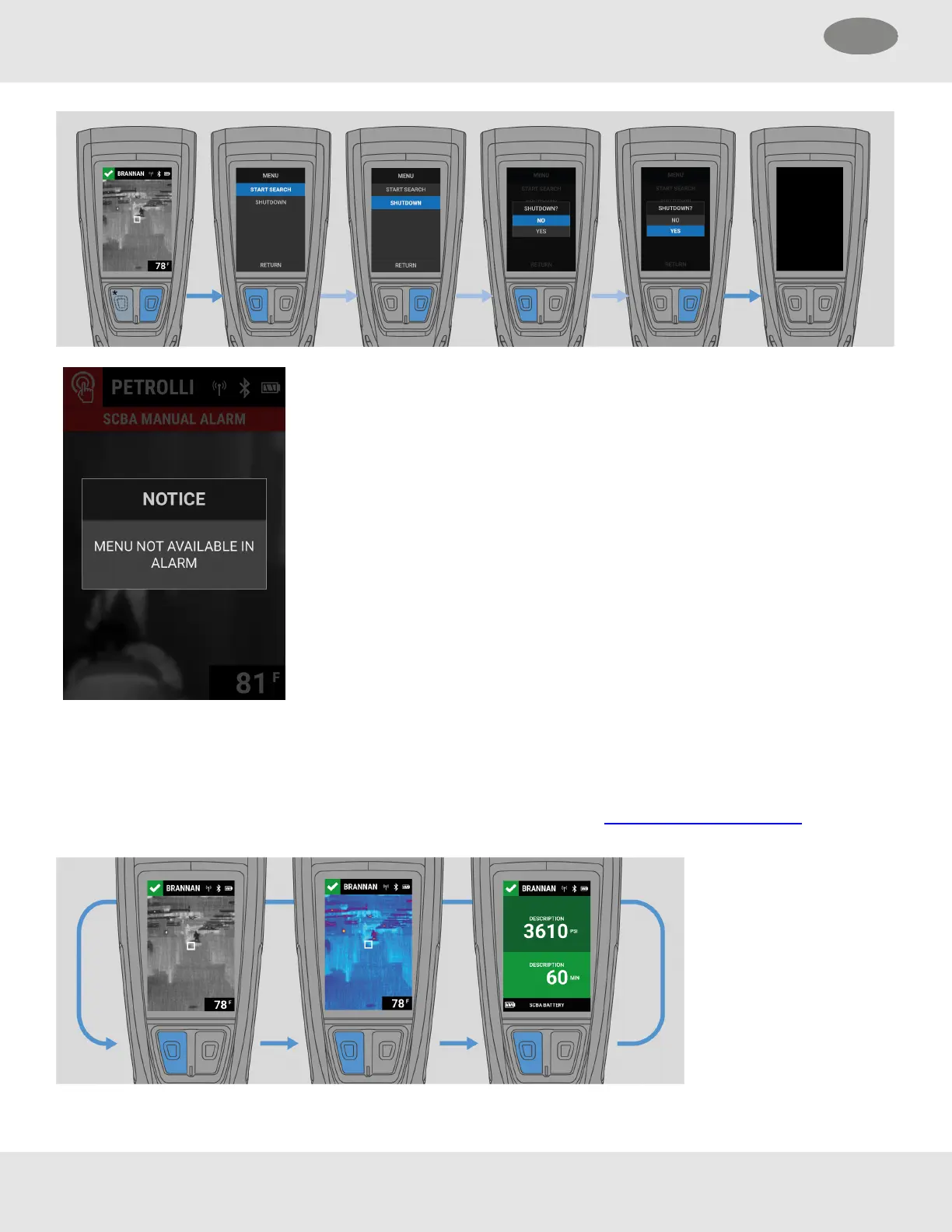
NOTE: LUNARcannot be powered off or enter Search
mode during a Manual, Motion, or Hardware alarm.
4.3 TIC Display and Connected Device Status
The Thermal Imaging Camera (TIC) Display is the default LUNAR screen. From this screen, the configured TIC palettes can
be scrolled by pressing the Down button. If LUNARis connected to Bluetooth and paired with an external device, the status of
the connected device can also be viewed.
NOTE: If LUNAR is not connected to Bluetooth or if the connection is lost, the Status screen will not be available.
18 MSA LUNAR
4 Basic Operation US



 To Next Page