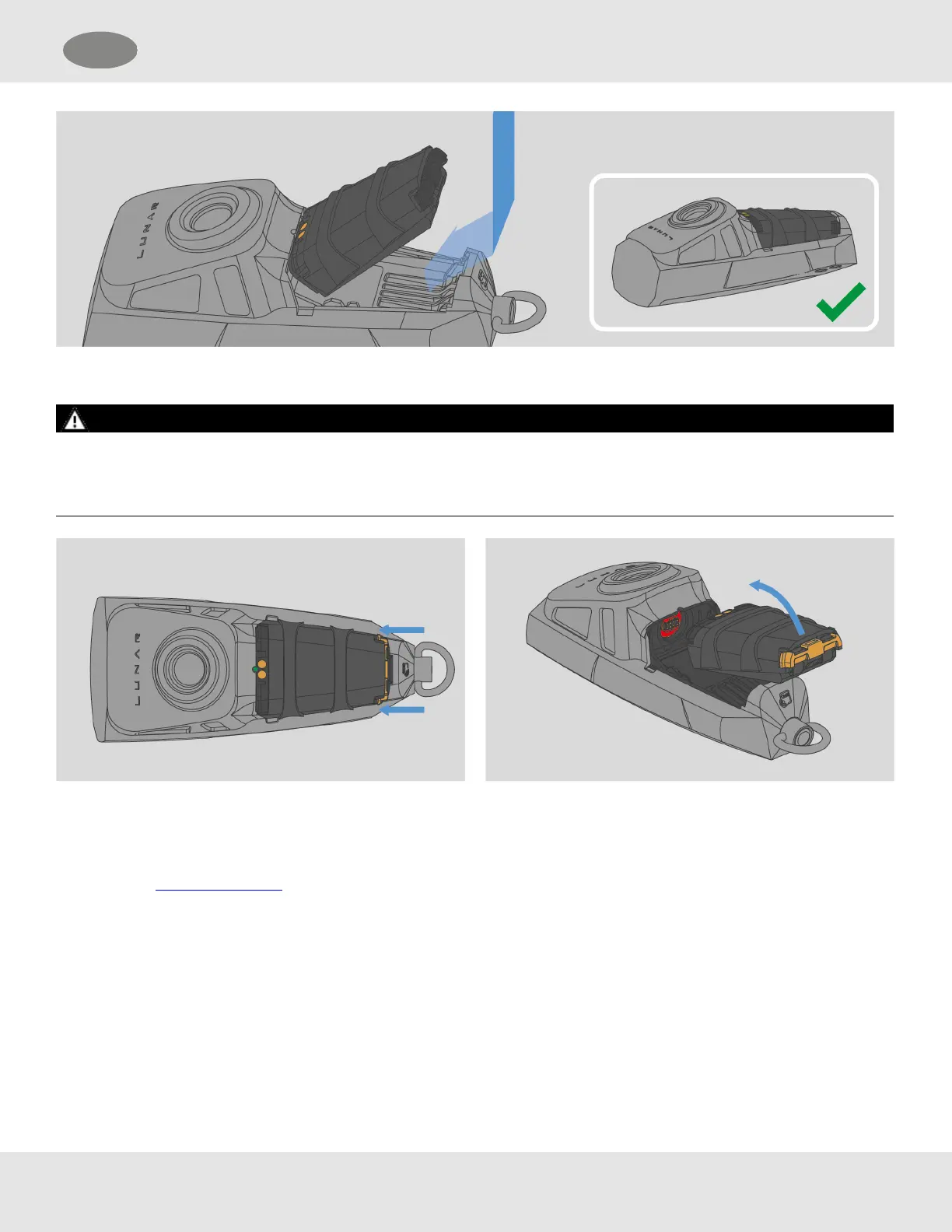
Removing the Battery
WARNING!
LUNAR device must be clean and dry prior to removal of the battery to prevent moisture or contaminants from entering the
electrical connector area resulting in intermittent or unexpected loss of power to the device.
Failure to follow this warning can result in serious personal injury or death.
4.8.5 Viewing Device Information
Device information can be viewed from the Maintenance menu.
(1) Open the Maintenance menu.
(2) Select ABOUT.
(3) Scroll to view the information and select DONE to return to the Maintenance menu.
MSA LUNAR 29
US 4 Basic Operation



 To Next Page