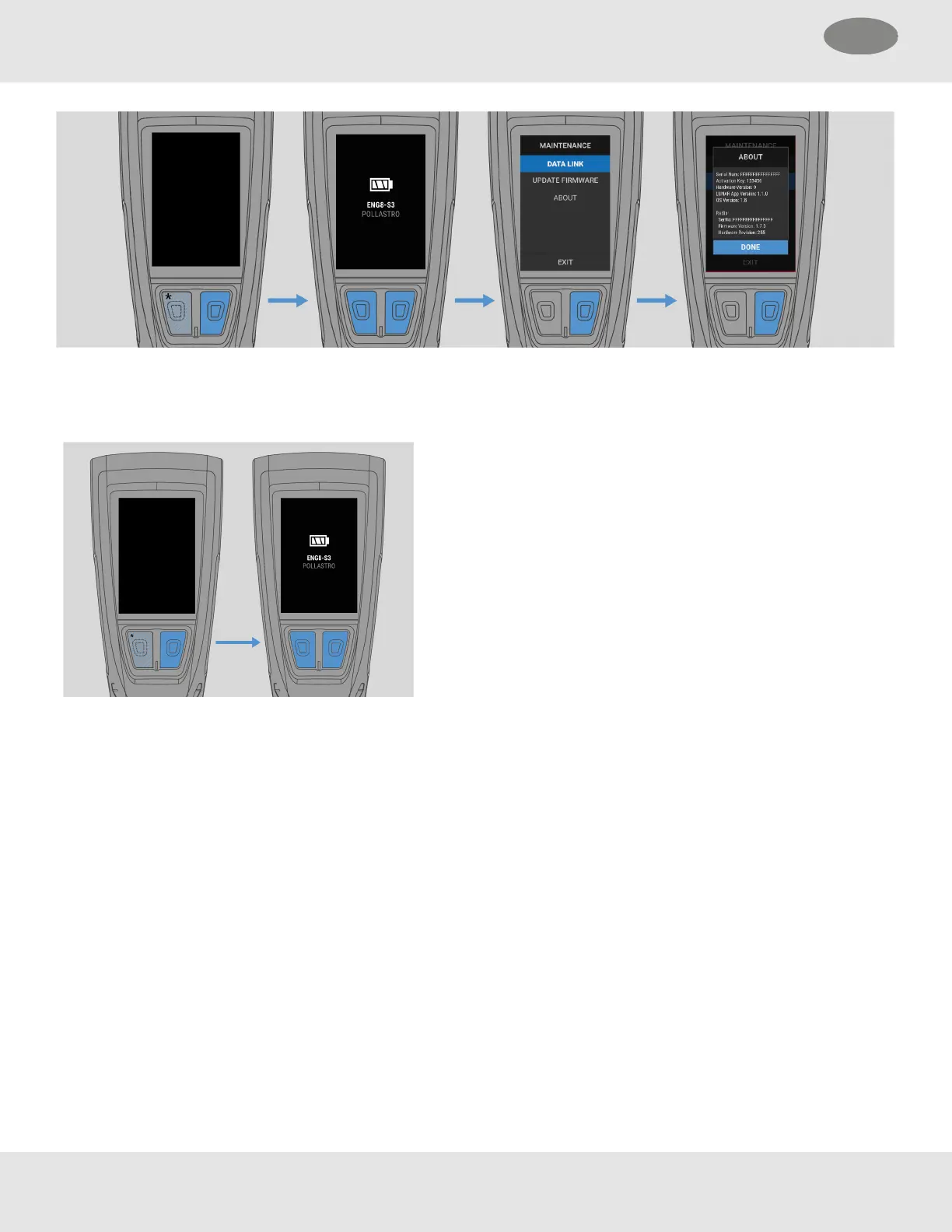
4.8.6 Viewing Battery Level and Device Assignment (Quick Check)
When LUNARis powered off, a Quick Check can be activated to view the battery level and device assignment.
Press either the Down or Enter button.
4.8.7 Maintaining LUNAR
Make sure this product is inspected and serviced regularly.
Keep detailed inspection and service records.
MSA is liable only for maintenance and repairs performed by MSA.
MSA recommends maintenance intervals that follow the overhaul and flow test requirements for the SCBA to which it is
attached.
Use only genuine MSA replacement parts.
Changes to devices or components are not permitted and will result in unapproved configurations.
4.8.8 Before Each Use
Each time LUNAR is used, a visual and operational inspection must be performed on the device following the criteria below:
• Check for housing damage due to mechanical, chemical or thermal loads.
• Check for cracks and other damage to the Display and TIC lens.
30 MSA LUNAR
4 Basic Operation US



 To Next Page