5.3 Canceling a Search
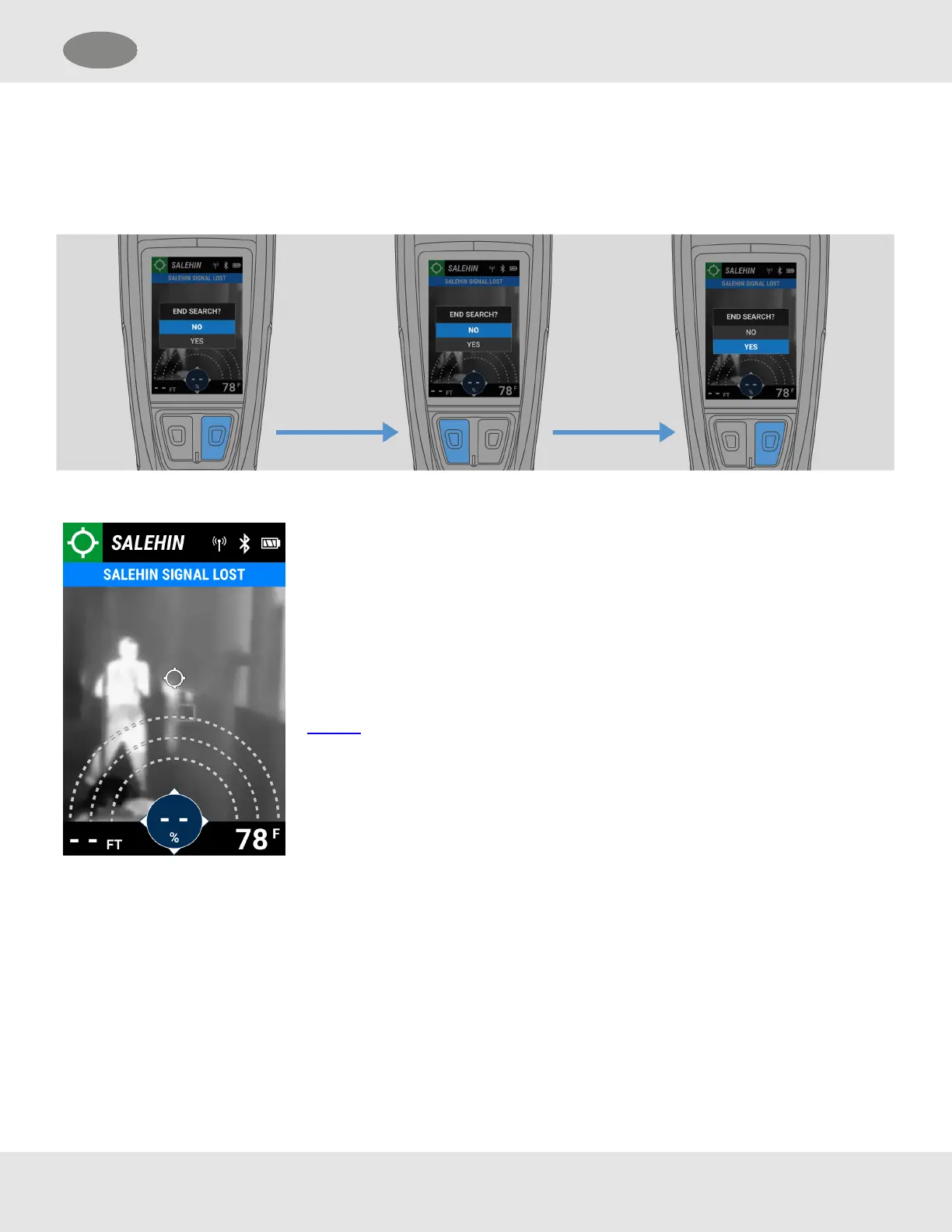
(1) While in Search mode, press the Enter button.
(2) Select YES to cancel the search. To exit the dialog box and continue the search, select NO.
Figure 1
If the Target signal is lost before a search is ended
because the Target is out of range or if the device has
shut down due to power/a low battery level, LUNAR will
try to re-acquire the signal.
If it is unable, the Distance and Direction strength
indicators appear as dashes, and the Search proximity
arcs are grayed out. After a brief time, the dialog box in
Figure 1 opens.
Cancel or continue the search. If continued, LUNAR will
continue trying to re-acquire the signal.
5.4 Exiting a Search Canceled by the Target
InSearch mode, if the Target of a search cancels the alarm on his LUNAR device, Users receive a notification. Searchers can
then exit the search or start a new search for another Target.
MSA LUNAR 35
US 5 Features



 To Next Page