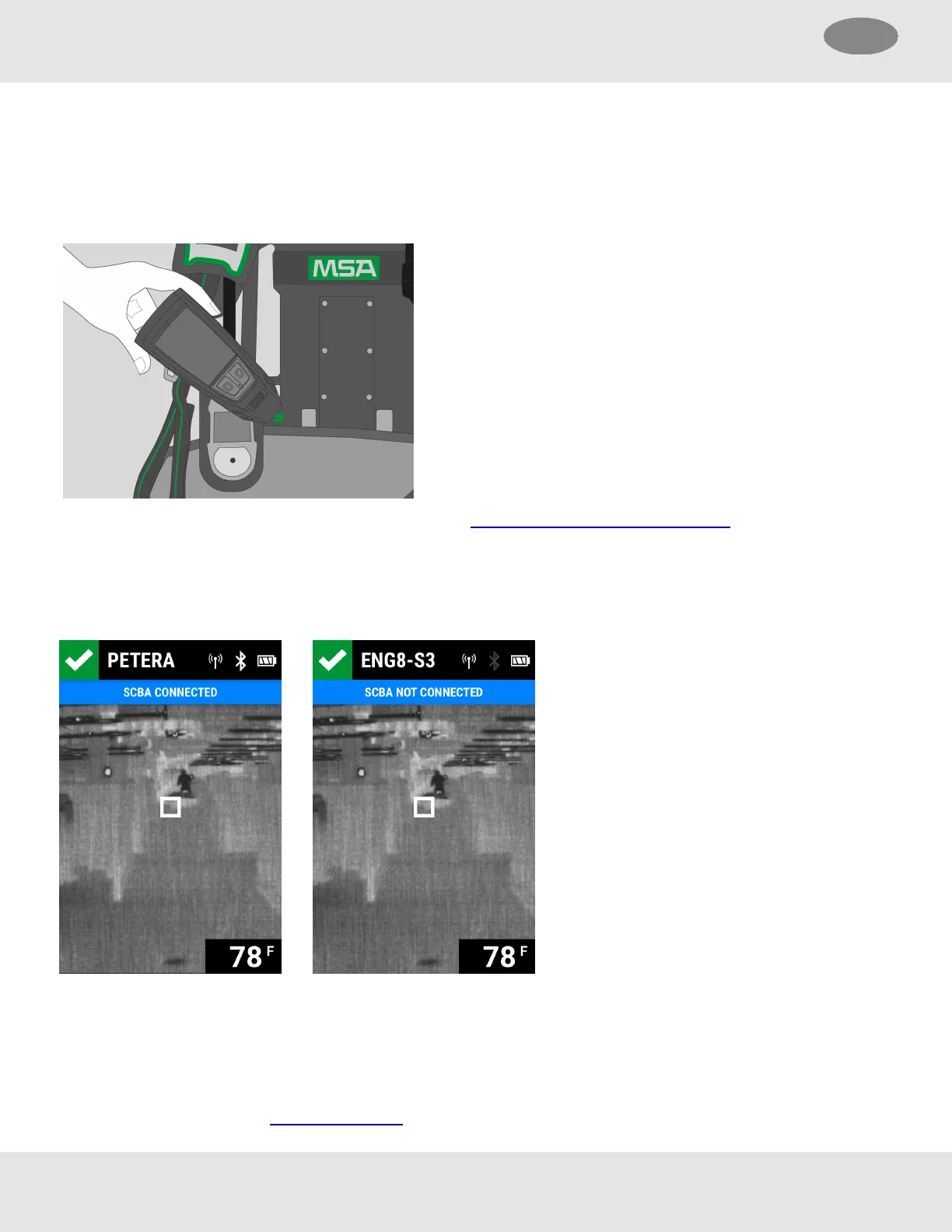
Pairing can be established with external devices using the RFID tag in LUNAR.
(1) Ensure the external device is powered on and ready to read an
RFID tag. Refer to the external device's user instruction
manual for more information.
(2) Ensure LUNAR is powered on.
(3) Touch the RFID tag location on LUNAR to the tag reading
location on the external device.
(4) Scroll through the LUNAR TIC palettes until the Status screen
is displayed.
Successful Connection Connection Established and then Lost
4.8 Configuring and Maintaining
4.8.1 Connecting to FireGrid Configure
LUNAR can be configured to connect with FireGrid Configure, making it discoverable for communication with FireGrid.
(1) With LUNAR powered off, start a Quick Check.
24 MSA LUNAR
4 Basic Operation US



 To Next Page