(2) Using the Universal Multi-Bay Charger
See the Universal Multi-Bay Charger quick start guide ( 10214682).
4.8.4 Installing and Removing the Battery
WARNING!
Do not remove or install battery in explosive atmospheres.
Failure to follow this warning can result in serious personal injury or death.
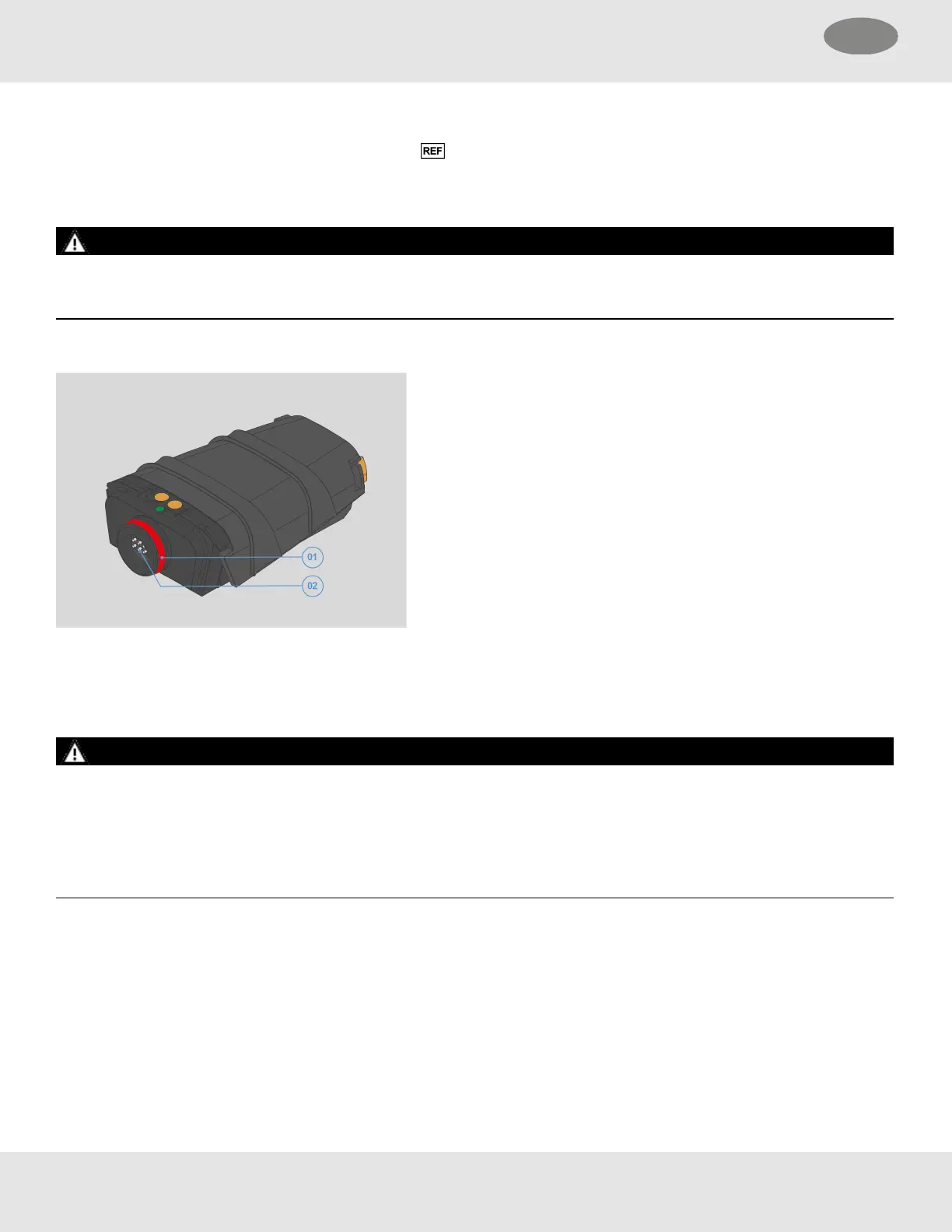
Battery Overview
If the battery has been removed, ensure the LUNAR battery connecting port (02) is clean and dry prior to installing the battery
to prevent corrosion or damage.
Installing the Battery
WARNING!
Prior to installation of the battery:
• Inspect the O-ring and seal surface on the battery (01) for damage or degradation.
• Ensure LUNAR device and battery are clean and dry, or corrosion or connector damage may occur resulting in intermittent
or unexpected loss of power to the device.
Failure to follow this warning can result in serious personal injury or death.
28 MSA LUNAR
4 Basic Operation US



 To Next Page