4.8.2 Updating Firmware
Using an LTEConnection
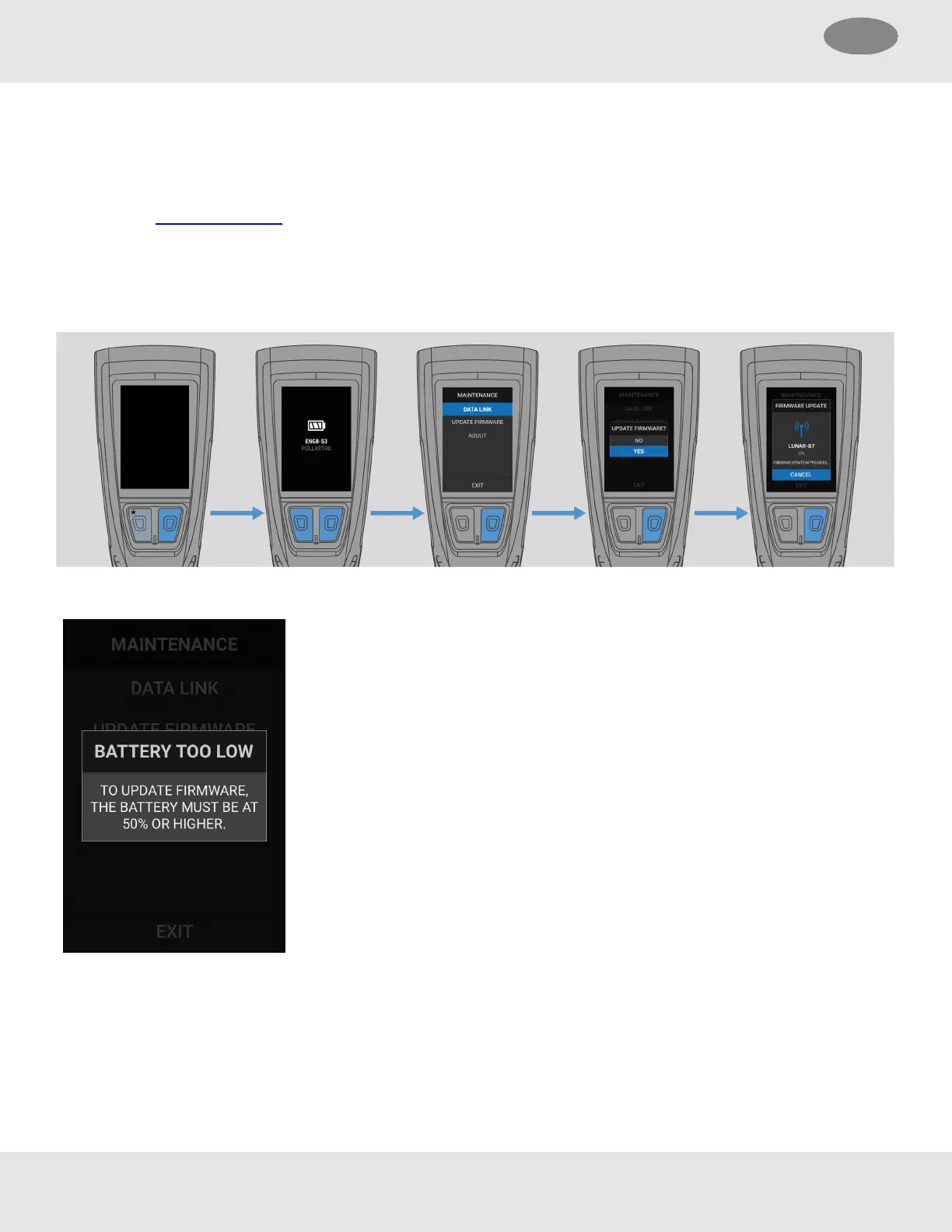
Firmware updates, if available, can be installed from the Maintenance menu.
(1) Open the Maintenance menu.
(2) Select UPDATEFIRMWARE. This option is shown only if an update is available.
(3) Select YES to confirm the update.
To cancel the update, select CANCEL.
NOTE: To update the firmware, the battery level must
be at 50% or higher.
Using FireGrid Configure
Firmware can be updated on LUNAR devices specified in the FireGrid Configure mobile app.
Connect LUNAR with FireGrid. See "Connecting to FireGrid Configure".
26 MSA LUNAR
4 Basic Operation US



 To Next Page