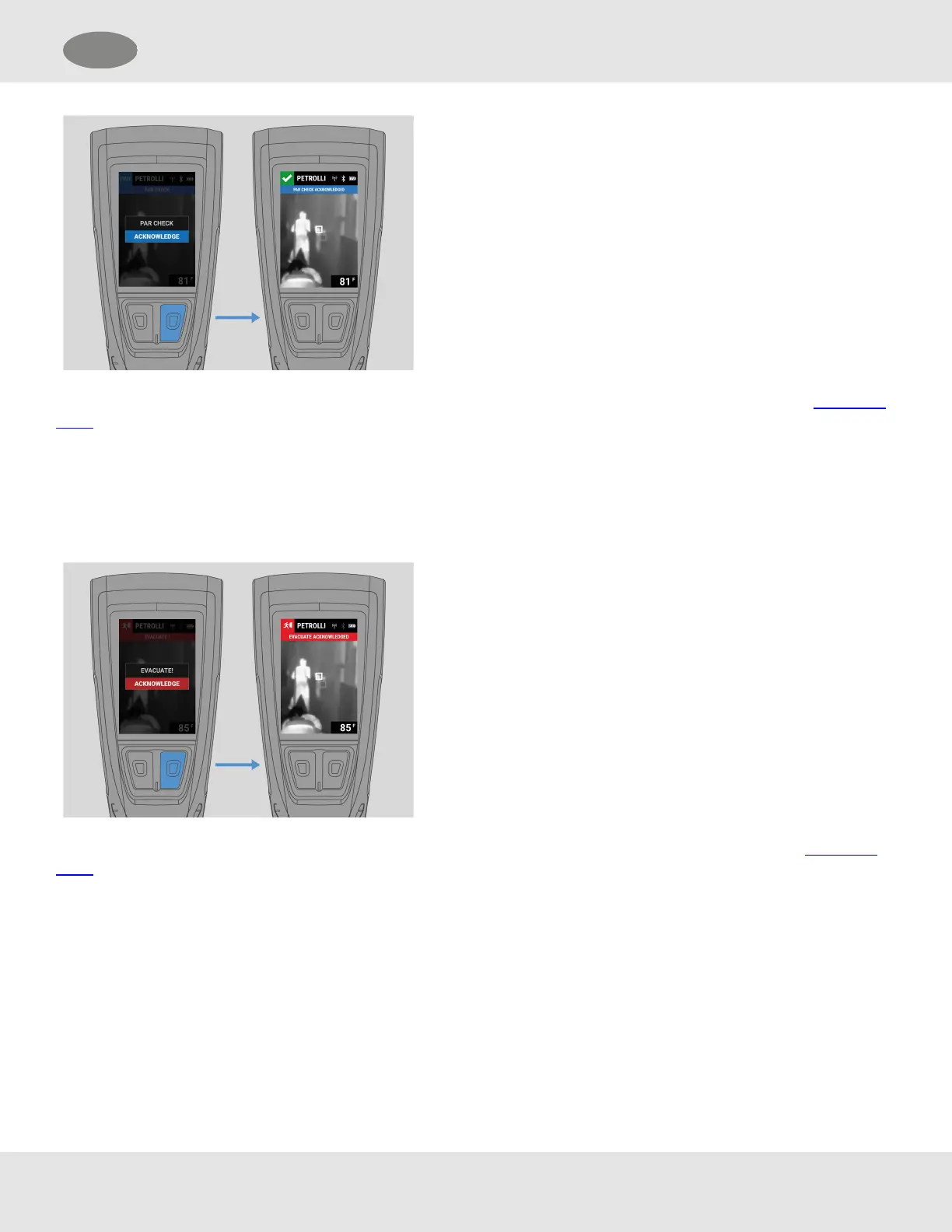
To acknowledge the PARCheck, press the Enter button.
NOTE: A PARCheck notification is not displayed if there is an active Manual or Motion alarm on the device. First, cancel the
alarm if it is safe to do so.
5.6 Acknowledging an Evacuate Notification
When an Evacuate notification is initiated, all LUNARdevices on scene receiving the Evacuate notification will be in
alarm.The alarm will continue until the evacuation is acknowledged on the LUNAR device or is cancelled by the initiator.
To acknowledge the notification, press the Enter button.
NOTE: An Evacuate notification is not displayed if there is an active Manual or Motion alarm on the device. First, cancel the
alarm if it is safe to do so.
MSA LUNAR 37
US 5 Features



 To Next Page