Icon Description
Bluetooth Connection Off
Notification Banner
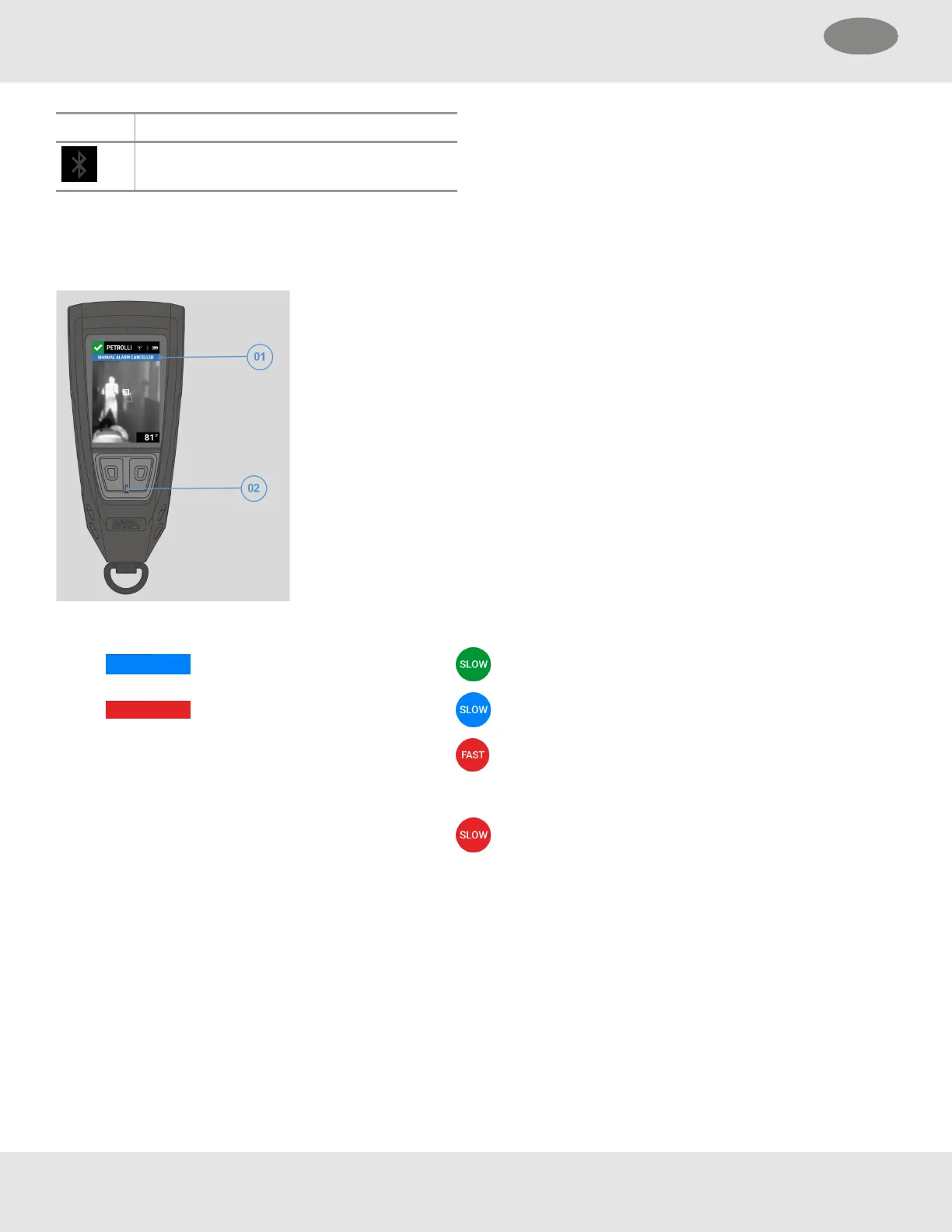
Notifications and alarms are displayed in the notification banner (01). The notification type determines the color of the banner
along with the LED (02) color and behavior.
(01) Notification Banner Color (02) LED
Notifications and Alerts Normal operation
Alarms Paired with external device
Alarm
Notifications and alerts
NOTE: Initially, the LED blinks at
the rate of the notification sound.
Once the sound stops, the blink rate
is slow.
Notification and Alert Types
Motion Pre-Alarm Evacuate
PAR Check SCBA/External Device Connection Lost
PAR Check Acknowledged No LTE Connection
Target Signal Lost SCBA/External Device Low Pressure Alarm
Evacuate Acknowledged LUNAR Low Battery Warning
Firefighter Alarm SCBA/External Device Low Battery Warning
20 MSA LUNAR
4 Basic Operation US



 To Next Page