Considerthesensordimensionswhenchoosingamountinglocationforthetransmitterorjunctionbox.
Toconnectthesensor:
1. Loosenthesetscrewlocatedonthelidusinga1.5mmAllenwrench.
2. Turnthetransmitterorjunctionboxlidcounterclockwisetoremove
3. Pullonthemetalbailtoremovetheboardstackandexposewiringconnections.
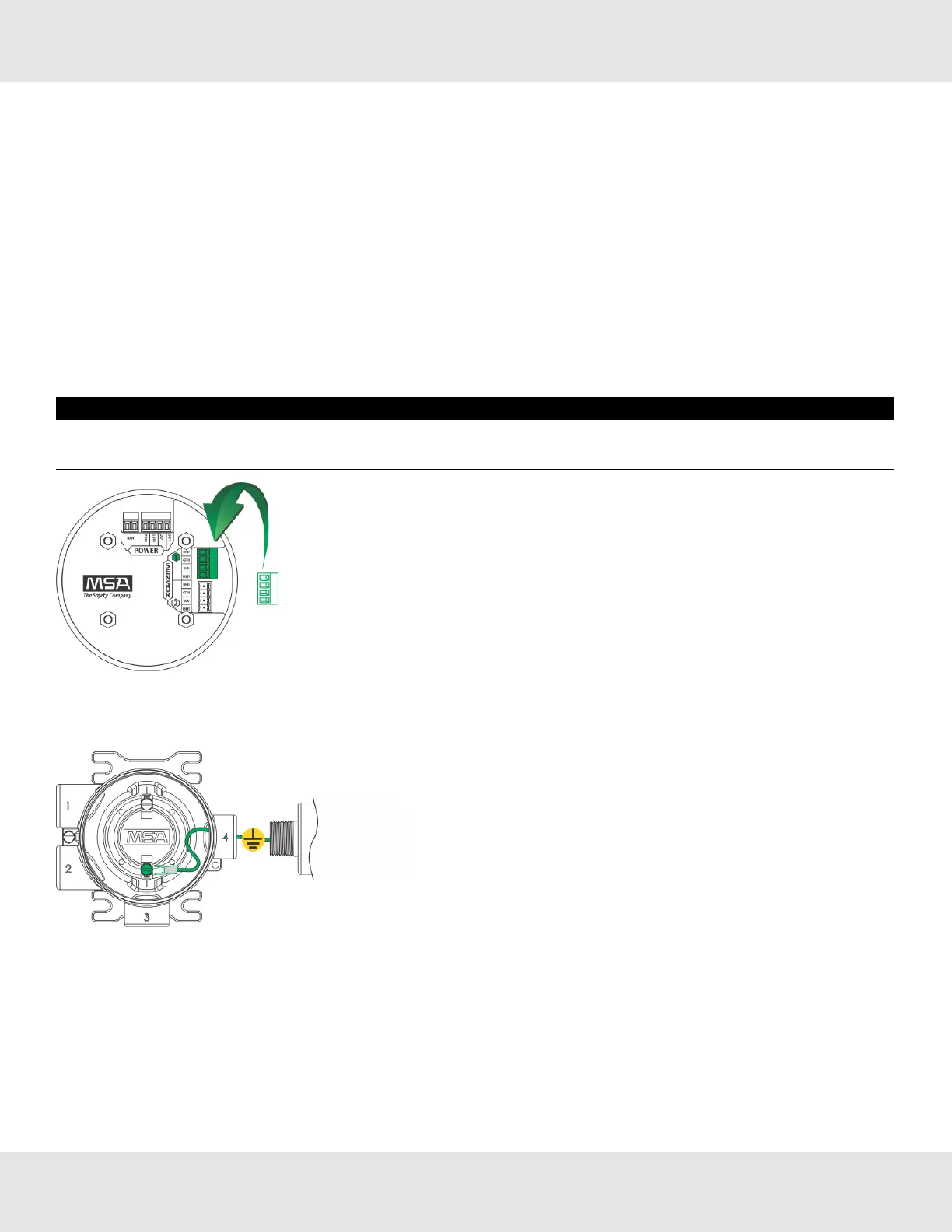
4. Routethecablefromthesensorthroughaconduitentryholeintheenclosuresothatthesensorisorientedinthe
correctposition(see3.4.3SensorOrientationfordetails).
(Repeat to attach a second sensor to the ULTIMA X5000 transmitter).
5. Connectthesensortothe"Sensor1"positionontheelectronicsassembly.
a. Ifusingasecondsensor,connectittothe“Sensor2”position.
NOTICE
Ifonlyusingonesensor,anditisconnectedto“Sensor2”position,theULTIMA
X5000willenterSensor Missingfault.See
DisableSensorin4.2.2SensorSettingsfordetailsonhowtoclearthisfault.
Figure 11 Connecting Sensor to the Stack
NOTE:Sensorconnectorscomepre-wiredonthesensorbody.
Figure 12 Grounding Sensor to Transmitter Housing
6. Verifythesensorconnectorisfirmlyseatedontheterminalboard.
7. Attachthesensor'sgroundtoeitherofthegroundingscrewsinsidetheULTIMAX5000housing.
8. Replacetheboardstacklegsintothefourdepressionsinthehousing.Pushfirmlyontheboardstackwhereindicated
(seeFigure13).
US Ultima X5000 Gas Monitor 16
3 Installation



 To Next Page