EasyManua.ls Logo

MSA ULTIMA X5000 - User Manual

MSA ULTIMA X5000
95 pages
Print Icon
To Next Page IconTo Next Page
Loading...
Operating Manual
ULTIMA® X5000
Gas Monitor
OrderNo.:10177361/08
PrintSpec:10000005389(EO)
CR:800000055071
MSAsafety.com

Other manuals for MSA ULTIMA X5000

Questions and Answers

  • J
    Johnathan JohnstonSep 9, 2025
    What does it mean if my MSA Gas Detectors display Configuration Fault?
    • B
      Belinda HughesSep 9, 2025
      If your MSA Gas Detectors display 'Configuration Fault', it indicates that an incorrect configuration was detected. Typically, this occurs when a unit has both sensors disabled and no sensor attached. Attach one sensor to the unit.
  • J
    justinosborneSep 8, 2025
    What to do if my MSA Gas Detectors have External Memory Checksum Error?
    • V
      Victoria CervantesSep 8, 2025
      If your MSA Gas Detectors display 'External Memory Checksum Error', it indicates the EEPROM memory is not valid. Select Controller Data Reset from the Instrument menu, verify any custom settings, and recalibrate the instrument.
  • T
    Theresa JonesSep 7, 2025
    What does it mean if my MSA Gas Detectors display EEPROM Fault?
    • L
      Lauren FuentesSep 7, 2025
      If your MSA Gas Detectors display an 'EEPROM Fault', it indicates there is an error with the EEPROM. Select Controller Data Reset from the Instrument menu and verify the customer settings.
  • T
    tnealAug 22, 2025
    What to do if my MSA Gas Detectors show Calibration Required?
    • W
      Walter RuizAug 22, 2025
      If your MSA Gas Detectors indicate 'Calibration Required', it means the sensor needs calibration. Calibrate the sensor(s) attached to the instrument.
  • T
    Terri McdonaldSep 4, 2025
    What does it mean if my MSA Gas Detectors display Sensor Heater Fault?
    • W
      williamscourtneySep 4, 2025
      If your MSA Gas Detectors display 'Sensor Heater Fault', it indicates the sensors heater is not working properly. Replace the sensor.
  • P
    Patricia WilliamsSep 3, 2025
    What does it mean if my MSA Gas Detectors display Lamp Fault?
    • A
      Alan ClarkSep 4, 2025
      If your MSA Gas Detectors display 'Lamp Fault', it indicates the sensors lamp is not operating properly (XIR PLUS sensors only). Replace the sensor.
  • I
    ireyesSep 2, 2025
    What does it mean if my MSA Gas Detectors display Sensor Element Error?
    • C
      Curtis JohnsonSep 2, 2025
      If your MSA Gas Detectors display 'Sensor Element Error', it means the sensor is broken. Replace the sensor.
  • B
    Bruce HowardSep 1, 2025
    What does it mean if my MSA Gas Detectors display Reference Failure?
    • R
      robertbrowningSep 1, 2025
      If your MSA Gas Detectors display 'Reference Failure', it indicates an out of range measurement. Replace the sensor.
  • M
    Michael MooreAug 31, 2025
    Why does my MSA Gas Detectors display Negative Drift?
    • T
      Teresa MacdonaldAug 31, 2025
      If your MSA Gas Detectors are showing 'Negative Drift', it means the sensor is reading downscale. Recalibrate the sensor.
  • D
    debra94Aug 30, 2025
    What to do if my MSA Gas Detectors have Beads Off Fault?
    • A
      Alyssa JohnsonAug 30, 2025
      If your MSA Gas Detectors show 'Beads Off Fault', it indicates that the combustible sensors beads are OFF. Acknowledge or cycle power to the sensor. Let the sensor warmup, then recalibrate the sensor. If this does not resolve the issue, replace the sensor.

Summary

Safety Regulations

Correct Use

Guidelines for proper and intended use of the gas monitor.

Product Warranty

Details on the warranty period and terms for the ULTIMA X5000.

Device Description

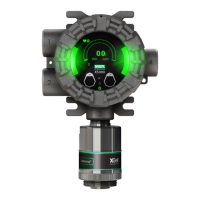
Display Features

Overview of the OLED display and status LEDs.

No Tool Interface

Explanation of the tool-free maintenance and operation features.

TruCal Sensing Technology

Details on sensor verification and self-monitoring capabilities.

SafeSwap Sensor Replacement

Describes the process for easy sensor replacement without powering down.

Installation Procedures

Installation Warnings

Critical safety precautions before installing the device.

Mounting Options

Guidance on different methods for physically mounting the device.

Electrical Power Connections

Instructions for safely connecting the device to a power source.

Device Operation

Startup and Warm-up

Initial power-on sequence and sensor warm-up times.

Settings Configuration

How to navigate and change device settings.

Status Menu Overview

Accessing and viewing device status information.

Calibration Process

Calibration Equipment

Required tools and gas cylinders for calibration.

Calibration Frequency

Recommended schedule for performing sensor calibrations.

Zero Calibration Procedure

Step-by-step guide for performing zero calibration on sensors.

Maintenance and Troubleshooting

XIR PLUS Cleaning Procedure

Procedure for cleaning the optical windows of the XIR PLUS sensor.

Replacing an XCell Sensor

Instructions for safely replacing XCell sensors.

Troubleshooting Guide

Common fault messages and their resolutions.

MSA ULTIMA X5000 Specifications

General IconGeneral
Ingress ProtectionIP66/67
SensorsElectrochemical, infrared
CommunicationHART, Modbus
Target GasesCombustible gases, toxic gases, oxygen
ApprovalsATEX, IECEx, UL, CSA, SIL 2

Related product manuals