USER MANUAL V1.0 | Updated January 19, 2019 33
Update logo via USB flash
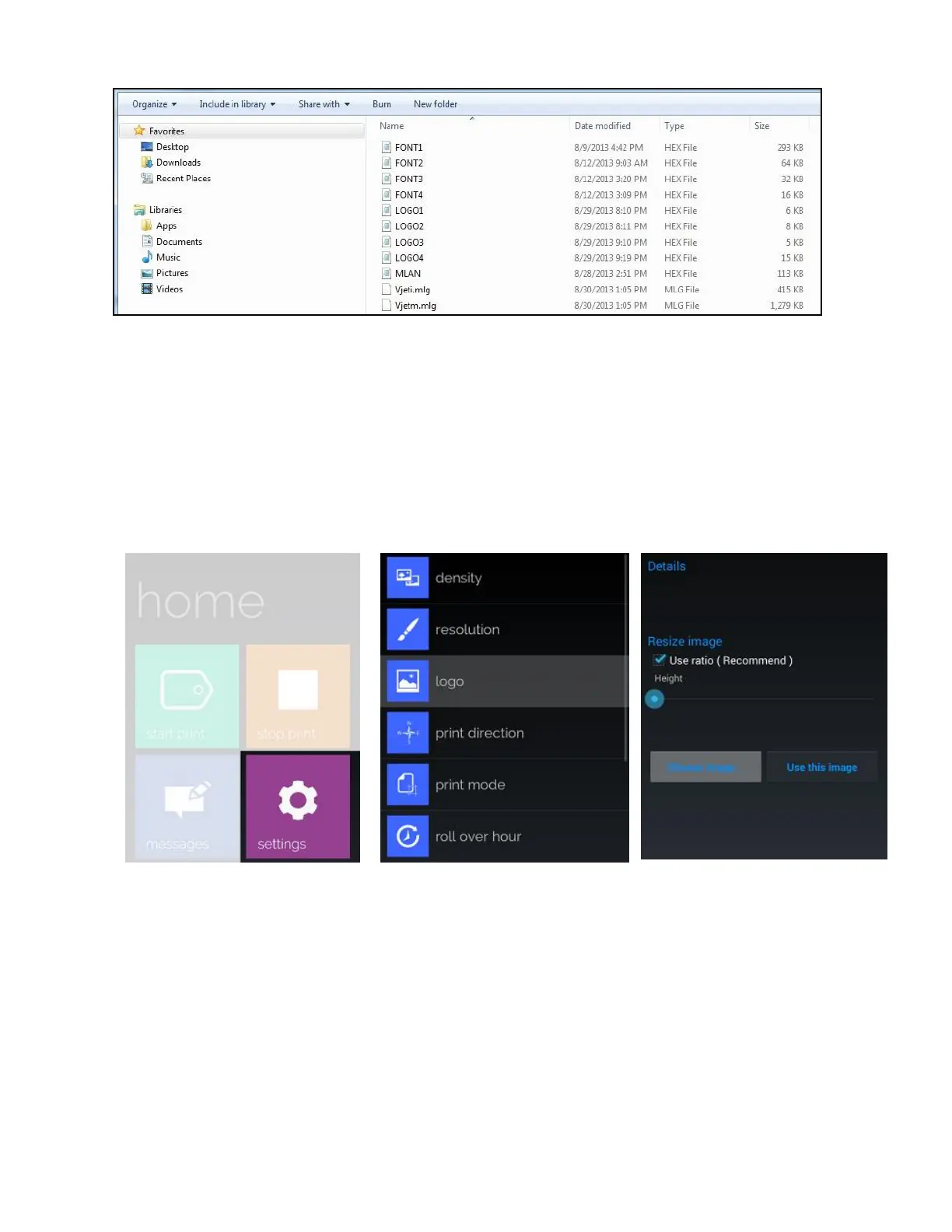
To update or change new logos on your machine memory, do the following steps:
Insert USB flash into Machine (USB port 1)
From the Settings menu, go to Update Logo and press Enter.
Select your desired logo (1, 2, 3 or 4) and press Enter to begin updating. Be sure you name
them correctly. LOGO1 on your USB will replace LOGO1 on the machine memory and the
same for other logos.
Update logo via smart phone
Perform the following steps to update the logo via your smartphone.
Taps on “settings” Taps on “logo”
Taps “Choose image”



 To Next Page