USER MANUAL V1.0 | Updated January 19, 2019 52
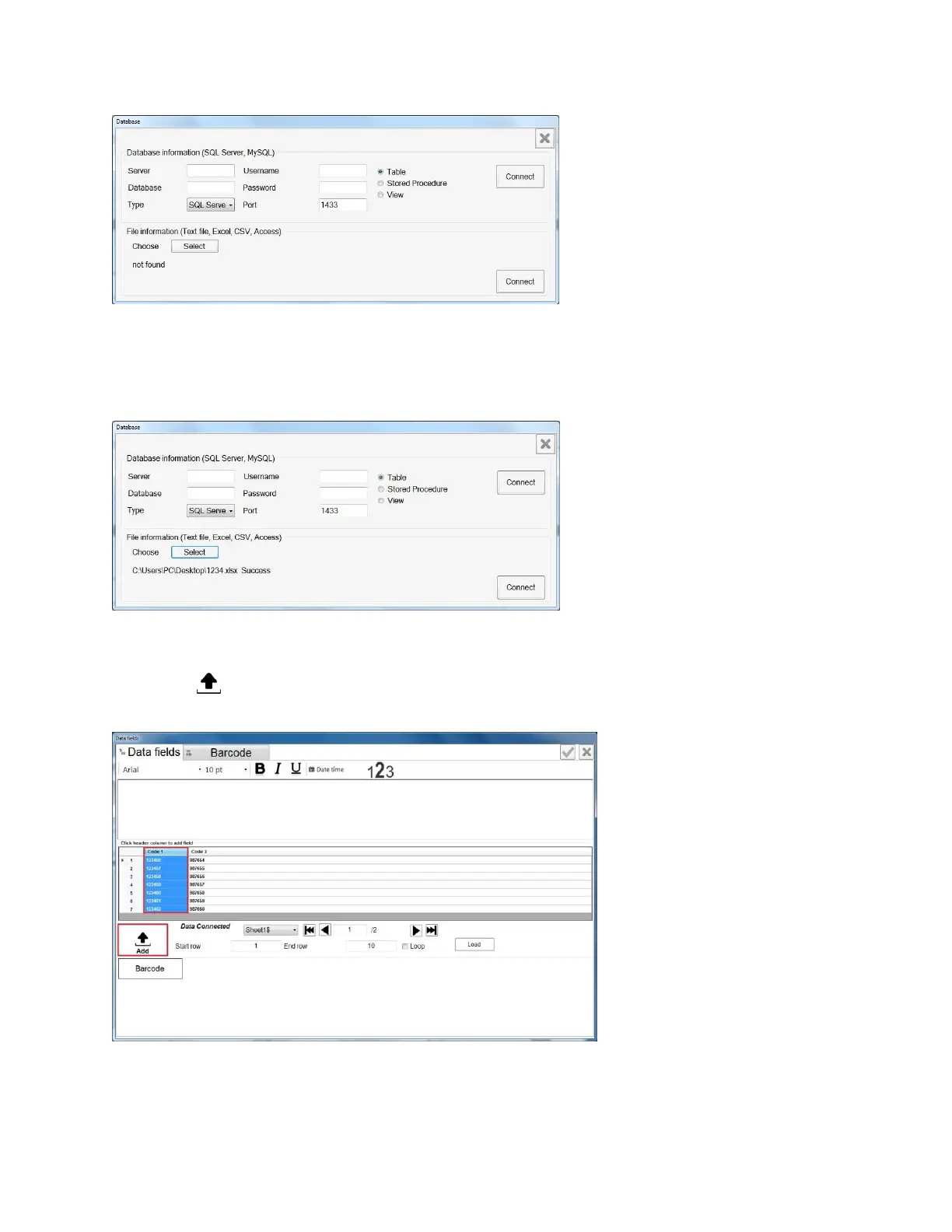
Click Load Data, Connect database window will pop up. There are two options for loading
data: Database Information and File Information.
Database Information: load database from your server.
Input server’s name, Database’s name, Username and Password of your server.
File Information: load database from your local file.
Click Select to choose the desired file (Text, Excel, CSV or Access file).
Click Connect to connect the file to the message after loading successfully.
Choose the column of data which is need to be printed (by click on name of column), then
click add button to add column to data field compose box. You can add more column,
add some static text, format font, size, type…
Select Barcode to create if barcode is needed. See setting barcode from Static text
object.



 To Next Page