Connect using web browser
If using Windows®, Mac®, Linux® or Chromebook® participants can connect using the MTC-5000 Web
Client in Google Chrome®.
Chrome® can be downloaded from http://www.google.com/chrome.
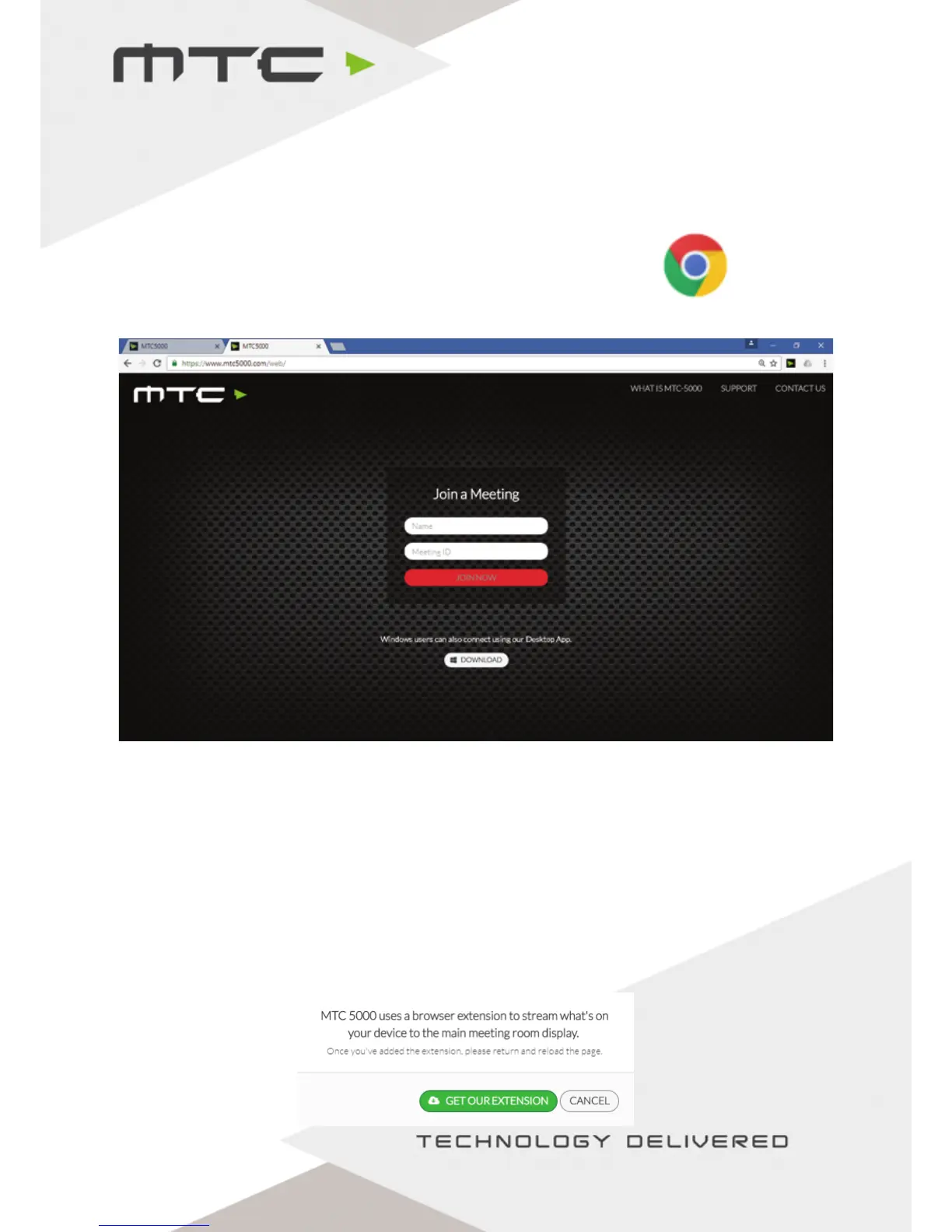
Open Chrome® and navigate to https://www.mtc5000.com - attendees will see the page below.
For the best experience when using the web client, the MTC-5000 Extension must be installed from the
Chrome® web store in order to share the screen.
If the MTC-5000 Extension is not installed, the connected device will still be able to view the Active
Display and to share webcam but will not be able to screen share.
Installation of the MTC-5000 Extension
The extension can be installed by clicking on the ‘get our extension’ link and following the prompts
on-screen to add the extension.
www.mtc-technologies.com info@mtc-technologies.com
10


 To Next Page