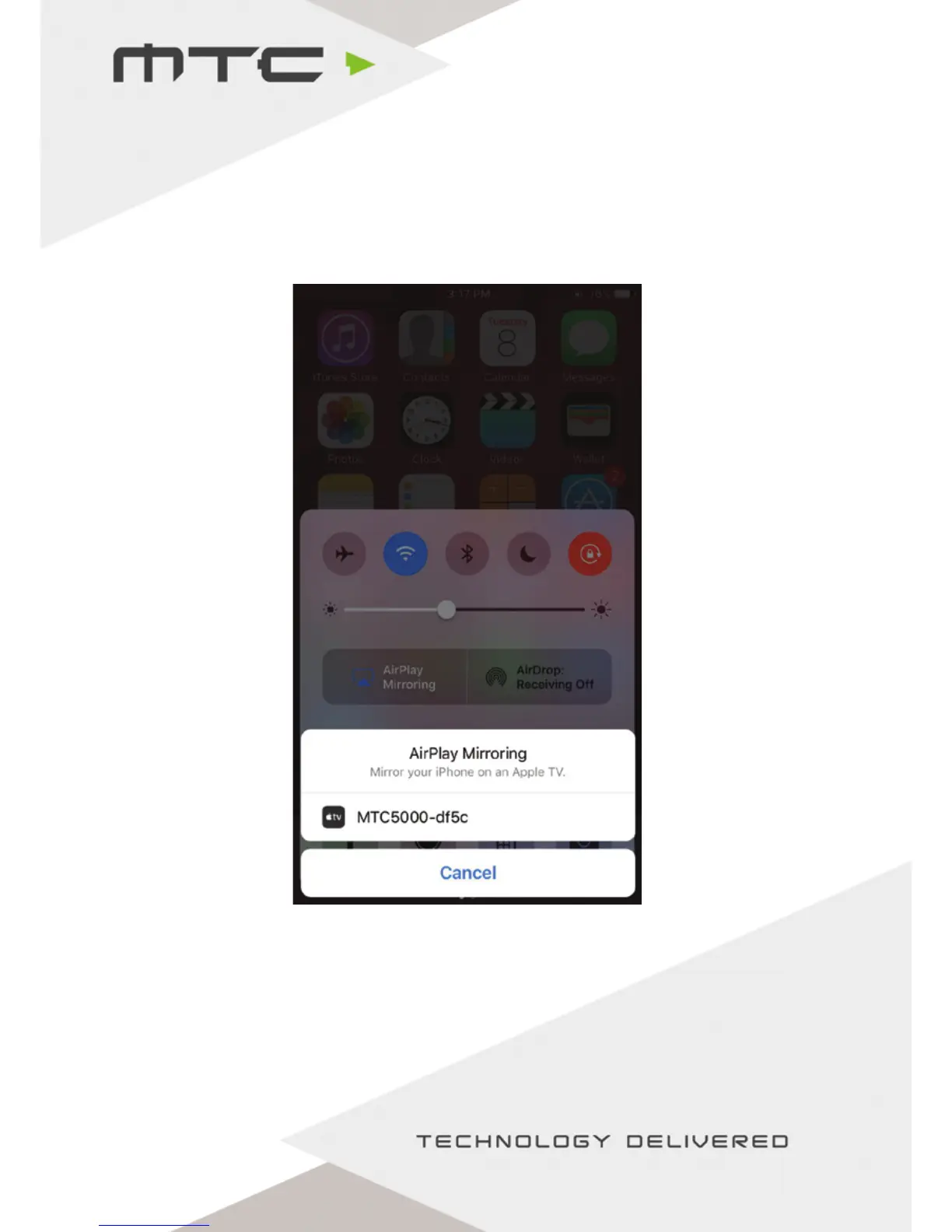
Connect iOS devices using ArPlay®
Ensure the iOS device is on the same network as MTC-5000 or connected to the MTC-5000 Access Point.
Swipe up from the bottom of the screen on the iOS device to reveal the Control Center.
Select the applicable MTC-5000 unit and tap the ‘AIr-Play Mirroring’ toggle. At this point an AirPlay®
password is required – this will be the Meeting ID.
After tapping ok the screen of the iOS device will appear on the MTC-5000 screen.
www.mtc-technologies.com info@mtc-technologies.com
12


 To Next Page