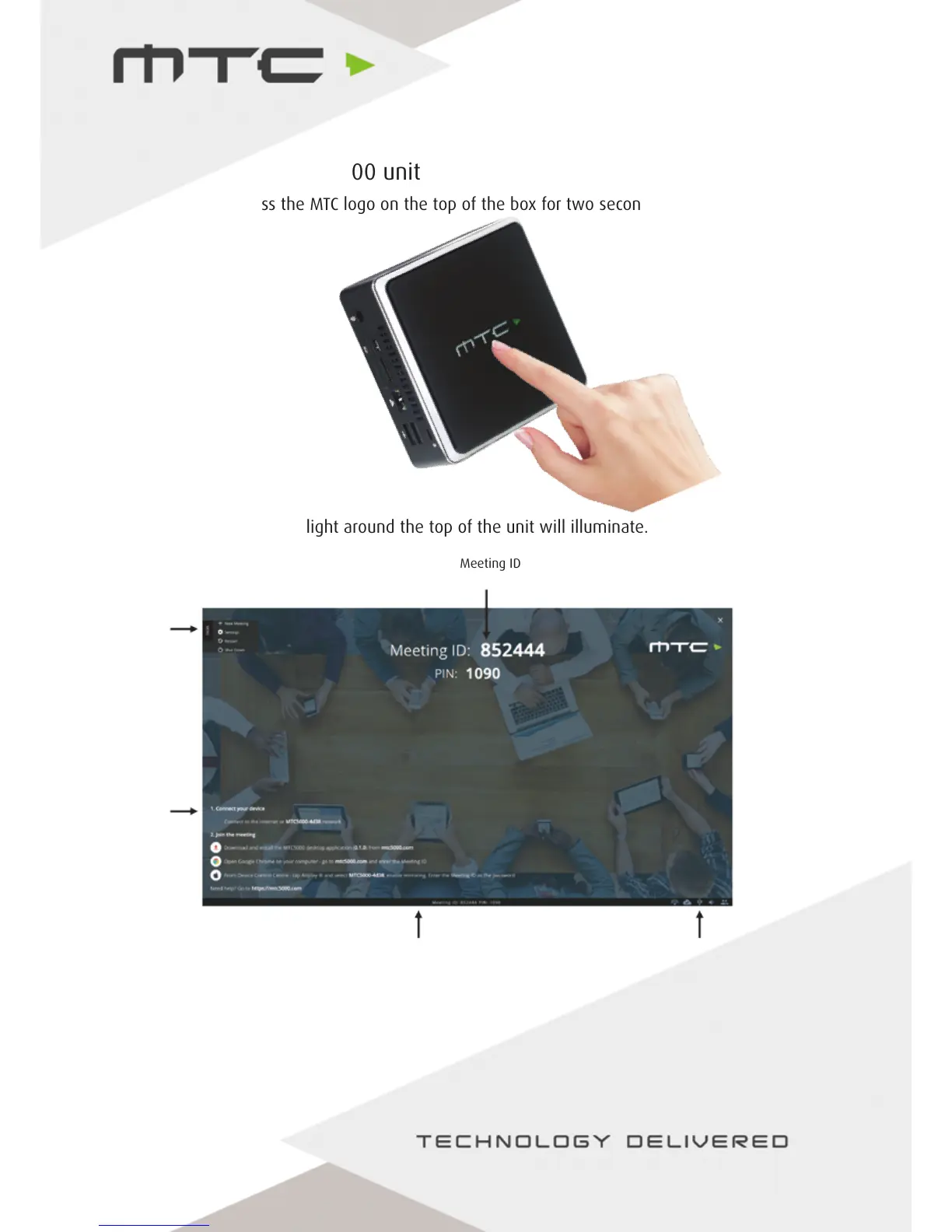
Meeting ID
& PIN
Menu
Joining
Instructions
Status bar
Status icons
Turning on the MTC-5000 unit
To power on, press the MTC logo on the top of the box for two seconds.
Once switched on, the light around the top of the unit will illuminate.
When the MTC-5000 unit has powered on the above screen will be shown.
This screen contains the status bar at the bottom, the Meeting ID (and PIN, if activated) to join the
meeting and instructions on how to connect devices in the bottom left.
www.mtc-technologies.com info@mtc-technologies.com
7


 To Next Page