Changing MTC-5000 features
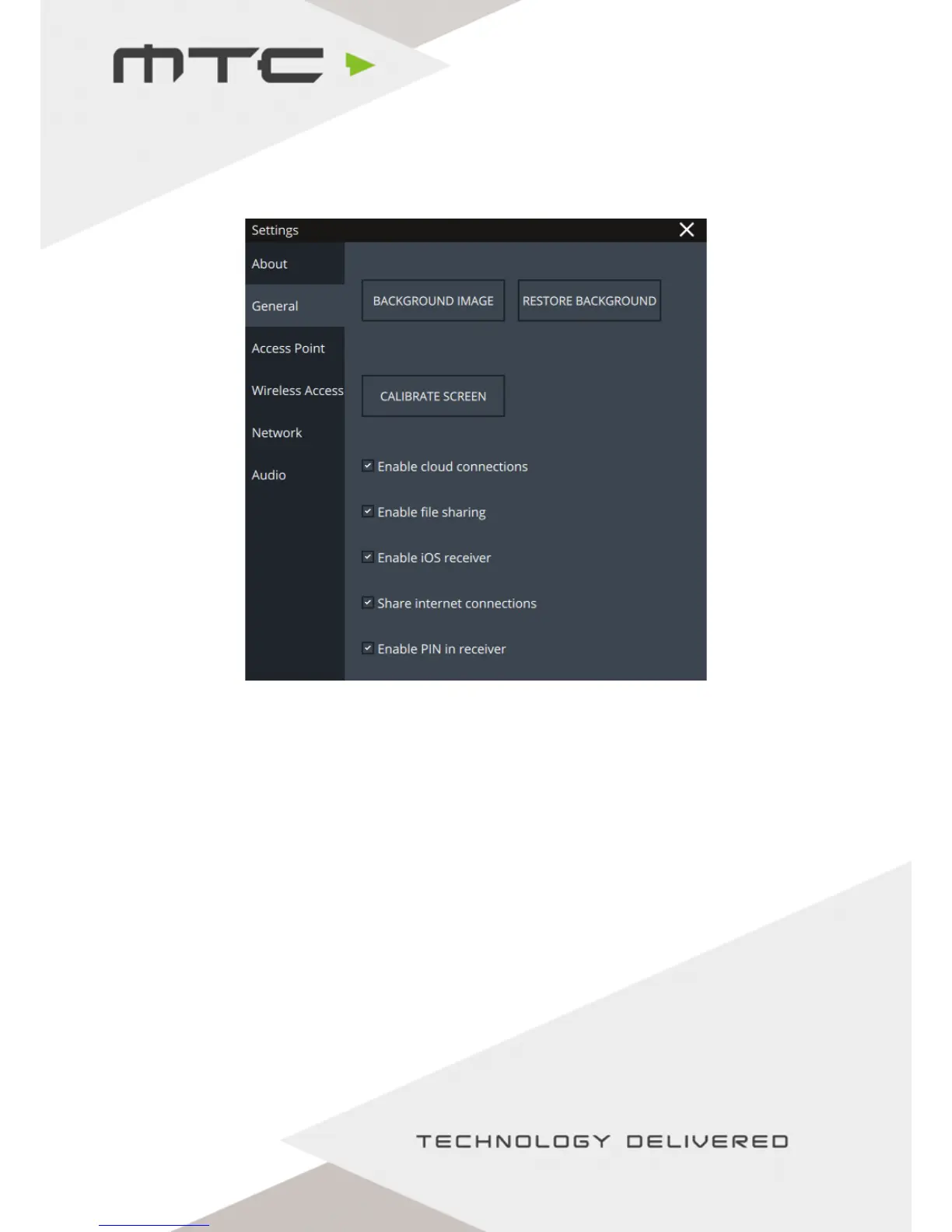
The General tab of the Settings screen allows for individual MTC-5000 features to be enabled or disabled.
Background image - Set a custom background for the MTC5000 meeting screen.
Restore background - Restore the default background.
Calibrate screen - Use this button to calibrate the touch screen.
Enable cloud connections - Allows remote attendees to connect over the Internet connection, if available.
Uncheck to only allow attendees from the local network or Access Point.
Enable file sharing - Control if attendees can share files.
Enable iOS receiver - Enable or disable iOS mirroring via AirPlay.
Share internet connections - If the unit is connected to a network, this setting allows control of whether
an Internet connection is shared with attendees connected to the Access Point.
Enable PIN in receiver - Enable a PIN for additional security.
www.mtc-technologies.com info@mtc-technologies.com
21


 To Next Page