Web Client
Open the Google Chrome Browser and open the URL www.mtc5000.com.
Become the Active Display
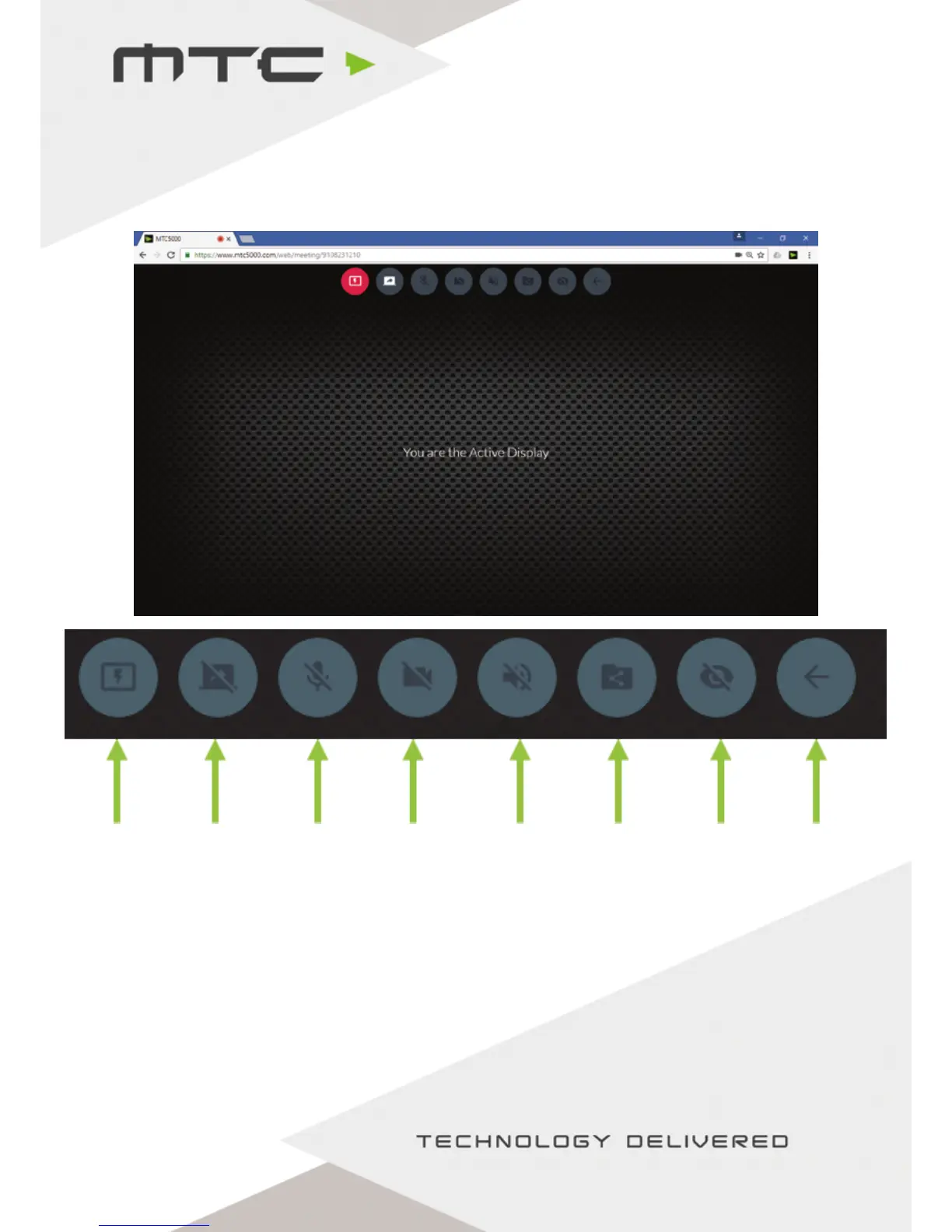
A device can be made the Active Display by clicking the ‘Toggle Active Display’ icon in the menu bar. This
will make that participants device full screen on the main display, this will also share the content to
anyone viewing the active display on the Windows® Application or Web Client.
Mouse control of the Active Display is not available when using the web client.
Toggle
active
display
Toggle
screen
share
Toggle
Mic
Toggle
Webcam
Toggle
Speaker
Share
le
View
active
display
Leave
meeting
www.mtc-technologies.com info@mtc-technologies.com
18


 To Next Page