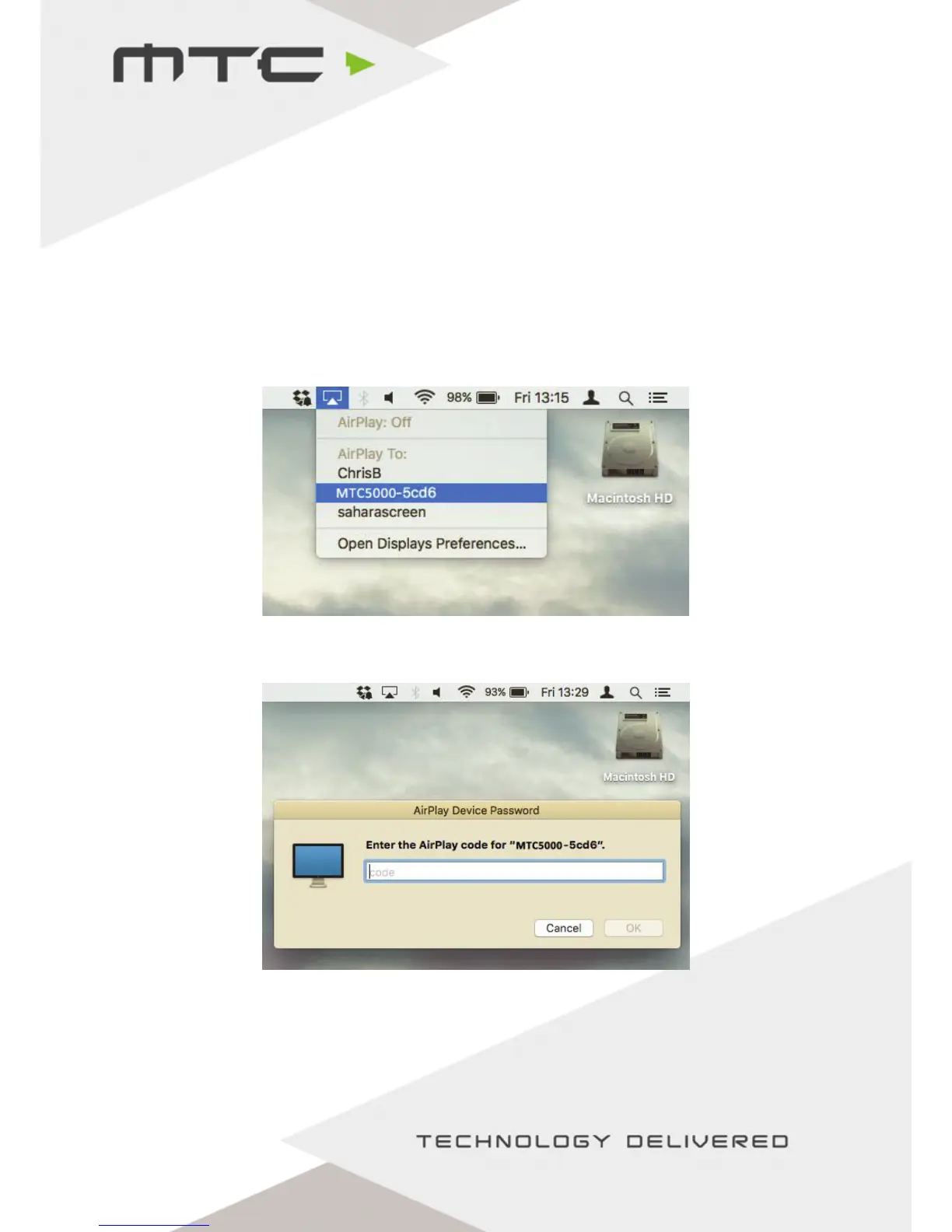
Connect Apple® Macs using AirPlay®
Mac® computers can currently join using the Web Client or by using AirPlay®.
To mirror the screen using AirPlay®, make sure the Mac® is connected to the same network as MTC-5000
or is connected to the MTC-5000 Access Point.
When connected to a valid network with AirPlay®, the AirPlay® icon will be shown in the top right of
the OS X Menu Bar, click this to see a list of available AirPlay® receivers on the local network.
‘MTC-5000’ will be in this list (or the name of the MTC-5000 network, if it has been renamed).
At this point AirPlay® will prompt for a password (this will be the Meeting ID), enter this and the Mac®
screen will be mirrored to the display.
www.mtc-technologies.com info@mtc-technologies.com
13


 To Next Page