Mod. 6609d-6612d: Automatic Forms Cutter 13.12.2006
-17-
3.2.1.2 Parameters i) Special Length and j) Program Sequence
Before parameters i) and j) can be shown at the operator level, you must input the following information.
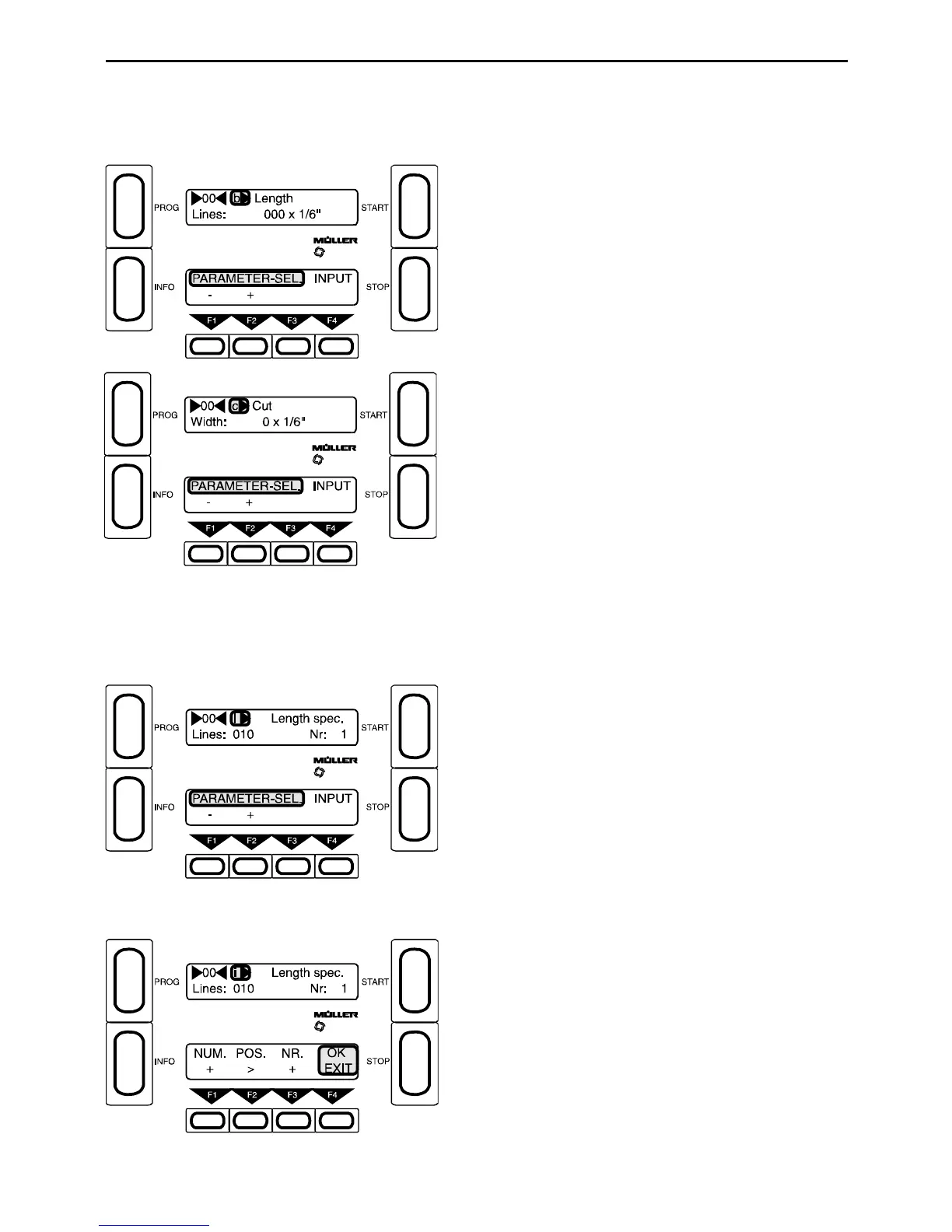
Select parameter b) and set Length to 000.
Special Length is only possible with Length 000. Sp ecial
Length can not be used together with the OMR system.
Select parameter c) and enter the length step for Special
Length (1/6", 1/8" or 1/24").
The length step in parameter b) is not applicable!
Parameter i) Special Length
Here you can enter up to 4 different lengths. The order is not important at this point.
The sequence of lengths is set in parameter j).
F4 - Press Input
Enter length:
F1 - Select number (0-9) e.g. 10x1/6" (R)
(1/6" is set in parameter c) )
F2 - Current write position =_ (R)
F3 - Length no. 1-4 (i.e. up to 4 different lengths can be
entered) (R)
F4 - Exit



 To Next Page