Mod. 6609d-6612d: Automatic Forms Cutter 13.12.2006
-16-
3.2 The operator level (level 1)
After switching the machine on the operator can carry out various functions. He can:
- select and start programs (00 - 99).
- browse through parameters b) - e) and possibly also i) and j), if parameter b) = 000, in all programs.
- alter parameter d) COUNTER in all programs.
- Change parameter m) fold length in all programs.
- alter parameters b) - e) (possibly also i) and j))in program slot 00.
3.2.1 Entering parameters
After the machine is switched on, the message PROGRAM - SELECT appears on the display. The desired program
can be selected by pressing buttons F1-F4. The program selected then appears in the left upper display.
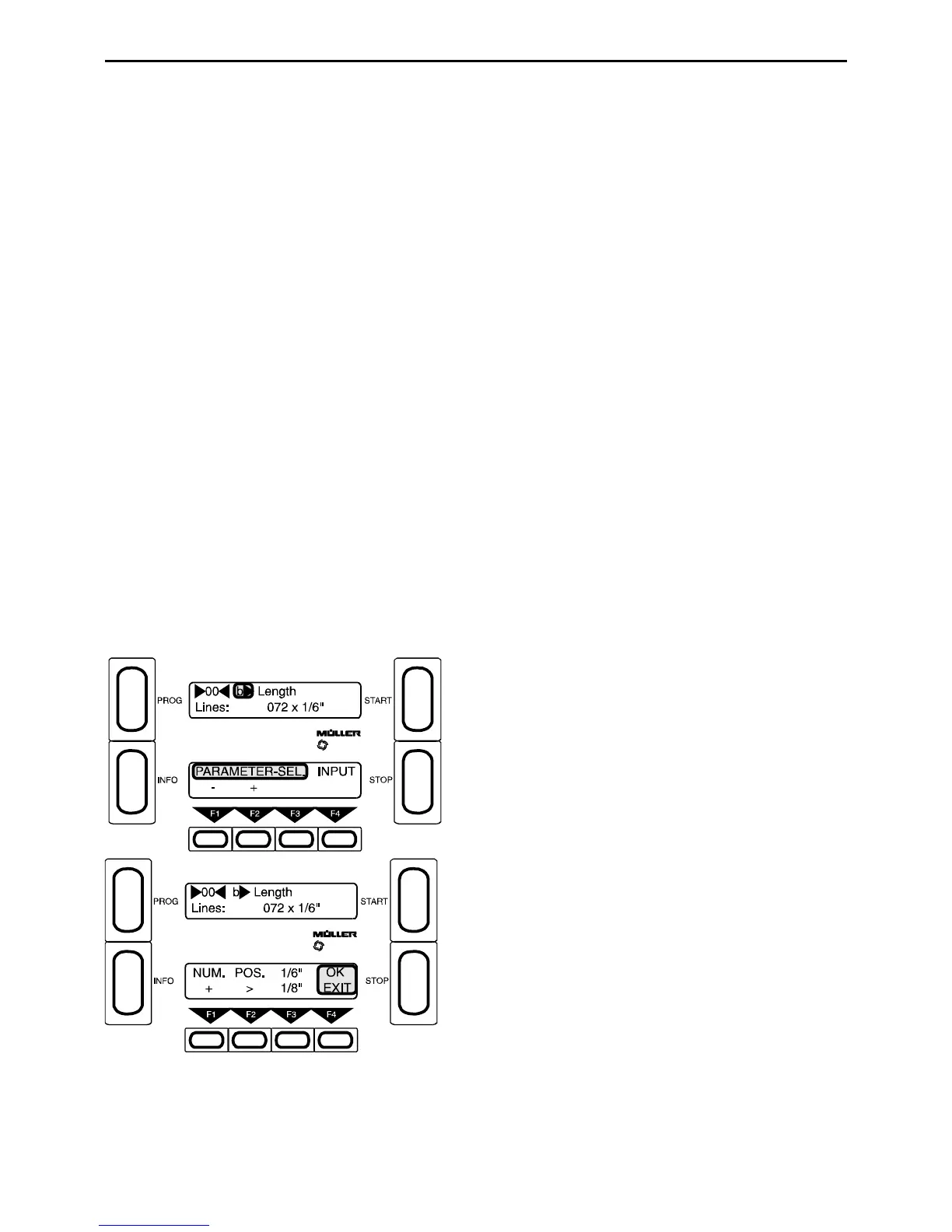
Press the Prog button to obtain PARAMETER - SELECT. Use buttons F1 and F2 to browse through the
parameters.
3.2.1.1 Parameter b) Length
In the Length parameter you can set the FORM LENGTH . The form length is measured in 1/6" (1 inch = 25. 4mm)
or 1/8" line space. Measure the form first on the plexiglass cover. Give the full length from perforat ion to perforation
(including double cuts where necessary). The 1/6" o r 1/8" step also applies when using the OMR system. If a form
is to be cut into several pieces, this can be enter ed with the Special Length program i), j).
F4 - Press Input
Select length:
F1 - Select number (0-9) (R)
F2 - Current write position =_ (R)
F3 - 1/6" or 1/8" length step
F4 - Exit



 To Next Page