Mod. 6609d-6612d: Automatic Forms Cutter 13.12.2006
-23-
.3 The programming level (level 2)
Access to the programming level is only possible wh en the machine is switched off. Press and hold down buttons
F1-F4 and switch on the machine. Buttons F1-F4 can be released when the message OK appears on the lower
display.
After the machine has been switched on the programmer can peform various functions.
He can:
- perform all operator functions.
- enter all parameters in program slot 00 and save the program in slots 01-83.
- browse through all parameters a) - m) in all programs (00 - 99).
A limited number of service functions are available:
SERVICE 000 Return to program
008 Input OMR routines
078/079 Adjust brightness of display
080-089 Select language
104-107 For OMR precess
3.3.1 Selecting and altering parameters
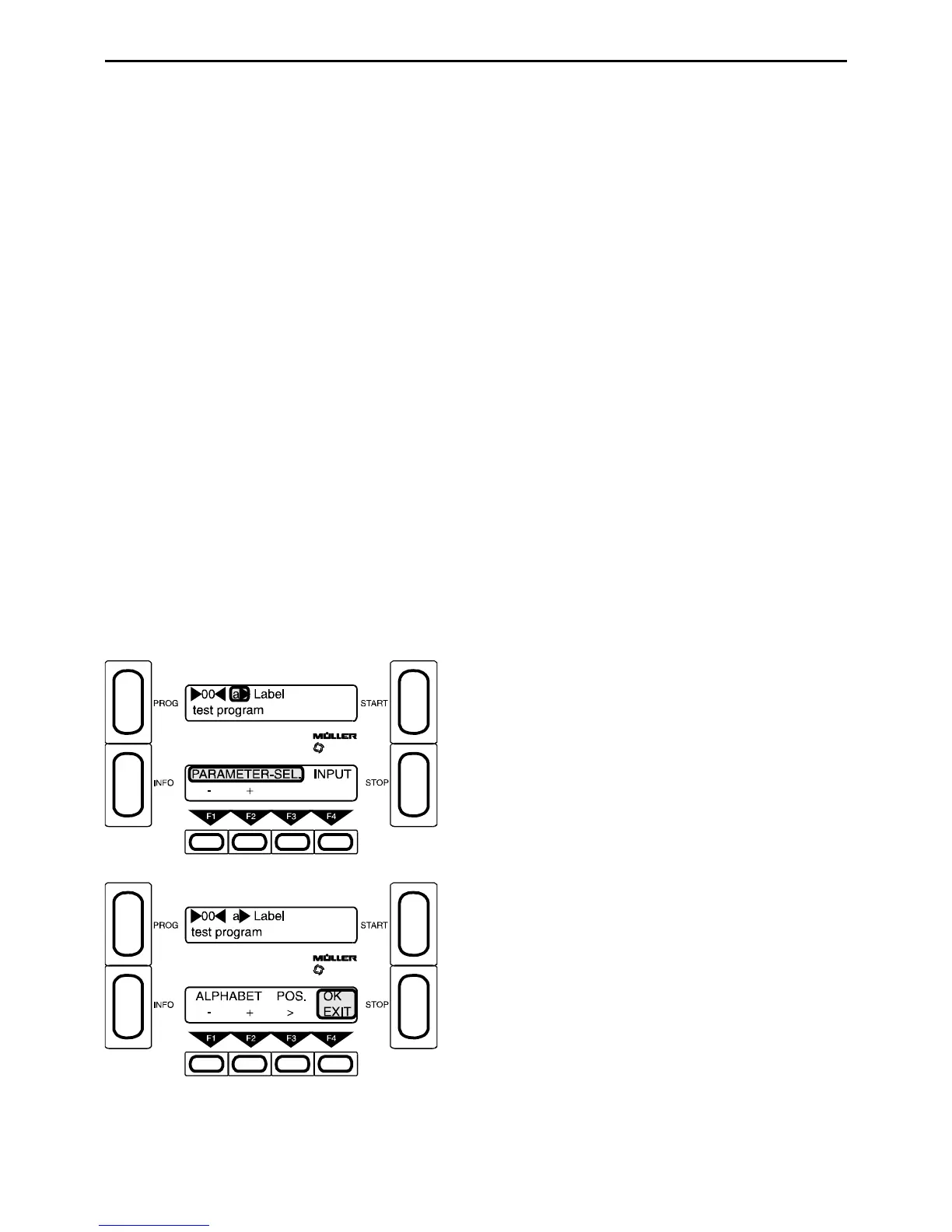
3.3.1.1 Parameter a) Label
The Label parameter can be used to input program labels or names (e.g. test program). The
labels can be up to twenty characters long and have no effect on the function of the machine.
They are intended only as an aid to finding programs. The label always appears during PROGRAM-SELECT.
Taste F4 - Press Input
F1 and F2 - Select letters, numbers or special
characters (turn page up or down) (R)
F3 - Current write position =_ (R)
F4 - Exit



 To Next Page