Mod. 6609d-6612d: Automatic Forms Cutter 13.12.2006
-19-
3.2.1.3 Parameter c) Cut
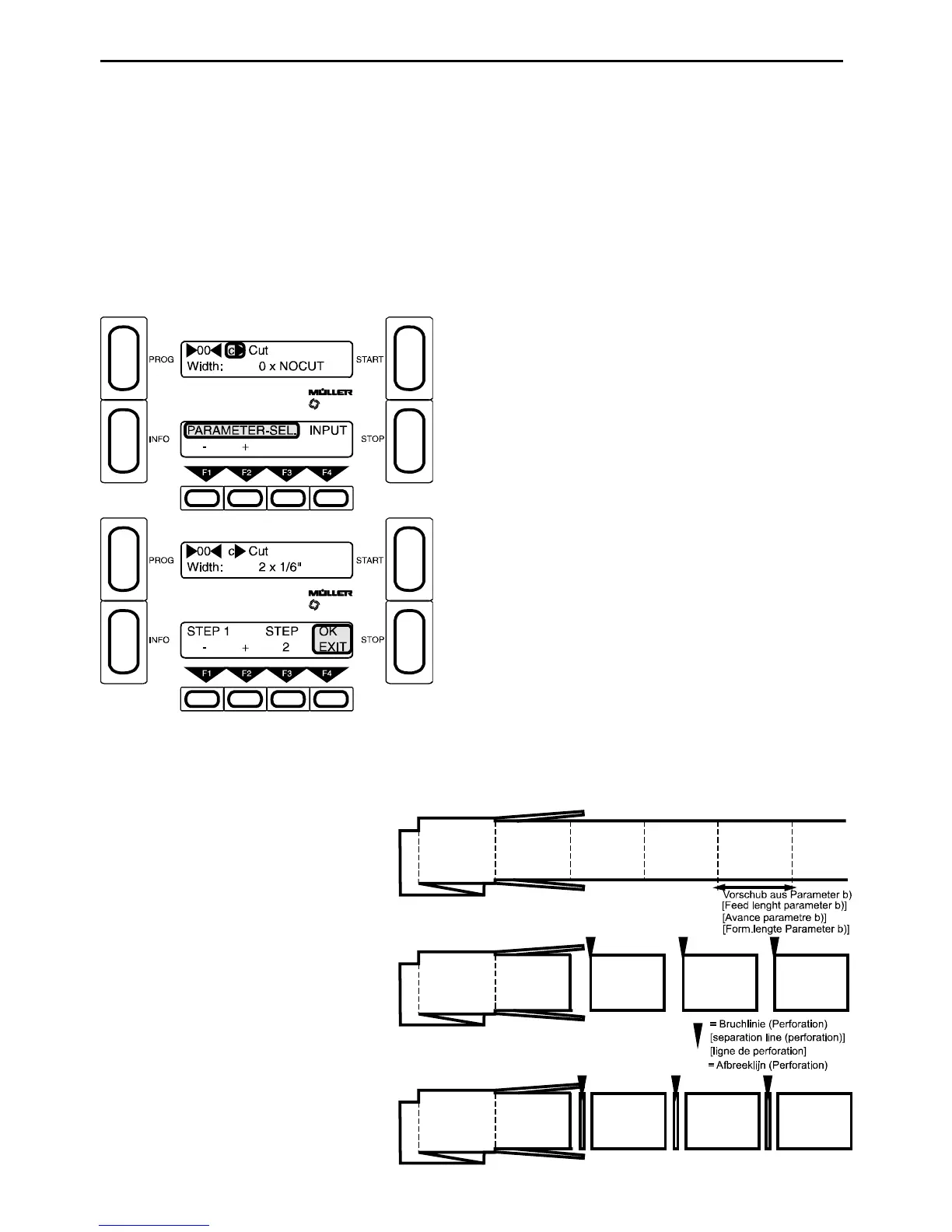
Here you can set the type of cut (single cut, double cut or only edge cut without cross cut), the width of cut
and the cut width step (1/6", 1/8" or 1/24") for double cuts.
Single cut is obtained by entering e.g. 0 * 1/6" or 0 * 1/8" f or the width
(0 = multiplier).
For Double cut the desired waste area is set by entering a multipl ier > 0;
e.g width: 2 * 1/6" (2 = multiplier). Thus in this case the waste area would be 2 * 1/6"
long. Any leftovers longer than this will automatically be chopped.
Edge cut can be set by entering cut width step = NO CUT.
F4 - Press Input
F1 and F2 - Multiplier for cut width step (0-9)
F3 - Cut width step (NO CUT, 1/6", 1/8" or 1/24") (R)
z.B.: 0 x NO CUT = No cross cut
0 x 1/6" = Single cut
2 x 1/8" = Double cut (at the upper and the
lower edge of the form 1/8" will be
cut away)
Possible cuts:
No cross cut -
only the margins will be cut away -
Parameter c) 0 x NO CUT
Single cut
Parameter c) 0 x 1/6"
or 0 x 1/8"
or 0 x 1/24"
Double cut
The piece cut away can be min. 1/24", max.
1 1/2" wide and is distributed symmetr cally
on both sides of the perforation. Wider
double cuts can be programmed using
parametersi) and j).



 To Next Page